
AI & Tools
10 AI Myths and Facts Most People Still Believe (And the Truth Behind Them)

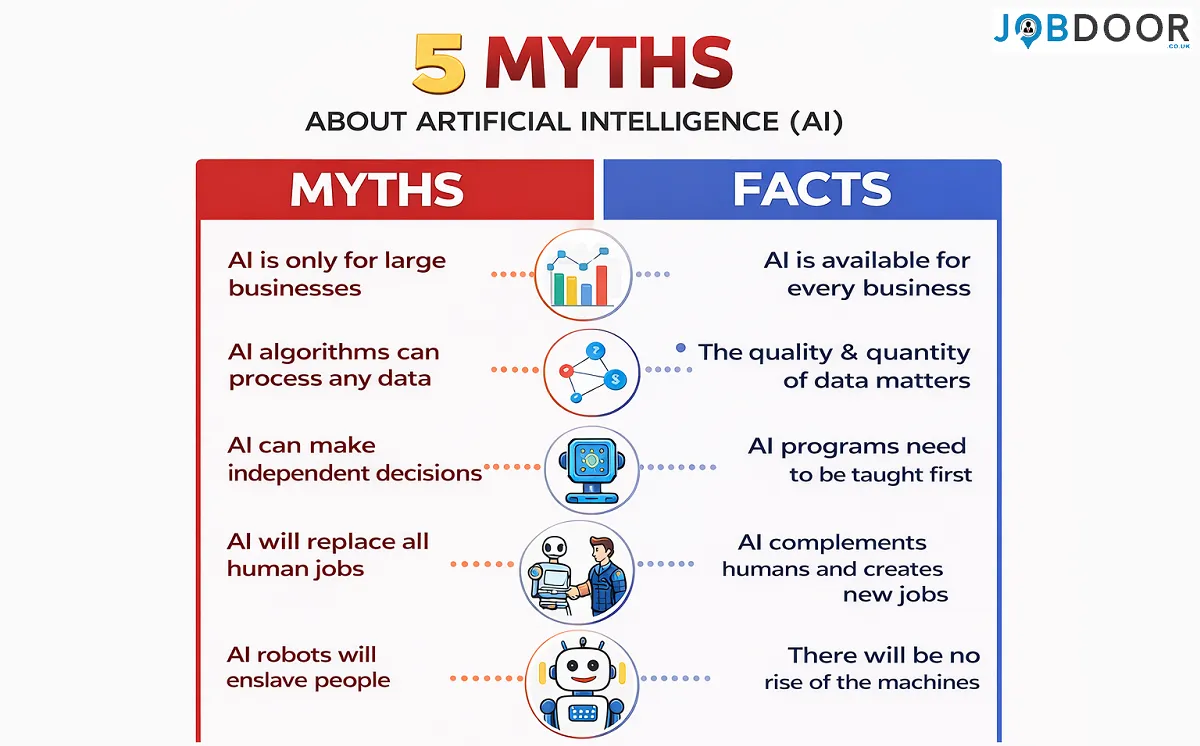
Artificial Intelligence is everywhere right now.
You hear about it in the news. You see it in social media discussions. People say AI will change jobs, businesses, and even the future of humanity.
But with all this excitement comes a lot of confusion.
Some people believe AI will take over the world. Others think AI can magically solve every problem. And many people simply feel overwhelmed because they don’t understand what AI actually is.
If you’ve ever wondered:
- Will AI replace humans?
- Is AI dangerous?
- Do I need technical skills to understand AI?
You are not alone.
The truth is that many common beliefs about AI are myths—misunderstandings that spread quickly online.
In this guide, we’ll break down the biggest AI myths and facts in simple, easy-to-understand language. No complicated technical terms. No confusing explanations.
By the end of this article, you will:
- Understand what AI really is and what it isn’t
- Learn the most common myths about artificial intelligence
- Discover the real facts behind AI technology
- Gain a simple system for using AI wisely and confidently
Think of this guide as a friendly conversation that clears the fog around AI.
Let’s separate myth from reality.
What Is Artificial Intelligence? (Before We Talk About Myths)
Before we explore AI myths and facts, let’s first understand what AI actually means.
Artificial Intelligence (AI) refers to computer systems designed to perform tasks that normally require human intelligence.
These tasks include things like:
- recognizing images
- understanding language
- making predictions
- solving problems
- generating ideas
But here’s an important point:
AI does not think like a human.
Instead, it learns patterns from large amounts of data.
Think of AI like a very fast learner that studies millions of examples and then uses those patterns to give answers.
Understanding this simple idea helps clear up many misconceptions about AI.
Why There Are So Many AI Myths?
New technology always creates myths.
Think about when the internet first became popular. Many people believed it would destroy society.
But instead, the internet became one of the most powerful tools ever created.
The same thing is happening with AI today.
Movies, headlines, and social media often exaggerate AI’s capabilities, creating fear or unrealistic expectations.
So let’s look at some of the most common AI myths and facts.
Myth #1: AI Will Replace All Human Jobs
This is probably the most common fear about artificial intelligence.
You may have heard statements like:
“AI will replace humans in the future.”
The Reality
AI will change jobs, but it will not eliminate humans from the workforce.
Throughout history, technology has always changed how people work.
For example:
| Technology | What People Feared | What Actually Happened |
|---|---|---|
| Calculators | People would forget math | Math education improved |
| Computers | Offices would lose jobs | Millions of new jobs were created |
| Internet | Businesses would disappear | New industries emerged |
AI is likely to follow the same pattern.
Instead of replacing humans, AI will assist humans.
People who learn how to work with AI will become more productive and valuable.
Myth #2: AI Is Smarter Than Humans
Some people imagine AI as a super-intelligent machine that knows everything.
But that’s not accurate.
The Reality
AI is specialized intelligence, not general intelligence.
This means AI can perform specific tasks very well but struggles with broader understanding.
For example:
AI may be great at:
- analyzing data
- recognizing images
- generating text
But AI struggles with:
- common sense reasoning
- emotional understanding
- creativity driven by personal experience
Humans still have advantages in imagination, empathy, and critical thinking.
Myth #3: AI Is Dangerous and Out of Control
Movies often show AI systems becoming uncontrollable robots.
This creates a lot of fear.
The Reality
AI systems are designed and controlled by humans.
They operate within rules created by developers and organizations.
Most AI tools today are used for practical purposes such as:
- improving healthcare diagnostics
- helping businesses analyze data
- assisting students with learning
- automating repetitive tasks
Like any technology, AI must be used responsibly.
But it is not an uncontrollable force.
Myth #4: Only Programmers Can Understand AI
Many people believe AI is only for software engineers.
That belief stops many beginners from exploring AI tools.
The Reality
Modern AI tools are designed to be user-friendly.
Many tools require no programming at all.
For example, people use AI today to:
- brainstorm ideas
- summarize documents
- generate creative content
- learn new skills
Using AI is becoming similar to using search engines or smartphones.
The barrier to entry is much lower than people think.
Myth #5: AI Always Gives Correct Answers
Another misconception is that AI outputs are always accurate.
This can be dangerous if people rely on AI blindly.
The Reality
AI can make mistakes.
AI systems generate answers based on patterns in data. Sometimes those patterns can produce:
- outdated information
- incomplete explanations
- incorrect conclusions
This is why experts recommend using AI as a helper, not a final authority.
Always verify important information.
Myth #6: AI Will Replace Human Creativity
Some people believe AI will eliminate the need for artists, writers, and creators.
The Reality
AI can assist creativity—but it doesn’t replace human imagination.
For example, AI can:
- generate ideas
- suggest story outlines
- help brainstorm designs
But the human mind provides meaning, emotion, and originality.
Think of AI like a creative assistant rather than a replacement.
Many artists today use AI tools to enhance their creative process.
Myth #7: AI Is Only for Big Companies
Large technology companies invest heavily in AI.
Because of this, many people believe AI is only useful for corporations.
The Reality
AI tools are becoming accessible to everyone.
Students, freelancers, small businesses, and individuals can all benefit from AI.
People now use AI to:
- learn new subjects
- improve productivity
- build side projects
- automate small tasks
AI is gradually becoming a personal productivity tool.
How AI Actually Works (Simple Explanation)?
Let’s simplify how AI works.
Most AI systems follow three basic steps.
Step 1: Learning From Data
AI studies large amounts of information called training data.
For example:
- thousands of images
- millions of text documents
- speech recordings
From this data, AI learns patterns.
Step 2: Finding Patterns
AI algorithms analyze the data and discover relationships.
For example:
- identifying objects in images
- understanding grammar in language
- recognizing patterns in numbers
This is similar to how students learn through examples.
Step 3: Generating Results
Once trained, AI can apply its knowledge to new situations.
For example:
- answering questions
- identifying objects in photos
- predicting outcomes
This is how AI becomes useful in real-world tasks.
A Simple Table: AI Strengths vs Human Strengths
| AI Strengths | Human Strengths |
|---|---|
| Processing huge amounts of data | Emotional intelligence |
| Fast pattern recognition | Creativity |
| Automation of repetitive tasks | Ethical judgment |
| Data-driven predictions | Complex reasoning |
The most powerful future is when humans and AI work together.
A Simple System for Using AI Wisely:
If you are new to AI, here is a simple system that removes anxiety and gives you control.
1. Stay Curious:
Instead of fearing AI, approach it with curiosity.
Ask questions. Explore tools. Learn gradually.
2. Start With Simple Use Cases:
Use AI for everyday tasks such as:
- summarizing articles
- generating ideas
- explaining complex topics
Start small and build confidence.
3. Always Verify Important Information:
Remember that AI is not perfect.
Double-check facts from trusted sources when needed.
4. Use AI as a Partner:
Think of AI as a thinking assistant, not a replacement for your intelligence.
Let AI handle repetitive tasks while you focus on creative and strategic thinking.
5. Keep Learning:
AI technology is evolving rapidly.
Even spending 10–20 minutes exploring AI tools regularly can help you stay ahead.
Why Understanding AI Matters Today?
AI is becoming a major part of modern life.
It influences many industries, including:
- healthcare
- education
- finance
- marketing
- entertainment
Understanding AI myths and facts helps people make informed decisions instead of reacting with fear or unrealistic expectations.
Knowledge creates confidence.
And confidence helps people adapt to new technology.
Conclusion: Understanding AI Begins With Curiosity
Artificial Intelligence may seem mysterious at first.
But once we separate myths from facts, AI becomes much easier to understand.
Here are the key takeaways:
- AI does not replace human intelligence—it supports it
- Many fears about AI come from misunderstandings
- AI tools are becoming accessible to everyone
- Humans still provide creativity, judgment, and imagination
- Learning how to work with AI is a valuable skill for the future
Instead of worrying about AI, the better approach is simple:
Learn about it. Explore it. Experiment with it.
You don’t need to be a programmer or a technology expert to begin.
Just start small.
Ask questions. Try new tools. Discover how AI can assist your daily tasks.
Because the future will not belong only to machines.
It will belong to people who understand how to use technology wisely.
And your journey into understanding AI can start today. 🚀

AI & Tools
Companies Pay $10K for This AI Masterclass: Learn the Skills That Are Reshaping the Future

Companies don’t pay for tools. They pay for systems, strategy, and transformation.
A high-end AI masterclass teaches employees how to use AI to redesign the way work gets done.
Instead of saving 5 minutes…
It helps companies save thousands of hours.
1. AI Workflow Automation (Saving Thousands of Work Hours):
This is one of the biggest reasons companies pay for AI training.
The goal is to automate entire workflows, not just individual tasks.
Example: Marketing Workflow Automation
Without AI:
- Research topic
- Write blog
- Create social posts
- Write email newsletter
- Design marketing assets
This could take 8–12 hours.
With AI workflow systems:
- AI generates blog outline
- AI drafts article
- AI creates social media posts
- AI generates newsletter
- AI creates ad copy
Now the same workflow may take 1–2 hours.
Companies pay for training that teaches employees how to:
- Design AI workflows
- Connect tools together
- Automate repetitive processes
- Build internal productivity systems
Saving 1,000+ employee hours per year is easily worth $10k.
2. AI Business Process Automation:
Large companies run hundreds of internal processes.
Examples include:
- Customer support tickets
- Lead qualification
- Data entry
- Internal documentation
- Meeting summaries
AI masterclasses teach teams how to build AI-powered internal systems.
Example:
Customer Support Automation
AI can:
- Analyze customer questions
- Draft support responses
- Categorize tickets
- Escalate complex issues
This can reduce support workload by 30–60%.
That’s millions of dollars in savings for large companies.
3. Custom AI Tools for Internal Use:
Another big topic in expensive AI training is building custom AI assistants.
Companies want employees to learn how to create AI tools trained on their own data.
Example internal AI assistants:
• Company knowledge assistant
• Sales training chatbot
• Product documentation assistant
• Legal document analyzer
Instead of searching through hundreds of documents…
Employees can simply ask:
“What is our refund policy for enterprise clients?”
And AI instantly answers using internal company data.
This drastically improves decision speed.
4. AI for Data Analysis and Business Intelligence:
Companies generate massive amounts of data.
But most employees don’t know how to extract insights from it.
AI masterclasses teach teams how to use AI to analyze:
- sales reports
- market data
- customer feedback
- performance metrics
Example:
A company may ask AI:
“Analyze last year’s sales data and identify our top 5 growth opportunities.”
AI can instantly produce insights that normally take analysts days or weeks.
Better insights = better decisions.
Better decisions = more profit.
5. AI Prompt Engineering for Complex Work:
At beginner level, prompts are simple.
But advanced prompt engineering is very different.
Corporate training teaches things like:
- multi-step prompting
- chain-of-thought prompting
- structured prompts
- system prompts
- AI role frameworks
Example:
Instead of asking:
“Write a marketing plan”
You might build a prompt system like:
Step 1: Market analysis
Step 2: Competitor breakdown
Step 3: Target audience identification
Step 4: Growth strategy
Step 5: Campaign ideas
This creates much higher quality outputs.
These frameworks can transform AI from a toy into a strategic business tool.
6. AI-Powered Decision Making:
Another major topic in corporate AI training is decision support systems.
Executives want AI to help answer questions like:
- Which markets should we enter?
- What products should we launch?
- What pricing strategy works best?
AI can analyze:
- competitor data
- market trends
- customer behavior
And generate data-backed strategic insights.
This is where AI becomes extremely valuable.
7. Enterprise AI Strategy:
The most expensive part of AI training is usually strategy.
Companies need answers to questions like:
- Which AI tools should we adopt?
- What processes should be automated first?
- How do we integrate AI into existing workflows?
- What are the risks?
An AI masterclass often includes AI transformation planning.
This means redesigning entire departments around AI.
For example:
Marketing teams might shift from:
Manual content creation → AI-assisted content engines
Customer support teams might shift from:
Human responses → AI-first support systems
This is why companies bring in AI consultants and trainers.
8. AI Risk, Security, and Compliance:
Large companies cannot just use AI freely.
They must consider:
- data privacy
- security risks
- intellectual property
- regulatory compliance
AI training teaches teams how to safely use AI in business environments.
For example:
- What data should never be entered into AI tools
- How to protect company information
- How to avoid AI-generated errors
This part alone is extremely important for corporations.
9. AI Integration With Business Tools:
Advanced training also teaches how to connect AI with tools companies already use.
Examples:
AI + CRM systems
AI + project management tools
AI + analytics platforms
AI + marketing automation
This creates powerful productivity ecosystems.
Instead of employees switching between tools…
AI coordinates everything.
10. AI for Revenue Growth:
Finally, the most valuable part.
Companies want AI to increase revenue, not just save time.
Examples:
AI can help with:
- personalized marketing
- sales prospecting
- customer behavior prediction
- lead scoring
Sales teams can use AI to identify high-value prospects faster.
Marketing teams can use AI to generate high-converting campaigns.
When AI directly increases revenue, a $10k training cost becomes tiny.
Why Companies Pay So Much for AI Training?
The reason becomes clear when you look at the math.
Example:
If a company trains 50 employees and each employee becomes just 10% more productive, the company may save:
- thousands of hours
- millions in operational costs
So paying $10k per employee is actually a small investment.
The Real Value of AI Mastery:
The most valuable skill isn’t using AI tools.
It’s learning how to think with AI.
People who understand AI systems can:
- build smarter workflows
- solve problems faster
- make better decisions
- create new opportunities
That’s why AI skills are quickly becoming one of the most valuable career advantages today.

Artificial Intelligence sounds like something from a science-fiction movie.
Robots. Smart computers. Machines that think like humans.
For many people, this can feel confusing or even a little scary. Parents worry about it. Students hear about it everywhere. Adults see it changing workplaces.
But here’s the truth.
AI is not as complicated as it sounds.
In fact, if you explain it the right way, even a 10-year-old child can understand it.
And that’s exactly what we’re going to do in this guide.
No technical jargon.
No confusing computer terms.
Just a simple explanation of AI that kids—and adults—can understand easily.
By the end of this article, you will learn:
- What Artificial Intelligence (AI) really means
- How AI works in simple everyday language
- Real-life examples of AI kids already use
- How AI learns from information
- A simple way to start exploring AI safely and creatively
Think of this as a friendly conversation where we slowly unlock the mystery of AI together.
Ready?
Let’s begin.
What Is AI? (Explained in the Simplest Way)
AI stands for Artificial Intelligence.
That sounds complicated, but the idea is actually simple.
Artificial means something made by humans.
Intelligence means the ability to think, learn, and solve problems.
So when we combine the two:
Artificial Intelligence means machines that can learn and make decisions.
But wait…
Can computers really think like humans?
Not exactly.
AI doesn’t have feelings or emotions like people. Instead, it follows patterns and learns from information.
Think of AI like a very smart student who studies millions of examples very quickly.
The more examples it studies, the better it becomes at solving problems.
A Simple Example Kids Can Understand
Imagine you are teaching a child to recognize animals.
You show them many pictures of cats.
After seeing hundreds of cats, the child learns:
- Cats have whiskers
- Cats have pointy ears
- Cats say “meow”
Soon, when the child sees a new animal, they can say:
“That’s a cat!”
AI learns in a similar way.
But instead of seeing hundreds of examples…
AI can study millions of examples in minutes.
That’s why AI can recognize things like:
- faces in photos
- speech in voice assistants
- objects in videos
Pretty amazing, right?
Where Do We See AI in Everyday Life?
Many people think AI is something futuristic.
But here’s the surprising part.
AI is already everywhere.
Kids and adults use AI every day without realizing it.
Let’s look at some common examples.
Voice Assistants
When you talk to a smart assistant and ask a question, AI helps understand your voice.
For example:
- “What’s the weather today?”
- “Play my favorite song.”
- “Set an alarm for tomorrow.”
AI listens, understands, and responds.
Video Recommendations
Have you ever noticed how video platforms recommend new videos you might like?
That’s AI.
It studies what you watch and suggests similar content.
For example:
If you watch many football videos, the system may recommend more sports content.
Maps and Navigation
When you use a map app to find the fastest route somewhere, AI helps calculate the best path.
It considers things like:
- traffic
- distance
- road closures
Within seconds, it suggests the best route.
Online Games
Many video games use AI to control computer players.
These players can:
- react to your actions
- adapt strategies
- become harder to defeat
That’s AI learning how to challenge players.
How Does AI Learn?
AI learns using something called data.
Data simply means information.
Examples of data include:
- pictures
- text
- videos
- numbers
- sounds
The more data AI studies, the better it becomes.
Think of it like studying for a school exam.
A student who reads one page may struggle.
A student who studies the entire book understands the topic much better.
AI works the same way.
A Simple Table: Humans vs AI Learning
| Humans Learn By | AI Learns By |
|---|---|
| Reading books | Analyzing data |
| Listening to teachers | Studying examples |
| Practicing problems | Running algorithms |
| Making mistakes | Improving predictions |
Both humans and AI learn through practice and feedback.
But AI can process information much faster.
Can AI Think Like Humans?
This is one of the biggest questions people ask.
The short answer:
No.
AI does not truly think like humans.
It does not have:
- emotions
- imagination
- personal experiences
Instead, AI works by recognizing patterns.
For example:
If AI studies thousands of stories, it can learn how stories are structured.
Then it can generate a new story that follows similar patterns.
But it does not “feel” the story the way humans do.
Why Is AI Becoming So Popular?
AI is becoming popular because it helps people solve problems faster.
Imagine doing homework that normally takes two hours.
Now imagine a smart tool helping you understand the topic in 30 minutes.
AI is powerful because it can:
- analyze information quickly
- assist with creative work
- automate repetitive tasks
This is why companies, schools, and researchers are investing heavily in AI.
Is AI Dangerous?
Whenever new technology appears, people naturally worry about it.
And that’s understandable.
But the reality is this:
AI is a tool.
Just like a calculator, a computer, or the internet.
A tool can be used in helpful ways or harmful ways.
That’s why learning how to use AI responsibly is important.
Here are some basic AI safety principles:
- Always verify important information
- Never share personal or private data
- Use AI as a helper, not a replacement for thinking
When used wisely, AI becomes a powerful assistant.
A Fun Way to Explain AI to Kids
Here’s a fun analogy many teachers use.
Imagine a super-powered library robot.
This robot has read millions of books.
When you ask a question, the robot quickly searches everything it knows and gives the best answer.
That’s similar to how many AI systems work.
They analyze massive amounts of information to generate helpful responses.
A Simple 5-Step Way Kids Can Start Learning About AI
Learning about AI doesn’t require advanced math or coding.
Anyone can start exploring it.
Here’s a simple system.
Step 1: Stay Curious
The most important skill in learning AI is curiosity.
Ask questions like:
- How does this tool work?
- Why did it give this answer?
- What happens if I ask something different?
Curiosity leads to discovery.
Step 2: Experiment With AI Tools
Trying things is the best way to learn.
Kids can explore AI by:
- asking questions
- generating stories
- creating fun ideas
- learning new topics
Experimentation builds confidence.
Step 3: Learn How AI Makes Mistakes
AI is powerful, but it isn’t perfect.
Sometimes it can:
- misunderstand questions
- provide incorrect information
- miss important details
Learning to double-check answers is an important skill.
Step 4: Use AI as a Learning Partner
AI works best as a helper.
For example, students can use AI to:
- explain difficult homework topics
- summarize chapters
- generate quiz questions
Think of AI as a study partner.
Step 5: Keep Asking Better Questions
The better your questions, the better the answers.
For example:
Instead of asking:
“Tell me about space.”
You could ask:
“Explain black holes in a way a 10-year-old can understand.”
Clear questions produce clearer answers.
How AI May Shape the Future for Kids
The children growing up today will live in a world filled with AI.
But that doesn’t mean robots will replace humans.
Instead, AI will become something like a digital assistant for creativity and problem-solving.
Future careers may involve:
- designing AI tools
- solving global challenges using AI
- creating new technologies
Kids who understand AI early will have a powerful advantage.
The Most Important Skill in the AI Age
Surprisingly, the most important skill isn’t coding.
It’s thinking creatively and asking good questions.
AI can process information.
But humans provide:
- creativity
- curiosity
- imagination
- ethical judgment
The future will belong to people who can work alongside AI effectively.
Conclusion: AI Is Not Something to Fear
Artificial Intelligence may sound complex at first.
But once you break it down, the idea becomes simple.
AI is just technology that learns from information and helps solve problems.
It already powers many tools we use every day—from maps to video recommendations.
And as AI continues to grow, understanding it will become an important skill for everyone.
The good news?
You don’t need to be a computer expert to start learning.
All you need is curiosity.
Remember the key ideas from this guide:
- AI means machines that can learn from data
- AI is already part of everyday technology
- AI does not replace human creativity
- Anyone can begin exploring AI step by step
So here’s a small challenge for you today.
Ask an AI tool a question.
Try something creative.
Experiment.
Learn something new.
Because the future of technology won’t just belong to machines.
It will belong to people who understand how to use them wisely. 🚀

Artificial Intelligence is changing how we create content online. Today, you don’t need expensive software, video editing skills, or hours of work to create videos. With the help of AI automation tools, you can now generate multiple videos automatically in just a few minutes.
Imagine creating dozens of videos for YouTube, Instagram, TikTok, or your blog with just one click. Sounds amazing, right?
In this guide, you’ll learn how to create unlimited AI videos for free using automation tools. We’ll walk through the full process step by step so even beginners can follow along easily.
Let’s get started.
What Is AI Video Automation?
AI video automation is a process where artificial intelligence tools automatically convert text or images into videos without manual editing.
Instead of creating videos frame by frame, AI tools can:
- Turn scripts into videos
- Convert images into animated videos
- Create multiple videos at once
- Generate videos within minutes
This means that tasks that previously took hours of editing can now be done in just a few minutes.
According to the tutorial, this automation system can generate all videos for your story in a single click, saving huge amounts of time and effort.
Why AI Video Automation Is Becoming Popular?
Content creators, bloggers, and marketers are using AI tools because they provide several advantages.
1. Saves Time:
Normally, creating a video involves:
- Writing a script
- Creating visuals
- Editing clips
- Adding effects
- Exporting the final video
AI automation removes most of this work.
Videos that once required several hours of editing can now be generated in about 5 minutes.
2. Create Videos in Bulk:
Many creators struggle to produce content consistently.
With AI automation, you can:
- Generate multiple videos at once
- Upload multiple images
- Convert an entire story into videos instantly
This is especially useful for YouTube channels, faceless content, and social media pages.
3. Completely Free:
Another major advantage is that some tools allow unlimited video generation without paying anything.
This makes AI video automation perfect for:
- Beginners
- Students
- Small creators
- Bloggers
Tool Used for AI Video Automation:
One of the tools mentioned in the tutorial is the Automata AI Automation Tool.
This tool works as a browser extension and helps automate the entire video creation process.
The extension can:
- Convert text into video
- Convert images into video
- Generate multiple videos automatically
- Work on desktop and mobile devices
This means you don’t need powerful computers or expensive editing software.
Step-by-Step Guide to Create AI Videos Automatically:
Let’s understand the complete process in simple steps.
Step 1: Install the Automata AI Extension
First, open Google and search for the Automata AI Automation Tool.
You will see a link to the Chrome Web Store.
From there:
- Open the extension page
- Click Add to Chrome or Add to Brave
- Install the extension in your browser
After installation, the tool will appear in your browser extensions.
Once installed successfully, the automation tool becomes ready to use.
Step 2: Open the Media Creation Page
Next, visit the Meta AI website.
Once you open the website:
- Click the extension icon in the top-right corner
- Launch the Automata tool
- Open the Create section
Here you will see the main interface where you can start generating videos.
Step 3: Upload Images (Optional)
If you want to create image-to-video content, you can upload images.
The interface includes an Image List section where you can upload multiple images at once.
Steps:
- Click Select Multiple Images
- Upload all your images together
- Arrange the images in the desired order
The sorting option helps decide which image appears first in the video.
For example:
- Image 1 → Scene 1
- Image 2 → Scene 2
- Image 3 → Scene 3
This makes it easy to create story-based videos.
Step 4: Add Your Script or Prompt
The next step is adding your script or prompts.
You simply need to write one prompt per line.
Each line represents a different video scene.
For example:
Scene 1
Scene 2
Scene 3
The automation system will automatically detect these prompts and generate videos accordingly.
Step 5: Start Video Generation
After uploading images and adding prompts:
Click the Start button.
The automation tool will begin converting your content into videos.
In many cases, one script can generate multiple videos automatically.
This allows you to choose the best video from several variations.
Types of Videos You Can Create:
AI video automation tools support multiple types of content.
Here are some popular examples.
1. Text to Video:
In text-to-video automation, you simply paste your script.
The AI tool automatically:
- Creates visuals
- Animates scenes
- Generates videos
This method is perfect for:
- Educational videos
- Motivational content
- Storytelling videos
- YouTube automation channels
2. Image to Video:
Another powerful feature is image-to-video conversion.
In this method:
- Upload multiple images
- Arrange them in order
- Add prompts
- Generate videos automatically
The system converts the images into animated scenes.
This is useful for:
- Story videos
- Short documentaries
- Instagram reels
- TikTok videos
Creating Characters with AI Images:
To create story-based videos, you may need consistent characters.
For that, some creators use AI image generation tools like Whisk AI.
With these tools you can:
- Generate characters
- Create multiple scenes
- Download images
- Use them in video automation
The process is simple:
- Generate character images
- Download them
- Upload them into the automation tool
- Convert them into videos
Once uploaded, the tool automatically converts all images into video scenes.
Example: Story Video Creation
Here’s an example mentioned in the tutorial.
A story about a young boy living in a seaside village.
The scenes could include:
- The boy playing with friends
- A mysterious discovery
- An exciting adventure
By uploading images and adding prompts, the automation tool converts the entire story into videos within minutes.
This allows creators to produce story-based YouTube content quickly.
How Long Does Video Generation Take?
One of the biggest benefits of AI automation is speed.
Normally:
Manual video editing → Several hours
AI automation → 3–5 minutes
After clicking the start button, the system begins generating videos automatically.
Within minutes, the videos are ready for download.
Best Niches for AI Video Automation:
AI video automation works best for specific types of content.
Here are some profitable niches.
Nature Videos
Peaceful forests, oceans, animals, and relaxing scenery.
Documentary Content
Animal documentaries or educational videos.
Motivational Videos
Quotes, life lessons, and inspiring messages.
Storytelling Channels
Animated story content for YouTube.
Educational Content
Explaining science, history, or technology.
These niches work well because they rely more on visual storytelling rather than real footage.
Tips to Create Better AI Videos:
To get the best results, follow these tips.
Write Clear Prompts
Short and clear prompts generate better videos.
Organize Images Properly
Name images in order (1, 2, 3, 4).
Use High-Quality Images
Better images lead to better videos.
Test Different Prompts
Generate multiple videos and choose the best one.
Is AI Video Automation the Future of Content Creation?
AI is rapidly transforming the content industry.
Creators no longer need expensive cameras, editing software, or professional skills.
Instead, AI tools can:
- Generate videos automatically
- Create visuals instantly
- Save hours of work
For bloggers, marketers, and YouTube creators, this technology opens huge opportunities to scale content production.
Final Thoughts:
AI video automation is making content creation faster, easier, and more accessible than ever before.
With tools like Automata AI, you can:
- Create unlimited videos
- Convert text or images into videos
- Generate bulk content in minutes
- Work on desktop or mobile
- Use the tool completely free
What once required hours of editing can now be completed in just a few clicks.
If you are a content creator, blogger, or YouTuber, learning AI video automation can give you a powerful advantage in 2026 and beyond.


Companies Pay $10K for This AI Masterclass: Learn the Skills That Are Reshaping the Future
Companies don’t pay for tools. They pay for systems, strategy, and transformation. A high-end AI masterclass teaches employees how to...

AI for Kids: The Fun and Easy Way to Understand Artificial Intelligence
Artificial Intelligence sounds like something from a science-fiction movie. Robots. Smart computers. Machines that think like humans. For many people,...


10 AI Myths and Facts Most People Still Believe (And the Truth Behind Them)
Artificial Intelligence is everywhere right now. You hear about it in the news. You see it in social media discussions....


5 Simple Things Successful People Do Before 8 AM
Have you ever wondered why some people seem to start their day full of energy, focus, and confidence? While others...

Best YouTube Channels to Learn Tech Skills for Free
Learning technology skills today is easier than ever. You don’t need expensive courses or a computer science degree anymore. YouTube...

12 Underrated Apps To Learn Something New Every Day
Let’s be honest. Most of us spend 3–5 hours a day on our phones. Scrolling social media. Watching random videos....
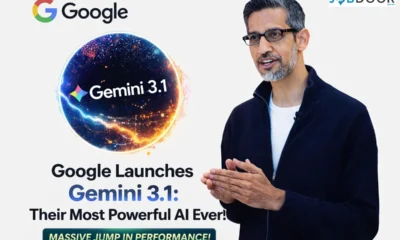

Google Launches Gemini 3.1 Pro: A Big Step Forward in Artificial Intelligence
Google has officially introduced Gemini 3.1 Pro, its newest and most powerful artificial intelligence model. This launch is part of...


How to Create Unlimited AI Videos in One Click for Free (2026 Guide)
Artificial Intelligence is changing how we create content online. Today, you don’t need expensive software, video editing skills, or hours...


How to Make AI Survival ASMR Videos in 2026: New Viral YouTube Niche
YouTube trends change very quickly. Every few months, a new content style appears and suddenly thousands of creators start using...


How to Run Meta Ads on a Small Budget ($100/Day Strategy That Actually Works)
Most businesses believe you need a huge advertising budget to get results from Meta Ads. That’s simply not true. In...


5 Free Facebook AI Tools to Solve 90% of Your Ad Problems
Running Facebook ads used to mean endless guesswork. You would test audiences manually, duplicate ad sets endlessly, refresh creatives every...


How to Automate Meta Ads Using Manus AI?
Meta Ads are evolving faster than ever. Manual optimization, endless A/B testing, creative fatigue, reporting stress — all of it...


How to Build Automated Online Income in 2026 – The “Sleepy” Side Hustle Blueprint
“Stop ignoring this.”“Boost your income.”“Get paid while you sleep.” You’ve seen headlines like that everywhere. Screenshots of large payouts. Smiling...


How to Sell on Amazon FBA in 2026: The Complete, Future-Proof Blueprint for Beginners & Growth Sellers
Amazon FBA (Fulfillment by Amazon) is no longer just a side-hustle trend. It’s a sophisticated eCommerce ecosystem where brand building,...
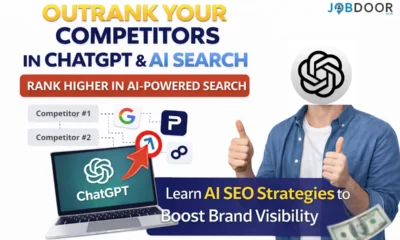

How to Outrank Your Competitors in ChatGPT? (2026 AI Guide)
You Google your brand inside ChatGPT… and nothing. Or worse — your competitors are everywhere. They’re recommended. They’re cited. They’re...


How to Get Instagram Followers with Meta Ads (Step-by-Step Funnel Strategy)
If your goal is to consistently add 20, 50, even 100+ new Instagram followers per day, and turn those followers...


How to Make $300 Per Day With a Simple Website in 2026?
“$300 per day.”“Build a simple website.”“Make easy money online.” You’ve seen headlines like this everywhere. And while most of them...
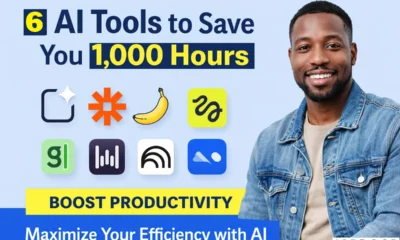

6 AI Tools that Can Automate Your Work and Save 1,000+ Hours of Work
Artificial intelligence is no longer a futuristic concept reserved for tech experts. It has become a practical companion for students,...
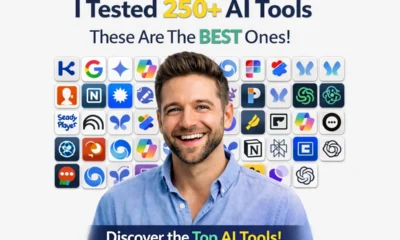

I Tested 250+ AI Tools — Here Are 15 Hidden Gems Worth Using in 2026
Artificial intelligence is expanding at an incredible pace, with hundreds of new tools launching every month. While most people only...


25 New AI Tools Everyone Will Be Using in 2026 (Most People Don’t Know)
Artificial intelligence continues to evolve at a breathtaking pace, and 2026 has already introduced a wave of innovative AI tools...
-
 Career2 years ago
Career Opportunities for Seniors: 7 Jobs that are Perfect for Older Adults
-
 Money1 month ago
26 Lucrative Passive Income Ideas to Build Wealth in 2026
-
 Job Description2 years ago
Graphic Designer Job Description: Education, Salary, Skills, Work Hours
-

 News2 years ago
Students’ question to UK PM Rishi Sunak: “What if your kids started smoking?
-
 Career2 years ago
13 Best Jobs That AI Can’t Replace: A Guide to Future-proof Careers
-

 Career2 years ago
Standard Employment Contract Template Example for UK (Word & PDF)
-

 AI & Tools1 month ago
ChatGPT vs Copilot: Which AI Is Best for You in 2026?
-

 Career1 year ago
5 Free Job Posting Sites in the UK (For Employers)