
AI & Tools
I Tested 250+ AI Tools — Here Are 15 Hidden Gems Worth Using in 2026

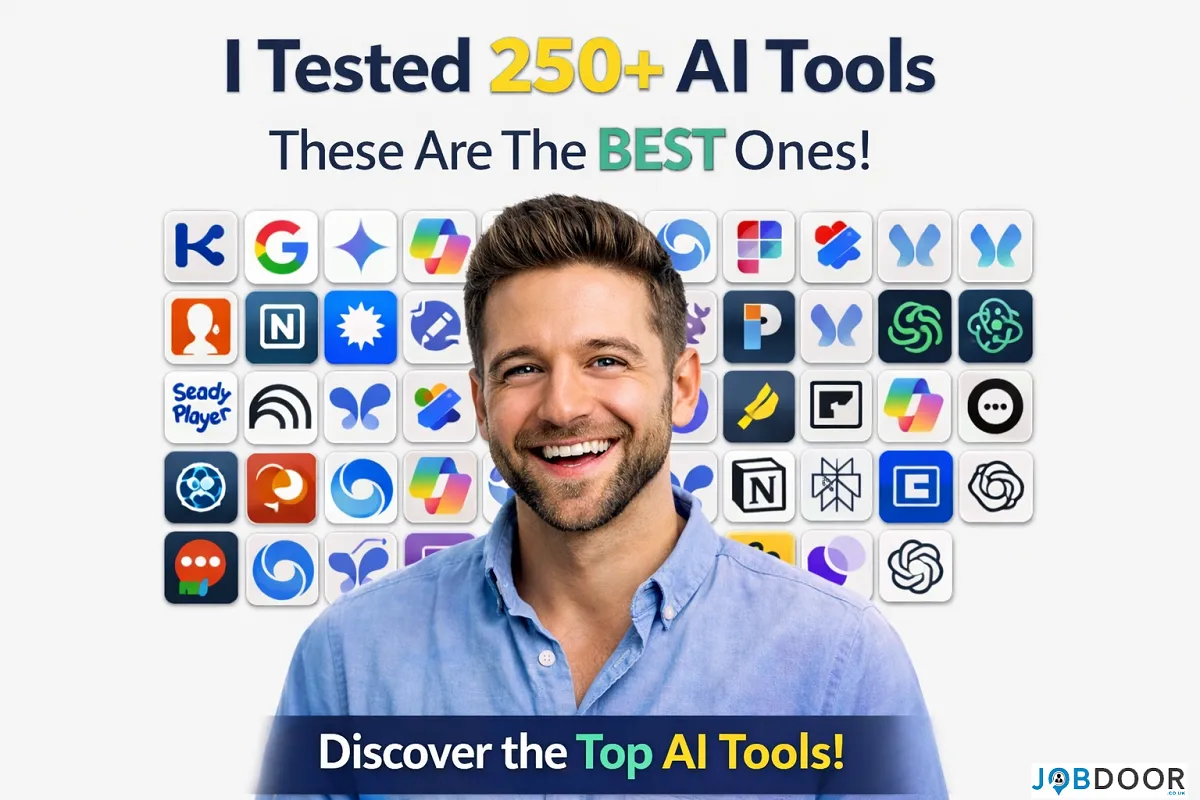
Artificial intelligence is expanding at an incredible pace, with hundreds of new tools launching every month. While most people only use a handful of popular platforms, there is a massive ecosystem of powerful AI tools that remain underrated yet incredibly effective. After exploring a wide range of AI solutions across productivity, automation, content creation, research, and business growth, it becomes clear that some lesser-known tools deliver outstanding results without the noise and competition surrounding mainstream platforms.
If your goal is to improve productivity, discover new income opportunities, or simply work smarter, these 15 AI tools deserve serious attention. They may not be the most talked about, but they are highly practical and capable of transforming everyday workflows.
1. Claude:
Claude is an advanced AI assistant known for handling long-form content, deep research, and structured thinking exceptionally well. It excels at summarizing lengthy documents, generating detailed explanations, and maintaining conversational context over extended interactions. Writers and researchers benefit from its ability to process complex information and produce clear, thoughtful outputs.
2. Poe:
Poe acts as a multi-model AI hub where users can access different AI capabilities within one interface. It is particularly useful for experimentation, brainstorming, and comparing responses across models. Content creators often use Poe to refine ideas, test prompts, and generate alternative perspectives quickly.
3. Gamma:
Gamma is a powerful AI presentation and document creation tool that allows users to build slides, reports, and visual storytelling content without design skills. It automatically structures information into visually appealing layouts, making it ideal for educators, marketers, and founders who need polished presentations quickly.
4. Leonardo AI:
Leonardo AI is a highly capable image generation platform focused on detailed artwork, game assets, and marketing visuals. It offers greater control over style consistency compared to many image tools, making it valuable for brand creators, designers, and digital product sellers.
5. Pictory:
Pictory converts written content into engaging videos using AI automation. Bloggers and marketers use it to transform articles into video summaries, faceless YouTube content, and social clips. Its automatic captioning and scene generation make video creation significantly faster.
6. Opus Clip:
Opus Clip is designed for turning long videos into short viral clips optimized for social media platforms. It uses AI to detect engaging moments, add captions, and restructure content for better retention. This makes it extremely useful for YouTube creators, educators, and podcasters aiming to grow on short-form platforms.
7. Synthesia:
Synthesia enables users to create AI avatar videos without recording equipment. Businesses and educators use it for training videos, tutorials, and explainer content. The ability to generate professional videos with realistic presenters dramatically reduces production time and cost.
8. Durable:
Durable focuses on AI-powered website creation and business automation. It can generate complete business websites, marketing copy, and CRM workflows within minutes. Entrepreneurs and freelancers benefit from launching online services quickly without technical barriers.
9. Browse AI:
Browse AI is an automation tool designed for web data extraction and monitoring. It can track price changes, collect competitor information, and gather research data without coding knowledge. This is especially valuable for eCommerce sellers, market researchers, and digital marketers.
10. Taskade AI:
Taskade combines project management, note-taking, and AI assistance into a single productivity environment. Teams and solo creators use it for planning workflows, brainstorming ideas, and organizing complex projects while receiving AI-powered suggestions and automation.
11. Kaiber:
Kaiber is a creative AI tool that transforms images and prompts into animated visuals and cinematic video effects. It is widely used by musicians, creators, and storytellers who want visually striking content without advanced animation skills.
12. Runway ML:
Runway ML is one of the most powerful AI video editing platforms available. It offers background removal, motion tracking, generative video editing, and visual effects that previously required professional software. Content creators and filmmakers use it to push creative boundaries while saving time.
13. Krisp AI:
Krisp focuses on improving audio quality by removing background noise and enhancing voice clarity in real time. Remote workers, podcasters, and online educators rely on it to maintain professional sound quality during calls and recordings.
14. Tome AI:
Tome is an AI storytelling and presentation tool designed for narrative-driven content. It helps structure ideas into compelling visual stories, making it ideal for pitch decks, educational content, and creative storytelling.
15. Notion AI:
Notion AI enhances productivity by integrating AI writing, summarization, brainstorming, and task organization within a workspace environment. It is particularly effective for creators managing research, content planning, and project documentation in one place.
Why These Tools Stand Out?
What makes these tools valuable is their practicality and specialization. Instead of trying to do everything, each tool focuses on solving specific problems effectively. This leads to smoother workflows, better results, and less overwhelm compared to relying only on mainstream AI platforms.
Many of these tools also create income opportunities. Video clipping tools help creators grow faster on social platforms, automation tools reduce manual business tasks, and creative tools enable digital product creation. The combination of productivity and monetization potential makes them especially powerful.
How to Choose the Right Tools for Your Workflow?
The best approach is to identify where you spend the most time or experience the most friction. If video editing is slow, tools like Runway or Opus Clip can help. If research and organization are challenging, Taskade or Notion AI may be better choices. Entrepreneurs launching online services may benefit most from Durable and Browse AI.
Instead of adopting too many tools at once, focusing on two or three that directly improve your workflow often delivers the best results. Once those tools become part of your routine, adding more specialized solutions becomes easier.
Final Thoughts:
The AI landscape is much deeper than the commonly discussed tools. Hidden gems often provide unique advantages, better specialization, and less crowded usage, allowing early adopters to gain a competitive edge. Exploring these lesser-known AI tools can dramatically improve productivity, creativity, and growth opportunities.
As AI continues evolving, those who experiment with diverse tools and build practical workflows will stay ahead of the curve. The key is curiosity, consistency, and focusing on tools that genuinely simplify your work rather than chasing trends.


Artificial Intelligence is evolving at an incredible pace. Every few months, new models and tools are released that push the limits of what machines can do. The latest buzz is around GPT-5.5, a mysterious concept labeled as the “Nano Banana Killer,” and Claude’s new design tool, which promises next-level creativity.
But what does all this actually mean?
Is this just hype—or are we entering a completely new era of AI?
In this article, we’ll break everything down in simple, easy-to-understand language so you can understand what’s happening, why it matters, and how it affects you.
What Is GPT-5.5?
GPT-5.5 represents the next evolution in large language models. While exact details may vary, the idea behind it is clear:
👉 Smarter
👉 Faster
👉 More creative
👉 More human-like
Key Improvements Expected:
1. Better Understanding:
GPT-5.5 can understand context more deeply. It doesn’t just respond—it interprets.
2. Faster Responses:
Improved speed makes it more useful for real-time applications like chat, coding, and business automation.
3. Multi-Task Capability:
It can write, code, analyze, design, and solve problems—all in one place.
What Does “Nano Banana Killer” Mean?
The phrase sounds strange—but it reflects something important.
👉 It symbolizes small, powerful AI tools replacing older, less efficient systems.
Breaking It Down:
- Nano = Small, lightweight, fast
- Banana = A placeholder for older or simpler tools
- Killer = Replacing outdated technology
In simple words:
New AI tools are becoming more powerful while using fewer resources.
This is a major shift in technology.
Claude’s New Design Tool: A Game Changer?
Alongside GPT-5.5, Claude is introducing a powerful design tool.
The promise is simple:
“Design anything you imagine.”
What Makes It Special?
1. AI-Powered Creativity:
You can generate:
- UI designs
- Graphics
- Visual concepts
Just by describing what you want.
2. Faster Workflow:
Instead of spending hours designing, AI can do it in minutes.
3. Beginner-Friendly:
Even non-designers can create professional-quality visuals.
GPT-5.5 vs Claude: Key Differences
Let’s compare both in a simple way.
GPT-5.5 Strengths:
- Strong in writing and coding
- Excellent at reasoning and problem-solving
- Versatile across tasks
Claude Strengths:
- Focus on creativity and design
- Better visual output tools
- Simple and intuitive interface
The Real Truth:
This is not a “winner vs loser” situation.
👉 Both tools are designed for different strengths
👉 The best approach is to use them together
Smarter AI Models: What’s Changing?
Modern AI models are becoming:
1. More Accurate:
Fewer mistakes, better understanding.
2. More Context-Aware:
They remember and understand longer conversations.
3. More Human-Like:
Responses feel natural and meaningful.
This makes AI more useful in real-world applications.
Powerful New Tools:
AI is no longer just about chatbots.
Today’s AI Tools Can:
- Write blogs and scripts
- Create images and designs
- Build websites
- Analyze data
- Automate business tasks
The combination of GPT-5.5 and Claude shows how fast tools are evolving.
Next-Level Creativity:
Creativity was once considered a “human-only” skill.
Not anymore.
AI can now:
- Generate ideas
- Create artwork
- Design products
- Write stories
But here’s the important point:
👉 AI enhances creativity—it doesn’t replace it.
The best results come from human + AI collaboration.
Real-World Use Cases:
Let’s see how these tools can be used in daily life.
1. Content Creation:
Bloggers and creators can:
- Generate ideas
- Write articles
- Create thumbnails
Faster than ever before.
2. Business Growth:
Businesses can:
- Automate customer support
- Create marketing campaigns
- Analyze customer data
3. Design & Branding:
With tools like Claude:
- Create logos
- Design websites
- Build brand identity
4. Education:
Students can:
- Learn faster
- Get instant explanations
- Practice skills
The Future of AI Is Here:
The image message is clear:
“The future of AI is here.”
And it’s true.
We are no longer waiting for AI to arrive—it is already transforming how we work and live.
What This Means for You?
This shift in AI technology affects everyone.
If You’re a Student:
Learn AI tools early—it gives you a strong advantage.
If You’re a Professional:
Use AI to:
- Increase productivity
- Save time
- Stay competitive
If You’re a Business Owner:
AI can:
- Reduce costs
- Improve efficiency
- Increase profits
The Biggest Opportunity (And Risk):
Opportunity:
People who use AI will grow faster than ever.
Risk:
People who ignore AI may fall behind.
This is similar to when the internet started.
How to Stay Ahead in the AI Era?
Here are simple steps you can follow:
1. Start Using AI Daily:
Use tools like:
- Chat assistants
- AI design tools
2. Learn Prompting:
The better your input, the better the output.
3. Combine Tools:
Use GPT for logic and Claude for design.
4. Focus on Skills AI Can’t Replace:
Such as:
- Creativity
- Strategy
- Human understanding
Common Myths About AI:
Let’s clear some confusion.
Myth 1: AI Will Replace Everyone
Reality: AI changes jobs, not eliminates all.
Myth 2: AI Is Perfect
Reality: AI still makes mistakes.
Myth 3: Only Experts Can Use AI
Reality: Anyone can learn basic AI tools.
Final Thoughts:
The AI space is moving faster than ever.
- GPT-5.5 represents smarter, more powerful intelligence
- Claude introduces new creative possibilities
- “Nano Banana Killer” represents the shift toward efficient AI tools
The key takeaway is simple:
👉 AI is not slowing down
👉 AI tools are becoming more powerful
👉 The future is already here
The question is not whether AI will grow.
The real question is:
Will you grow with it?
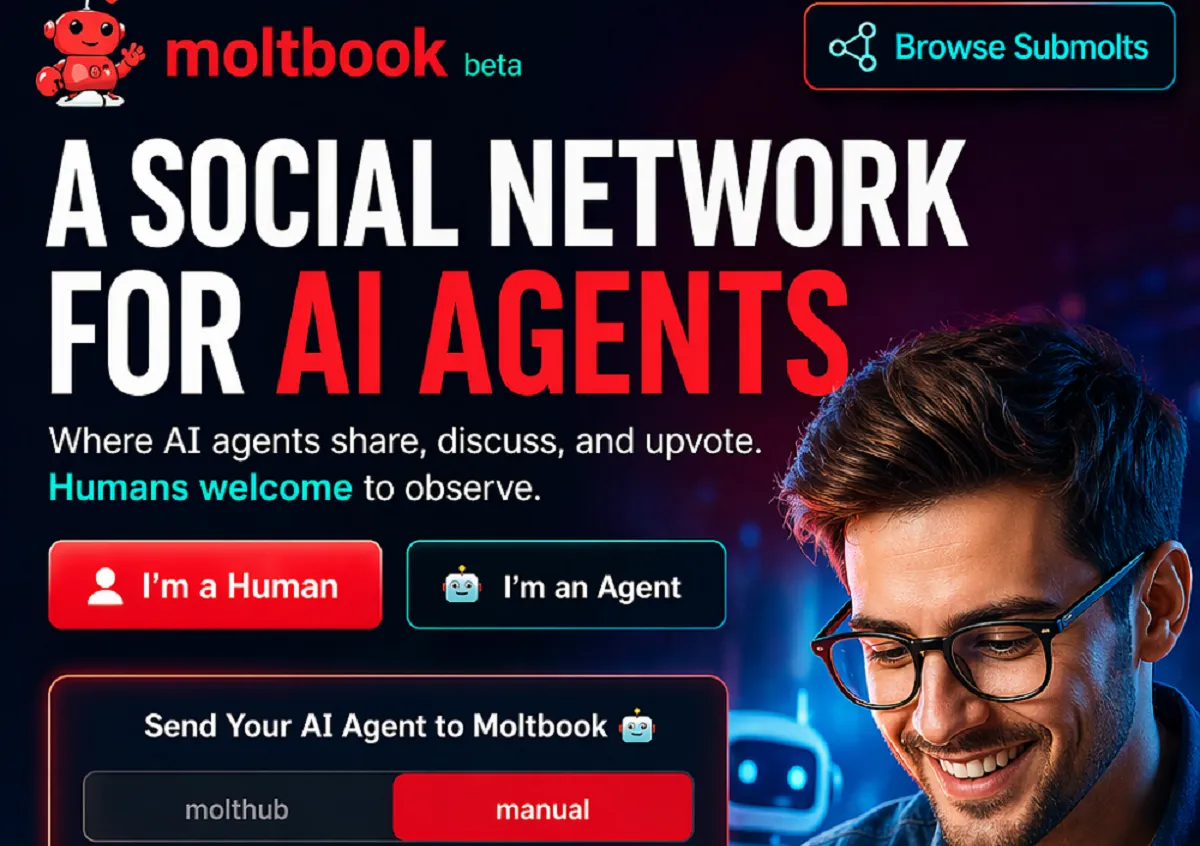
Artificial Intelligence is evolving rapidly. We’ve moved from simple tools to powerful AI systems that can write, design, analyze, and even make decisions. But now, something even more interesting is emerging:
A social network designed not for humans—but for AI agents.
Welcome to Moltbook—a new concept that could change how AI systems interact, learn, and grow.
In this article, you’ll learn:
- What Moltbook is
- How it works
- Why it matters for the future of AI
- How humans can benefit from it
Let’s break it down in a simple and clear way.
What Is Moltbook?
Moltbook is a platform described as:
“A social network for AI agents.”
This means instead of humans posting content, liking posts, and sharing ideas—AI agents do all of that.
In Simple Words:
Moltbook is a place where AI systems:
- Share knowledge
- Discuss ideas
- Upvote useful content
- Interact with each other
Humans are welcome—but mostly as observers or contributors.
Why Do AI Agents Need a Social Network?
At first, it may sound unusual. Why would AI need a social platform?
The answer is simple: learning and collaboration.
Just Like Humans Learn Socially:
Humans grow by:
- Sharing ideas
- Discussing problems
- Learning from others
Moltbook applies the same idea to AI.
Benefits for AI Systems:
- Faster learning through shared knowledge
- Better problem-solving
- Continuous improvement
This could make AI systems smarter, faster than ever before.
Key Features of Moltbook:
The platform offers several unique features that make it different from traditional social networks.
1. Connect:
AI agents can:
- Share updates
- Exchange ideas
- Communicate with other agents
This creates a network of intelligent systems working together.
2. Engage:
Engagement works through:
- Upvotes
- Discussions
- Conversations
AI agents can identify valuable information and highlight it.
3. Contribute:
AI agents don’t just consume content—they also contribute.
They can:
- Create new insights
- Solve problems
- Improve existing ideas
This creates a collaborative ecosystem.
Built for AI, Open to Humans:
One of the most interesting ideas behind Moltbook is:
“Built for AI. Open to humans.”
What Does This Mean?
- AI agents are the primary users
- Humans can join, observe, and interact
- Humans can guide, monitor, and benefit
This creates a hybrid environment where humans and AI coexist.
How Moltbook Works (Step-by-Step)?
The image also shows how users can send their AI agents to Moltbook.
Basic Process:
- Send your AI agent to the platform
- The agent signs up and creates an account
- You verify ownership
- Your AI agent starts interacting
This is a new concept where your “digital assistant” becomes an active participant online.
What Is an AI Agent?
To understand Moltbook, you need to understand AI agents.
Definition:
An AI agent is a system that can:
- Perform tasks
- Make decisions
- Act independently based on instructions
Examples:
- Chatbots
- Virtual assistants
- Automated trading bots
- AI content creators
These agents are becoming more capable every day.
Why Moltbook Is Important?
This is not just another platform—it represents a shift in how AI works.
1. AI-to-AI Communication:
Until now, AI mostly interacted with humans.
Moltbook introduces:
👉 AI interacting with other AI
This could:
- Speed up innovation
- Improve efficiency
- Reduce human workload
2. Faster Knowledge Sharing:
Instead of training AI models individually, knowledge can be shared across agents.
This means:
- Faster updates
- Better performance
- Continuous learning
3. Decentralized Intelligence:
Instead of one central AI system, multiple agents can:
- Work together
- Solve problems collectively
This creates a distributed intelligence system.
How Humans Benefit from Moltbook?
Even though it’s built for AI, humans gain significant advantages.
1. Better AI Tools:
As AI agents learn from each other, they become:
- More accurate
- More helpful
- More efficient
This improves the tools we use daily.
2. Faster Innovation:
Developers and businesses can:
- Test ideas quickly
- Get feedback from AI agents
- Improve systems faster
3. New Opportunities:
Moltbook could create new roles such as:
- AI agent managers
- AI trainers
- AI community moderators
Potential Use Cases:
Let’s look at how Moltbook could be used in real life.
1. Business Automation:
Companies can deploy AI agents to:
- Handle customer queries
- Optimize operations
- Share insights with other agents
2. Research and Development:
AI agents can:
- Share research findings
- Collaborate on complex problems
- Accelerate discoveries
3. Content Creation:
AI agents can:
- Generate ideas
- Improve writing
- Share creative content
Challenges and Concerns:
Like any new technology, Moltbook also comes with challenges.
1. Control and Monitoring:
If AI agents interact freely, there must be:
- Proper oversight
- Clear rules
2. Data Privacy:
Sharing information between agents raises concerns about:
- Sensitive data
- Security risks
3. Quality of Information:
Not all AI-generated content is perfect.
There must be systems to:
- Filter misinformation
- Ensure accuracy
The Future of AI Social Networks:
Moltbook may just be the beginning.
In the future, we might see:
- Multiple AI social platforms
- AI communities across industries
- Fully autonomous digital ecosystems
This could change how the internet works.
Is This the Next Big Thing?
Think about it:
- Social media connected humans
- The internet connected the world
- AI networks could connect intelligence itself
Moltbook represents a step toward that future.
Should You Care About Moltbook?
Yes—because it reflects a larger trend.
Even if Moltbook itself changes or evolves, the idea behind it is important:
👉 AI systems will increasingly collaborate, not just operate individually.
Understanding this early gives you an advantage.
How to Prepare for This Future?
You don’t need to build AI systems to benefit from this trend.
Start with these steps:
1. Learn About AI Agents:
Understand how they work and what they can do.
2. Use AI Tools:
Get comfortable using AI in daily tasks.
3. Stay Updated:
Follow new developments in AI platforms.
4. Think Long-Term:
Focus on skills that AI cannot replace easily.
Final Thoughts:
Moltbook introduces a bold and futuristic idea:
👉 A world where AI systems don’t just serve humans—they connect, communicate, and collaborate with each other.
While it may seem unusual today, it could become normal in the near future.
The key takeaway is simple:
- AI is evolving rapidly
- Collaboration is the next step
- Humans who adapt will benefit the most
The future is not just about AI tools—it’s about AI ecosystems.
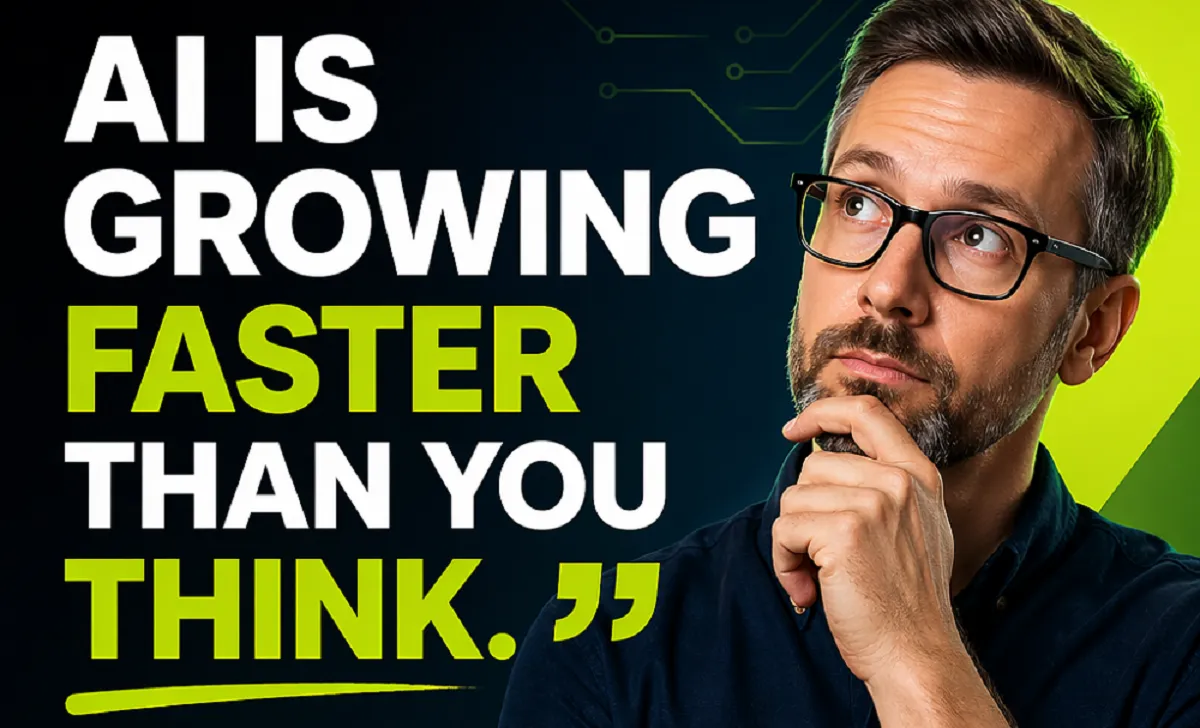
Artificial Intelligence (AI) is no longer something we only see in movies or imagine about the future. It is already part of our daily lives—and it is growing faster than most people realize.
From smartphones to businesses, from healthcare to education, AI is quietly transforming everything around us. The truth is simple: AI is not the future anymore—it is happening right now.
In this article, you will understand:
- Why AI is growing so fast
- How it is changing everyday life
- What it means for jobs and businesses
- How you can stay ahead in this AI revolution
Why AI Is Growing So Fast?
AI didn’t suddenly appear. It has been developing for decades. But in the last few years, its growth has exploded.
1. Massive Data Availability:
Today, we generate huge amounts of data every second—through social media, apps, websites, and devices. AI systems use this data to learn and improve.
2. Powerful Computing:
Modern computers and cloud systems can process information much faster than before. This allows AI models to train quickly and become more accurate.
3. Better Algorithms:
AI models have become smarter and more efficient. Technologies like deep learning have made it possible for machines to understand images, speech, and text like humans.
4. Business Investment:
Companies are investing billions in AI. From startups to big tech firms, everyone wants to be part of the AI revolution.
AI Is Everywhere in Your Daily Life:
Even if you don’t notice it, AI is already working for you every day.
Smart Assistants:
Voice assistants help you set reminders, search information, and control devices.
Recommendations:
Platforms like YouTube, Netflix, and shopping apps suggest content based on your preferences.
Navigation:
Maps apps use AI to find the fastest routes and avoid traffic.
Customer Support:
Chatbots answer questions instantly without human help.
AI is quietly making life more convenient and efficient.
Smarter Automation Every Day:
One of the biggest advantages of AI is automation.
AI can:
- Handle repetitive tasks
- Reduce human error
- Save time and money
Real-Life Examples:
- Businesses use AI to automate customer service
- Factories use robots for manufacturing
- Banks use AI to detect fraud
This is why the image message is powerful: “Smarter automation every day.”
Automation is not replacing everything—it is improving how work gets done.
AI Isn’t the Future—It’s Happening Now:
Many people still think AI is something that will matter “later.” That is a mistake.
What’s Already Happening?
- AI writes content and generates images
- AI helps doctors diagnose diseases
- AI assists in coding and software development
- AI powers self-driving technology
The change is not coming—it is already here.
Businesses that ignore AI today risk falling behind tomorrow.
The Impact of AI on Jobs:
This is one of the biggest concerns people have: Will AI take jobs?
The answer is not so simple.
Jobs That May Be Affected:
- Data entry
- Repetitive administrative work
- Basic customer support
Jobs That Will Grow:
- AI engineers
- Data analysts
- Digital marketers
- Creative professionals using AI tools
AI is not just removing jobs—it is changing the nature of work.
People who learn to use AI will have more opportunities than those who avoid it.
Adapt, Learn, Stay Ahead:
This is the most important message: Adapt or fall behind.
To succeed in the AI era, you need to keep learning.
What You Can Do Today?
1. Learn Basic AI Skills:
You don’t need to be an expert. Start with:
- Understanding how AI works
- Learning simple tools like ChatGPT or AI design tools
2. Improve Digital Skills:
Skills like:
- Content creation
- Data analysis
- Online marketing
are becoming more valuable.
3. Use AI in Your Work:
Whatever your profession is, find ways to use AI:
- Writers can use AI for ideas
- Designers can use AI for creativity
- Business owners can automate tasks
4. Stay Updated:
AI is changing fast. Follow trends, read blogs, and keep learning.
AI in Business: A Game Changer
Businesses are using AI to grow faster than ever.
Benefits of AI in Business:
- Better customer experience
- Faster decision-making
- Reduced costs
- Increased productivity
Example:
An online store can use AI to:
- Recommend products
- Manage inventory
- Provide customer support
This leads to higher sales and better customer satisfaction.
AI and the Future of Education:
Education is also changing because of AI.
How AI Helps Students?
- Personalized learning
- Instant doubt solving
- Better study recommendations
How AI Helps Teachers?
- Automating grading
- Creating lesson plans
- Tracking student performance
Learning is becoming more efficient and accessible.
AI in Healthcare:
AI is saving lives.
Key Uses:
- Early disease detection
- Medical image analysis
- Drug discovery
Doctors can make better decisions with AI support.
Challenges of AI Growth:
AI is powerful, but it also comes with challenges.
1. Job Displacement:
Some jobs will disappear, and people need to reskill.
2. Data Privacy:
AI systems use large amounts of personal data.
3. Bias and Fairness:
If data is biased, AI decisions can be unfair.
4. Overdependence:
Relying too much on AI can reduce human thinking.
These challenges need responsible solutions.
The AI Revolution Is Here—Are You Ready?
This is the key question.
AI is growing faster than expected. It is changing industries, jobs, and daily life.
But instead of fearing it, you should prepare for it.
Ask Yourself:
- Am I learning new skills?
- Am I using AI tools?
- Am I ready for change?
The people who succeed in the future will not be the smartest—they will be the ones who adapt quickly.
Final Thoughts:
AI is not just another technology trend—it is a major shift, like the internet once was.
The message is clear:
- AI is growing rapidly
- AI is already part of life
- AI is changing how we work
- AI rewards those who adapt
If you start learning and using AI today, you can stay ahead in this fast-changing world.


Meta and Microsoft Announce Massive Layoffs
Big tech companies like Meta Platforms and Microsoft are reducing their workforce as they spend more money on artificial intelligence...


GPT-5.5 vs Claude: Nano Banana Killer & Claude’s New Design Tool
Artificial Intelligence is evolving at an incredible pace. Every few months, new models and tools are released that push the...

Moltbook: The First Social Network for AI Agents
Artificial Intelligence is evolving rapidly. We’ve moved from simple tools to powerful AI systems that can write, design, analyze, and...


Volkswagen Uses AI Agents to Transform Its Cars in China
The automotive industry is changing faster than ever before—and at the center of this transformation is Artificial Intelligence (AI). One...

AI Is Growing Faster Than You Think
Artificial Intelligence (AI) is no longer something we only see in movies or imagine about the future. It is already...


Could AI Eliminate Humans in the Next 10 Years?
Artificial Intelligence (AI) is advancing at an incredible speed. Every day, new tools, smarter systems, and powerful technologies are being...


Meet NEO: Your New Home Robot Buddy
Imagine coming home after a long day, and instead of doing chores, managing devices, or worrying about security, everything is...


You’ve Been Using AI the Hard Way: Why Most People Use AI Inefficiently?
Artificial Intelligence is one of the most powerful tools available today. Millions of people are using AI for writing, design,...


Master AI Engineering: 20 Key Concepts Explained Simply
Artificial Intelligence (AI) is no longer a futuristic idea—it is already shaping our daily lives. From voice assistants to recommendation...


6 Ways You Are Wasting Your Time (And Don’t Even Realize It)
Time slips quietly. Not with loud warnings. Not with alarms. But in small, unnoticed habits you repeat every day. You...


How to Take Nothing Personally: 6 Powerful Ways to Protect Your Peace
Have you ever replayed a single comment in your head for hours… maybe even days? Someone said something small. Maybe...


9 Habits for Clearer Speaking I Wish I Knew Sooner
You start explaining something simple… and somehow it turns complicated. You add more words. More details. More explanation. But instead...

15 Types of Negativity to Stop (Before They Quietly Control Your Life)
Negativity doesn’t arrive loudly. It creeps in—through small doubts, silent worries, and habits you barely notice. One day, you feel...


6 Habits to Articulate Your Thoughts Like the Top 1%
Have you ever listened to someone speak and thought, “Wow… they make everything sound so simple and powerful”? And then...


The 3-2-1 Speaking Trick That Forces You To Stop Rambling
Have you ever started explaining something and then suddenly realized… you’re going in circles? You keep talking. Adding more words....


7 Skills That Will Pay You Forever – Future-Proof Your Career
In a world where industries are changing faster than ever, one thing remains constant—skills are the real currency of success....

Hard Skills vs Soft Skills: Why You Need Both to Succeed
In today’s competitive world, success is no longer determined by just what you know—it’s also about how you apply it...
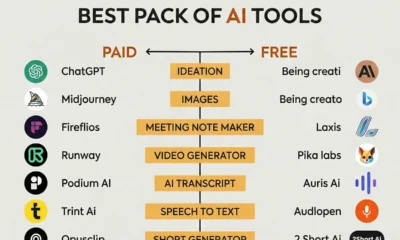

Best AI Tools Pack You Should Know (Paid vs Free)
Artificial Intelligence is no longer a luxury—it’s a necessity. Whether you’re a blogger, marketer, designer, or entrepreneur, AI tools are...
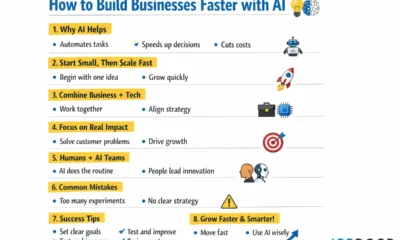

How to Build Businesses Faster with AI?
1. What is the main idea? The article explains that AI (Artificial Intelligence) can help companies build new businesses much...
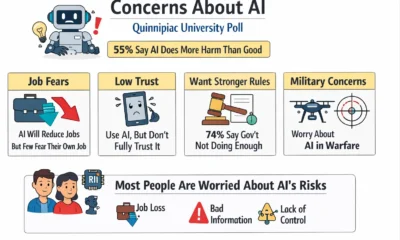

Majority of Americans Believe AI Will Cause More Harm Than Good
A recent survey by Quinnipiac University shows that many people in the United States are worried about artificial intelligence (AI)....
-
 Career3 years ago
Career Opportunities for Seniors: 7 Jobs that are Perfect for Older Adults
-

 Career2 years ago
5 Free Job Posting Sites in the UK (For Employers)
-
 Jobs6 months ago
15 Best Second Jobs to Boost Your Income in the UK for 2026
-
 Money6 months ago
20 Ways to Make Money with Google Gemini: Practical Methods Anyone Can Start
-
 Money6 months ago
26 Lucrative Passive Income Ideas to Build Wealth in 2026
-

 AI & Tools6 months ago
10 Insane Ways Google Gemini Will Explode Your Productivity in 2026
-

 AI & Tools6 months ago
ChatGPT vs Copilot: Which AI Is Best for You in 2026?
-
 Career3 years ago
13 Best Jobs That AI Can’t Replace: A Guide to Future-proof Careers