
AI & Tools
AI Video Creation Workflow: How to Produce Better Videos With AI
Build a practical AI video creation workflow for research, scripting, visuals, editing, repurposing and responsible video production.
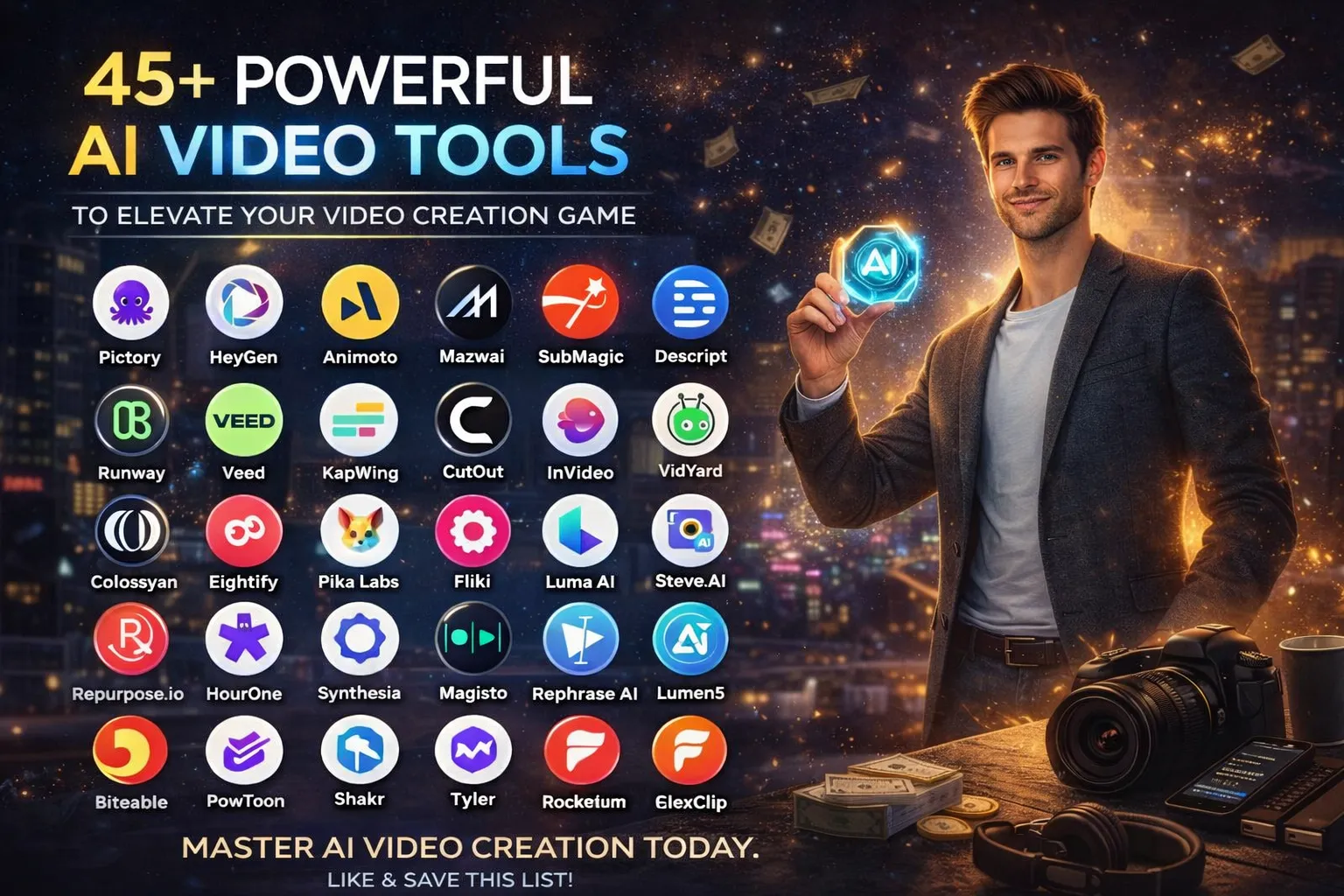
AI video tools can make video production faster, but using more tools does not automatically create better videos. A strong result comes from a clear idea, a practical workflow, good editing and human judgement.
For creators, marketers, educators, freelancers and businesses, AI can support many parts of production, from research and scripting to visuals, editing, captions and repurposing. The goal is to build a repeatable AI video creation workflow rather than collect dozens of tools.
What Can AI Do in Video Production?
AI can assist with different stages of a video project. Some tools are designed for one task, while others combine several capabilities.
| Production Stage | How AI Can Help | Human Responsibility |
|---|---|---|
| Research | Organise information and generate questions | Verify important facts |
| Planning | Create outlines and production checklists | Choose the story and audience |
| Script | Develop a first draft or variations | Add expertise, voice and accuracy |
| Visuals | Create concepts, scenes or supporting assets | Check consistency and rights |
| Editing | Assist with captions, clips and cleanup | Control pacing and storytelling |
| Distribution | Repurpose videos into shorter formats | Adapt content to each platform |
1. Start With the Audience and Goal
Before opening an AI video tool, decide what the video needs to achieve. A tutorial, product demonstration, recruitment video and social media clip require very different approaches.
- Who is the audience?
- What should they understand or do after watching?
- Where will the video be published?
- How long should it be?
- What action should the viewer take next?
Starting with the task instead of the tool prevents AI from driving the creative direction.
2. Use AI to Research and Plan the Video
AI can help turn a broad idea into a useful production plan. You can ask it to identify audience questions, suggest a logical structure, compare possible angles or create a shot list.
For research-heavy videos, use AI as an assistant rather than the final source. Check important claims against reliable sources before they appear in the finished video. A good research workflow is also useful for anyone developing broader AI skills for work and career development.
3. Build the Script Before Generating Video
One of the easiest mistakes is generating visuals before deciding what the video is actually saying. Write or outline the message first.
AI can help create a first draft, improve structure, shorten sections or suggest alternative hooks. Your job is to make the script sound natural and make sure every claim fits the purpose of the video.
Practical tip: Give an AI writing tool the audience, tone, length, key points and required format. Clear context usually produces a better starting draft.
4. Create or Find the Right Visuals
Depending on the project, AI can help generate video scenes, images, backgrounds, animations or visual concepts. It can also help organise existing footage into a clearer sequence. For a broader look at practical video tools, see our guide to AI video tools for different production tasks.
Do not judge a visual only by how impressive it looks. Ask whether it supports the message, matches the brand and makes sense for the audience.
5. Use AI to Speed Up Editing
AI-assisted editing can reduce repetitive production work. Depending on the software, it may help with transcription, subtitles, silence removal, scene selection, audio cleanup, resizing and short-form clips. If editing is your main bottleneck, our guide to AI video editing at work covers that part of the workflow in more detail.
This is particularly useful for creators who publish regularly. Instead of manually rebuilding every version, you can create one strong source video and adapt it for different formats.
6. Turn One Video Into Multiple Pieces of Content
A long video can often become several smaller pieces of useful content. AI can help identify sections that work as short clips, create caption drafts, suggest titles or turn a transcript into written content.
- Short-form clips
- Social media posts
- Blog or newsletter ideas
- Quote graphics
- FAQ content
- Video descriptions and chapter summaries
This approach can make a content team more efficient without requiring a completely new production process for every post.
7. Choose AI Video Tools by Task
Instead of asking for the “best AI video tool,” start by identifying the job you need to complete.
- Script support: Use a general AI assistant or writing-focused tool.
- Text-to-video: Choose a generator designed for creating scenes from instructions.
- AI presenters: Use an avatar platform when a presenter is appropriate.
- Editing: Choose software that reduces the repetitive editing work you actually perform.
- Short clips: Use a tool designed to identify and format useful moments.
- Captions: Choose a reliable transcription and subtitle workflow.
For a broader task-based approach to AI tools, see our guide on how to choose AI tools for work.
A Simple AI Video Workflow
- Brief: Define the audience, goal and format.
- Research: Collect reliable information and references.
- Outline: Structure the story before creating visuals.
- Script: Create and edit the spoken or written content.
- Produce: Generate, record or collect the visuals.
- Edit: Assemble the video, sound, captions and branding.
- Review: Check accuracy, pacing, visuals and rights.
- Repurpose: Create useful versions for other platforms.
This workflow works with different software because it focuses on the work itself rather than one particular AI platform.
How to Measure Whether AI Is Actually Saving Time
AI productivity should be measured by outcomes, not by the number of tools you use. Track how long a typical video takes before and after introducing AI.
- Time spent researching
- Time spent writing
- Editing time
- Number of revisions
- Cost per finished video
- Viewer retention or engagement
- Number of useful content pieces created from one project
If a tool creates more review work than it removes, it may not belong in your workflow.
Common Mistakes With AI Video Production
⚠️ Watch out for: A faster production process is not useful if the final video is inaccurate, repetitive or difficult to watch.
- Using AI for every creative decision.
- Publishing generated content without reviewing it.
- Choosing tools because they are popular rather than useful.
- Ignoring copyright, licensing or consent issues.
- Making videos longer simply because AI makes production easier.
- Using generic scripts that sound unlike the creator or brand.
- Measuring success only by production speed.
AI Video Skills Can Become Career Skills
Video production is increasingly connected to broader digital skills. A person who can plan a video, use AI responsibly, edit content, understand an audience and measure results has a stronger skill set than someone who simply knows how to operate one AI generator.
These skills can support roles in marketing, communications, social media, training, education, content production and freelance work. The same principle applies across AI: combine the technology with a useful professional skill.
If you are building workplace AI capability, you can also read How to Use AI Efficiently at Work and AI Basics for Work.
Using AI Responsibly in Video Creation
Responsible production matters when AI is used to create or alter media. Check the rules of the platform where you publish, understand the rights attached to assets and avoid presenting synthetic material as authentic when that distinction matters.
For workplace projects, also follow your organisation’s rules for confidential information and approved AI services. Human review should remain part of the workflow, especially when a video represents a business or communicates important information.
Frequently Asked Questions
Can AI create a complete video?
Some tools can generate substantial parts of a video from a prompt or script. However, a useful finished video usually still needs human direction, fact checking, editing and quality control.
Do I need many AI video tools?
No. A small set of tools that fits your workflow is usually easier to manage than a large collection of overlapping services.
Is AI video production useful for businesses?
Yes. Businesses can use AI-assisted video workflows for training, marketing, product communication, internal updates and other content needs, provided quality, privacy and rights are handled properly.
Will AI replace video creators?
AI can automate parts of production, but creative direction, storytelling, audience understanding, editing judgement and communication remain important. The role is more likely to change than simply disappear.
Related JobDoor Guides
- How to Choose AI Tools for Work
- How to Use AI Efficiently at Work
- AI Skills Every Job Seeker Should Learn
- AI Basics for Work
Final Thoughts
AI can reduce repetitive video production work and make professional content more accessible, but the strongest workflow still starts with a clear purpose and ends with human review.
Start with one type of video you already produce. Improve one stage of the workflow, measure the result and expand only when the change genuinely improves quality or saves useful time.








How to Start a Career in Law in the UK
Thinking about a career in law? This guide explains UK legal career routes, qualifications, solicitor and barrister pathways, apprenticeships, skills,...


How to Start a Career in Education in the UK
Thinking about a career in education? Compare teaching and non-teaching roles, qualifications, apprenticeships, experience, skills and practical steps for getting...


How to Start a Career in Marketing in the UK
Marketing is a broad career field that combines communication, creativity, research, data and business thinking. It includes traditional marketing as...


How to Start a Career in Healthcare in the UK
Healthcare is one of the UK’s broadest career areas. It includes doctors and nurses, but also healthcare assistants, laboratory staff,...


How to Start a Career in Human Resources (HR) in the UK
Photo by Vitaly Gariev on Unsplash Human resources, usually called HR, is a people-focused career that combines communication, organisation, business...


How to Start a Career in Construction in the UK
Construction is one of the UK’s broadest career sectors. It includes hands-on trades such as bricklaying, carpentry and plumbing, as...


How to Start a Career in Energy and Utilities in the UK
Planning a career in energy and utilities in the UK? See job options, apprenticeships, qualifications, skills and practical steps to...


How to Start a Career in Media and Communications in the UK
Planning a media and communications career in the UK? Compare job options, entry routes, apprenticeships, skills, experience and practical steps...


How to Start a Career in Environmental and Sustainability Jobs in the UK
Environmental and sustainability careers are becoming an important part of many UK workplaces. Jobs in this area can involve protecting...


How to Start a Career in Cybersecurity in the UK
Thinking about a cybersecurity career in the UK? Here is a practical guide to skills, qualifications, entry-level roles, applications and...


How to Start a Career in Engineering in the UK
Thinking about engineering as a career in the UK? Here is a practical guide to engineering fields, qualifications, apprenticeships, skills,...


How to Start a Career in Government and Public Services in the UK
Thinking about a career in government or public services? This guide covers job options, entry routes, apprenticeships, skills, applications and...


Rolls-Royce Internship UK: Eligibility, Opportunities & How to Apply
Find Rolls-Royce internships in the UK with practical guidance on eligibility, opportunities, applications, assessments, skills and preparation.


How to Start a Career in Transport and Logistics in the UK
Planning a career in transport and logistics in the UK? See entry-level roles, apprenticeships, qualifications, skills and practical steps to...
JLR Internships in the UK: How to Find and Apply
Find JLR internships and undergraduate placements in the UK, with practical guidance on eligibility, applications, career areas, assessments and preparation.


How to Start a Career in Architecture and Design in the UK
How to Start a Career in Architecture and Design in the UK Architecture and design careers combine creativity with practical...


Technology Internships in the UK: How to Find and Prepare
Find technology internships in the UK with practical guidance on choosing a tech career area, building skills, finding employers and...


Deloitte Internship UK: How to Apply and Prepare
A practical guide to Deloitte internships in the UK, covering programmes, eligibility, applications, assessments, skills, student visas and preparation.


How to Start a Career in Arts and Culture in the UK
How to Start a Career in Arts and Culture in the UK A career in arts and culture is not...


How to Start a Career in Automotive in the UK
How to Start a Career in Automotive in the UK The UK automotive industry offers many different career paths, from...
-
 Career3 years ago
Flexible Jobs for Older Adults in the UK: 7 Career Options
-
 Jobs8 months ago
Second Jobs in the UK: 15 Practical Ways to Earn Extra Income
-
 How-to8 months ago
How to Use Google Gemini for Freelance Work and Career Skills
-

 Career2 years ago
Free Job Posting Sites in the UK: Options for Employers
-
 How-to8 months ago
Passive Income Ideas: Build Long-Term Income Streams
-

 AI & Tools8 months ago
How to Use Google Gemini for Productivity at Work
-

 Job Description2 years ago
Support Worker Job Description: Duties, Skills, Salary and Career Guide UK
-

 AI & Tools8 months ago
ChatGPT vs Microsoft Copilot: Which AI Is Best for You?