
How-to
How To Start a Blog in 2026? The Starter Guide


Ah, the world of blogging – where ideas come to life, and stories are into captivating narratives. If you’re like me, the thought of starting a blog has probably crossed your mind more than once. After all, as someone who has been on this blogging journey for a while, I can attest to the immense satisfaction that comes with sharing your unique perspective with the world.
Now, as we step into 2026, the future of blogging has evolved yet again. But fear not, my friends! In this comprehensive guide, we’ll explore the ins and outs of starting a blog in the coming year, drawing from my own experiences and a with personal opinions.
You see, I don’t subscribe to the notion that Google can truly understand the degree of content. Rather, I believe the search giant takes a more mathematical approach, comparing your words to the top-ranking articles and determining if your offering is worthy of a high placement. As we start building our blog, we’ll keep this in mind and include it in our approach. Before heading how to start a blog let’s first talk about the types of blogs, there are a wide range of blog types:

1. Personal Blog: A blog written by someone about their personal interests and hobbies. It might have ads and sponsors, but it’s not focused on a company or products.
2. Business Blog: This is a blog owned and run by a company. The purpose is to represent the company’s interests and share information about their products or services.
3. Professional Blog: A blog owned and published by an individual, but it’s focused on their professional life and expertise. It could be related to their work at a company, but it’s more about showcasing their skills, experience, and credentials. The goal is to establish themselves as an expert in their industry and build their online reputation.
4. Corporate Blog: Corporate blogs owned and operated by a large corporation. The purpose is to communicate with the public. There may be multiple authors, but there’s usually a single main interest that represents the company’s voice.
5. Photoblog: A blog that primarily publishes photographs, with very little textual content. The focus is on visuals rather than written content.
6. Vlog: Vlog also known as video blog, meaning it publishes video content as the main focus, rather than relying on text-based articles.
| Also Read: How to Skyrocket from Zero to 100k Subscribers on YouTube? |
| Also Read: How Much Does YouTube Pay for 1000 Views in the UK? |
Reasons why people blog:
- To share news and information with their audience
- To connect with a community or their customers
- To spread awareness about a particular topic or issue
- To campaign for a cause or movement
- For marketing purposes, such as content marketing
- Simply because they enjoy writing
[icon name=”question” prefix=”fas”] What should I blog about?
First and foremost, let’s address the question that’s likely on your mind: “What should I blog about?” This, my friends, is the cornerstone of your blogging journey. While the options are endless, it’s crucial to find a niche that aligns with your passions and expertise. After all, your readers will be drawn to the authenticity and depth of your knowledge.
Now, I know what you’re thinking: “But how do I choose the perfect topic?” Well, let me share a little secret. The key is to think deeply about the things that ignite a fire within you. What are you genuinely curious about? What experiences have you had that could benefit others? Write down these on a paper and the right topic will reveal itself; I promise.
What do you love doing?
What do you want people to remember you for?
What are you good at?
Who do you want to read your blog?
Answering these questions will help you find a specific topic or niche to write about. If your blog is just for fun because you love writing, you’re all set. But if you want to enjoy writing and make money from it, think about the niche seriously.
| Also Read: Top 10 YouTubers in London, United Kingdom |
| Also Read: Why You Should Use YouTube Shorts? |
And while choosing the niche also consider how to make money out of it. So, your niche and the article you write should be informational, commercial, and transactional. So, there are 3 main ways to make money from blogging: Advertising, Sponsorship, and Affiliate Marketing.
Advertising (Monetization):
Advertising means you can monetize your blog with Google Adsense or any other advertising program that allows bloggers to earn money by displaying third-party ads on their blogs. These advertising platforms like Google Adsense pays you a small amount of money when visitors on your blog view or click on the ads.
Sponsor Ads:
Sponsored ads are paid promotions on your blog where companies pay you to feature their products or services usually with banner ads or sponsored posts.
Affiliate Marketing:
Affiliate marketing means you promote a product on your blog and earn a commission for each sale made through your referral links. It’s an easy way to earn money through your blog by partnering with companies whose products align with your audience’s interests.

[icon name=”question” prefix=”fas”] How to setup a blog?
Once you’ve settled on your niche, it’s time to get down to the blog setup. This is where your organizational skills will come in handy. Start by selecting a user-friendly platform – WordPress, Wix, or Blogger, for example. These platforms offer a wealth of customization options, allowing you to create a visually appealing and functional blog. As you navigate the complexities of setting up your blog, remember to keep things simple. Avoid the temptation to overcomplicate things in the technical details. Instead, focus on creating a clean, simple layout that showcases your content in the best possible way.
Setting up a blog is easy and free you can actually do it for yourself by just watching a YouTube video. There are number of videos on YouTube here I posted the easy one. Check that out.
How to Make a Free Blog on Blogger.com?
If you prefer not to use a free blogging platform, you can opt for a paid platform with the help of a professional website designer. This way you will have more control over customization, branding, and features. It also helps improve your Google ranking due to better customization options and technical support. If you’d like, we can assist you in setting up a professional blog using WordPress. Just drop your email on Contact Form.
[icon name=”question” prefix=”fas”] How to create a content?
Now, let’s talk about content creation. This, my friends, is where the real magic happens. Approach each blog post with a clear purpose in mind. What message do you want to convey? What value are you offering your readers? Keep these questions at the forefront of your mind as you craft your articles.
As an experienced blogger with over 10 years under my belt, I’ve learned a thing or two about what it takes to create a truly engaging and inviting blogpost that keeps readers coming back for more.
Make your point: First and foremost, remember that your blog is an opportunity to connect with your audience on a personal level. It’s not just about delivering information – it’s about building a sense of community and making your readers feel like they’re part of something special. When it comes to composing your posts, the key is to have a clear purpose in mind. Whether it’s sharing your unique perspective, offering valuable insights, or simply entertaining your readers, make sure you have a point to make.
Be concise: Do not confuse your reader using difficult words – be concise and use language that’s easy to understand. And speaking of keeping things concise, don’t be afraid to break up your text with visuals like images, graphics, or even videos. Not only does this make your blog more visually appealing, but it also helps to keep your readers engaged.
Enhance your article: As you write, remember to keep your language accessible and engaging. Avoid overly complex or technical terms that may detach your readers. Instead, aim for a conversational tone that speaks directly to your audience. Use metaphors, storytelling, and the occasional bit of humor to keep your readers engage.
| Also Read: 10 Online Jobs That are Flexible for College Students |
| Also Read: 10 Best Remote Jobs You Can Do While on Vacation |
Post consistently: I know it can be tough to keep up with the demands of blogging, especially when you have a busy schedule. Try using these things:
- Plan your topics in advance.
- Set aside dedicated writing time.
- Break the writing into small tasks.
- Use outlines to speed up writing.
- Repurpose old content.
Still, you haven’t enough to write a blog then consider using guest blogging. Guest bloggers can be really useful. Having other experts or passionate people write for your blog can add variety, attract new readers, and your blog will be updated.
Proofreading: I know it can be tempting to just hit “publish” and move on, but trust me, taking the time to carefully review your posts for any typos or grammatical errors can make a big difference in the way your readers perceive your content. After all, you want to come across as a credible and professional writer, right?
Connect with your users: At the end of the day, the key to creating a successful blog is to remember that it’s not just about the content – it’s about building genuine connections with your audience. So don’t be afraid to let your personality shine through, engage with your readers on a personal level, and most importantly, connecting with them!

[icon name=”question” prefix=”fas”] Search Engine Optimization (SEO)?
Once you composed the article do not rush to publish it, there is one last and most important thing still remains and that is search engine optimization (SEO). Those who don’t know what SEO is. SEO means optimizing the article as per search engine guidelines to rank well in Google, Yahoo, Bing and many others.
SEO is about putting your blog’s best foot forward when it comes to visibility in search engines, but your ultimate goal are your users, not search engines. Optimizing your posts for search engine is crucial for driving traffic to your blog. And how do we do that?
How to write SEO optimized article?
- Conduct keyword research: Select the best keywords and phrases that people use when searching online.
- Write meta titles, and description: Meta titles and descriptions are brief summaries that appear in search engine results, summarizing what a webpage is about to help users decide if they want to click on it. Create unique, and accurate page titles, you can use ChatGPT to create some eye-catching meta titles.
- Use headlines H1, H2, and H3: Use headlines like H1, H2, and H3 it helps organize your content into clear sections, making it easier for readers to navigate and understand while also improving search engine optimization (SEO).
- Add Alt tags: Adding alt tags to images helps describe them for visually impaired users and improves SEO by providing context for search engines.
- Internal linking: Internal links are nothing hyperlinks or anchor text. They take your blog visitors from one page to another page that are relevant to them.
These are the few things you must do whenever you publish an article.
Now, just for a broad view to the new bloggers let’s look at the facts and stats about the world of blogging.
- According to Arefs, a staggering 35% of bloggers who spend 6+ hours on a typical article report “strong results.”
- A recent survey by Social Media Today News reveals that a whopping 77% of internet users still read blogs.
- Statista.com survey shows that a remarkable 26% of people in the U.K. aged 5–18 years reads blog.
So, what does all this mean for you, the aspiring blogger? It means that the demand for quality, engaging content is stronger than ever. It’s time to roll up your sleeves and step into the world of blogging.
| Also Read: 5 Best Money Management Apps You Must Use |
| Also Read: How To Get Paid to Read Books? |
Things to remember when blogging:
- Think about why you’re blogging, and make sure every post you write suit align that goal.
- Blogging is about building a community, not just publishing content. Engage with your audience and interact with them.
- Use social media to your advantage – share your blog posts on as many platforms as possible to reach a wider audience.
End Note:
In the end, before starting this journey, remember to stay true to your unique voice and perspective. Don’t be afraid to experiment, to try new things, and to share your personal experiences. After all, that’s what sets great bloggers apart from the rest. Good Luck!
And if you really think this article helpful kindly share it with your family and friends! You can follow me on LinkedIn for more such articles.

The idea of starting a YouTube channel excites many people.
But the moment you think about showing your face on camera, the excitement often turns into stress.
You may be thinking:
- “I’m not confident on camera.”
- “I don’t like being recognized.”
- “I don’t have the right setup or confidence.”
- “Is it even possible to succeed without showing my face?”
Yes. It is not only possible—it is common.
Faceless YouTube channels are growing faster than ever. Many successful creators earn consistently without ever appearing on screen. They focus on ideas, structure, and value, not appearances.
This guide is written for someone who knows nothing about faceless YouTube channels. No experience. No technical background. No confidence required.
By the end of this post, you will understand:
- What a faceless YouTube channel really is
- Why it works so well for beginners
- A clear 6-step system to start today
- How to stay calm, consistent, and in control
- How to grow and monetize without pressure
Let’s begin—slowly and clearly.
What Is a Faceless YouTube Channel?
A faceless YouTube channel is exactly what it sounds like.
You create and upload videos without showing your face.
Instead of your face, videos use:
- Voice-over narration
- Stock videos or images
- Screen recordings
- Animations
- Slides or visuals
The focus is on:
👉 Information, storytelling, or explanation
Not on who you are—but on what you deliver.
Why Faceless YouTube Channels Are Perfect for Beginners?
For beginners, faceless channels remove many common fears.
Key Benefits:
- No camera anxiety
- No need for makeup or setup
- More privacy
- Easier consistency
- Focus on content quality
Think of it like writing a book instead of performing on stage.
Both are powerful.
One just feels calmer.
Step 0: The Right Mindset Before You Start:
Before we talk about steps, let’s talk about mindset.
Most people fail not because YouTube is hard—but because they expect too much, too fast.
Here’s a healthier mindset:
- You are learning a skill
- Progress matters more than perfection
- Small steps compound over time
You do not need:
- Confidence today
- Perfect videos
- Viral ideas
You need:
- A clear system
- Patience
- Consistency
This guide gives you the system.
Step 1: Choose Your Faceless YouTube Niche
The first step in the image is Choose Your Niche.
A niche is simply:
👉 The main topic your channel focuses on.
Good Faceless YouTube Niches:
Beginner-friendly options include:
- Educational content
- Facts and explanations
- Tech tutorials
- Health and wellness tips
- Finance basics
- Motivation and storytelling
- Reviews and comparisons
How to Choose the Right Niche?
Ask yourself:
- Can I learn about this steadily?
- Are people already watching this content?
- Can this be monetized later?
If the answer is “yes” to all three, move forward.
Do not overthink this step.
You can refine later.
Step 2: Research Content That People Actually Want
The second step in the image is Research Content.
This is where many beginners feel stuck—but it’s simpler than it sounds.
Simple Content Research Method:
- Open YouTube
- Type your topic in the search bar
- Look at:
- Suggestions
- Popular videos
- Common questions
These are real searches by real people.
Your Goal Here:
You are not copying.
You are understanding demand.
Ask:
- What questions keep repeating?
- What problems are people trying to solve?
That’s your content direction.
Step 3: Write Scripts or Outsource
The image clearly mentions Write Scripts or Outsource.
Let’s remove fear here.
A script is not a movie script.
It’s simply:
👉 What you’re going to say in the video.
Simple Script Structure for Beginners:
Use this format:
- Hook – Why this matters
- Problem – What people struggle with
- Solution – Step-by-step explanation
- Closing – Simple takeaway
You don’t need fancy words.
You need clarity.
Can You Outsource Scripts?
Yes—but only after you understand the basics.
In the beginning, writing yourself helps you learn faster.
Step 4: Edit or Outsource Videos
This step scares many beginners—but it shouldn’t.
Editing for faceless channels is often simpler than camera videos.
Common Faceless Video Formats:
- Voice-over + stock clips
- Text + images
- Screen recording + narration
- Slides + background music
Beginner Advice:
Start simple.
Your first goal is:
👉 Clear audio + readable visuals
You can outsource editing later once you understand the flow.
Step 5: Upload and Optimize Your Videos
This is where SEO matters—but calmly.
The image says Upload & Optimize Videos.
What “Optimize” Means:
Optimization means:
- Using the right title
- Writing a clear description
- Adding relevant tags
That’s it.
Beginner Optimization Checklist:
- Title answers a question
- Description explains the video clearly
- Thumbnail is clean and readable
Avoid:
- Clickbait promises
- Overloading keywords
- Stressing over perfection
Consistency beats cleverness.
Step 6: Grow and Monetize Your Faceless Channel
The final step is Grow & Monetize Your Channel.
This does not happen overnight.
And that’s okay.
How Faceless Channels Grow?
- Regular uploads
- Helpful content
- Clear niche focus
Growth feels slow at first.
Then one day—it isn’t.
Common Monetization Methods?
- YouTube ads
- Affiliate links
- Digital products
- Services
- Sponsorships (later)
Focus on value first.
Money follows trust.
A Simple 30-Day Starter Plan:
Here’s a calm plan you can follow.
Week 1
- Choose niche
- Study similar channels
- Write 3 simple scripts
Week 2
- Create 2–3 videos
- Learn basic editing
- Upload consistently
Week 3
- Improve audio and clarity
- Research better titles
- Stay consistent
Week 4
- Review performance
- Adjust content
- Keep going
No rush.
No panic.
How to Track Progress?
Do not track everything.
Track only:
- Upload consistency
- Watch time trend
- Viewer feedback
Ignore:
- Subscriber count in early days
- Comparing with big channels
- Daily view checks
Progress is quiet at first.
Common Mistakes Beginners Make:
Avoid these:
- Changing niches too often
- Uploading randomly
- Over-editing
- Expecting fast income
- Quitting too early
Most successful faceless channels win by not quitting.
Why Faceless YouTube Is a Long-Term Asset?
A faceless channel:
- Grows quietly
- Builds authority
- Creates passive income potential
- Reduces personal pressure
It’s not flashy.
It’s sustainable.
And sustainability always wins.
Final Thoughts:
You do not need confidence to start.
You gain confidence by starting.
A faceless YouTube channel allows you to:
- Create without fear
- Learn without pressure
- Grow without exposure stress
Follow the steps.
Move slowly.
Stay consistent.
Your next step?
Choose your niche.
Write your first simple script.
And begin today.
Because the best time to start—quietly and confidently—is now.
If you’ve ever created a Facebook page with excitement, posted for a few days, then slowly stopped—this is for you.
You might be thinking:
- “Growing a Facebook page takes too much time.”
- “Nobody sees my posts anyway.”
- “I tried before and failed.”
You’re not lazy.
You’re not late.
You’re not bad at this.
The truth is simple: most people fail because they never had a clear system.
In 2026, growing a Facebook page is still possible. In fact, it’s easier if you know what actually works now, not what worked years ago.
In this guide, you’ll learn:
- The right mindset to grow a Facebook page without stress
- How Facebook really works in 2026 (in plain English)
- A step-by-step system to grow followers consistently
- What to post, how often, and why
- How to track progress without feeling overwhelmed
No technical jargon.
No fake promises.
Just a clear, calm path forward.
Let’s start where most guides don’t.
First: Fix Your Mindset About Growing a Facebook Page
Before tactics, tools, or tips—let’s talk mindset.
Most beginners believe:
- Growth should be fast
- Every post must go viral
- Big pages are lucky
None of that is true.
The Reality of Facebook Growth in 2026
- Growth is slow before it’s fast
- Most posts won’t explode—and that’s okay
- Facebook rewards consistency, not perfection
Think of your Facebook page like a plant.
You don’t pull it every day to check growth.
You water it. You wait. It grows.
Once this mindset clicks, everything becomes easier.
How Facebook Works in 2026 (Explained Simply)
To understand how to grow a Facebook page, you need to understand what Facebook wants.
Facebook’s goal is simple:
Keep users on the platform longer.
So Facebook promotes content that:
- Gets reactions (likes, loves)
- Gets comments
- Gets shares
- Keeps people watching (especially videos)
This is controlled by the algorithm of Facebook.
What This Means for You
If your content:
- Starts conversations
- Feels relatable
- Is easy to consume
Facebook shows it to more people, even if your page is small.
You don’t need followers first.
You need engagement first.
Step 1: Choose the Right Purpose for Your Facebook Page
One big mistake beginners make?
Creating a page without clarity.
Ask yourself one question:
“Why should someone follow my Facebook page?”
Your answer should fit into one of these categories:
- Education (tips, facts, how-to)
- Entertainment (memes, stories, humor)
- Inspiration (quotes, life lessons)
- Updates (news, niche content)
- Personal brand (your journey, learning, opinions)
👉 One page = one main theme
Confused pages don’t grow.
Clear pages do.
Step 2: Set Up Your Facebook Page the Right Way
Before posting anything, fix the basics.
Optimize Your Page (Very Important)
Make sure you have:
- A clear profile picture (logo or face)
- A simple cover photo with a message
- A short, clear bio explaining:
- Who the page is for
- What they’ll get
Example bio:
“Daily simple tips to grow online skills & confidence.”
This builds instant trust.
Step 3: What to Post on a Facebook Page in 2026
This is where most people get stuck.
So let’s make it simple.
The 4 Content Types That Grow Facebook Pages Fast
1. Short Videos (Reels)
Facebook is heavily pushing reels.
Post:
- Tips
- Facts
- Before/after
- Quick explanations
Best length: 15–45 seconds
2. Relatable Text Posts
Simple text still works.
Examples:
- Questions
- Opinions
- Short stories
Example:
“Nobody tells you this about starting online…”
3. Image + Value Posts
Use one image and strong text.
Great for:
- Quotes
- Tips
- Lessons
4. Shareable Content
Content people want to send to friends.
Think:
- “This is so true”
- “I needed this today”
Shares = free growth.
Step 4: How Often Should You Post on a Facebook Page?
This is where fear kicks in.
Relax.
You don’t need to post 10 times a day.
Beginner-Friendly Posting Schedule
- 1 post per day OR
- 4–5 posts per week
Consistency > frequency.
It’s better to post 4 times every week for 6 months
than 20 times in one week and quit.
Step 5: The Simple Content Formula That Works
Every good Facebook post follows this flow:
- Hook – Stop the scroll
- Value – Teach, relate, or entertain
- Engagement – Ask a question or invite reaction
Example:
Hook:
“Most people fail on Facebook because of this…”
Value:
Explain one simple reason.
Engagement:
“Do you agree? Yes or No?”
That’s it.
Step 6: How to Increase Facebook Followers Organically
Let’s talk about how to increase Facebook followers without ads.
Proven Organic Growth Methods
1. Comment Marketing (Very Powerful)
Comment on:
- Big pages in your niche
- Trending posts
- Viral content
Not spam.
Value comments.
People click profiles.
People follow.
2. Share Posts in Relevant Groups
Find Facebook groups related to your niche.
Share:
- Helpful posts
- Educational content
Never drop links blindly.
3. Invite Engagers
Facebook allows you to:
- Invite people who like your post
- Even if they don’t follow your page
This is underrated and effective.
Step 7: Avoid These Common Facebook Page Mistakes
Most pages die because of these errors:
- Posting without purpose
- Copy-pasting content without changes
- Focusing only on followers, not engagement
- Giving up too early
Remember:
Growth comes after consistency, not before it.
Step 8: Simple Weekly Facebook Growth Routine
You don’t need to be online all day.
30–40 Minutes Daily Is Enough
Daily
- Post once
- Reply to comments
Weekly
- Check insights
- See what worked
- Repeat similar posts
That’s a system.
Simple. Calm. Effective.
Step 9: How to Track Facebook Page Growth (Without Stress)
You don’t need tools or spreadsheets.
Use Facebook Page Insights.
Track only 3 things:
- Reach
- Engagement
- Follower growth
Ignore vanity metrics.
Focus on improvement.
If one post performs well—do more like it.
How Long Does It Take to Grow a Facebook Page?
Let’s be honest.
- First 30 days: Slow
- 2–3 months: Small wins
- 6 months: Momentum
Most people quit in the first month.
That’s why growth feels rare.
But it isn’t.
It’s just patient.
Final Motivation: This Time, Do It Differently
You don’t need:
- Fancy tools
- Paid ads
- A big team
To grow a Facebook page in 2026, you need:
- One clear theme
- One post a day
- One simple system
Now you know how to grow a Facebook page,
how Facebook works,
and how to increase Facebook followers step by step.
Don’t wait for motivation.
Start with action.
Post once today.
Then show up again tomorrow.
That’s how pages grow.


Remote work has become a norm in today’s professional world, whether you work from home occasionally or full-time, having a solid strategy can enhance productivity and maintain work-life balance. This guide covers practical tips and strategies to help you work efficiently from the comfort of your home.
1. Create a Dedicated Workspace:
A dedicated workspace is essential for fostering focus and professionalism. While not everyone has the luxury of a separate office, setting aside a specific area for work—away from distractions—is crucial.
- Choose Your Spot Wisely: Avoid working from your bed or couch. Instead, opt for a table or desk where you can sit upright and organise your tools.
- Keep It Professional: Use this space exclusively for work to reinforce a psychological boundary between personal and professional life.
If you’re employed, ensure your employer provides the necessary tools, such as laptops, remote access credentials, and IT support. For self-employed individuals, investing in quality equipment is vital for smooth operations.
2. Adopt a Professional Dress Code:
Your attire significantly influences your mindset. Dressing appropriately—even at home—can boost confidence and productivity.
- Dress for Success: Wear clothes suitable for a professional setting, especially when participating in video calls.
- Stay Comfortable Yet Professional: Strike a balance between comfort and work-appropriate attire.
3. Ensure Reliable Internet Connectivity:
A stable internet connection is non-negotiable for remote job. Slow speeds can derail productivity and create unnecessary frustration.
- Upgrade Your Speed: Choose an internet plan that supports your work needs, especially if multiple devices share the bandwidth.
- Use Ethernet or Position Wisely: Ethernet connections provide a stable alternative to Wi-Fi. If you’re relying on Wi-Fi, position yourself close to the router to optimise signal strength.
4. Communicate Boundaries with Housemates:
Setting clear boundaries with family or housemates prevents interruptions.
- Set Expectations: Inform them of your work hours and emphasise the importance of an undisturbed workspace.
- Use Visual Signals: Consider placing a “Do Not Disturb” sign or closing the door to signal when you’re in work mode.
5. Minimize Distractions:
Home environments often present distractions that can impede focus.
- Identify Your Distractions: Pinpoint common distractions, such as your phone, television, or pets.
- Create a Distraction-Free Zone: Keep unnecessary devices out of reach and choose a workspace with minimal disruptions.
6. Set Clear Daily Goals:
Having a structured plan ensures that you stay on track throughout the day.
- Start with a To-Do List: Write down your goals, deliverables, and a plan of action at the beginning of your workday.
- Review Progress Regularly: Check in with yourself or your team to ensure alignment and address challenges promptly.
7. Incorporate Social Interactions:
Working from home can sometimes feel isolating, so staying connected with others is important.
- Schedule Interactions: Plan video calls, lunch dates, or virtual hangouts to maintain a sense of connection.
- Join Online Communities: Engage in professional or hobby-related groups to broaden your social circle.
8. Master Time Management:
Efficiently managing your time ensures that you remain productive amidst distractions.
- Use Time Blocks: Allocate specific time slots for tasks, allowing breaks in between.
- Leverage Productivity Tools: Tools like calendars and task management apps can help you stay organised.
9. Take Regular Breaks:
Continuous work without breaks can lead to burnout. Incorporating pauses helps recharge your mind and body.
- Practice Movement: Use breaks to stretch, meditate, or engage in light exercise like yoga.
- Follow the Pomodoro Technique: Work in focused intervals (e.g., 25 minutes), followed by short breaks.
10. End Your Day with Reflection:
Conclude your workday by reviewing accomplishments and unwinding.
- Reflect on Progress: Spend 10–15 minutes assessing your achievements and setting goals for the next day.
- Decompress Mindfully: Transition from work to personal time with relaxation techniques or hobbies.
Final Words:
Working from home offers flexibility but requires discipline and intentionality to remain productive. By implementing these strategies, you can optimise your remote work experience and achieve professional success without compromising your well-being. Start making these changes today and transform your home into an efficient workspace.


Grow Your YouTube Channel in 60 Days: A Simple Way to Build a Profitable Channel
Starting a YouTube channel sounds exciting… until you actually try. You open YouTube.You see creators with millions of views.You hear...

20+ Best Jobs for Teens Ages 12–15 That Actually Pay Well Today!!
Finding a job between the ages of 12 and 15 can feel confusing—for teens and parents. You may be wondering:...

7 High Paying YouTube Niches with the Highest RPM (2026 Guide)
Starting a YouTube channel is exciting. But once the excitement fades, reality sets in. You begin to ask questions like:...

Grok New AI Tools for 2026 That Could Change How You Work Forever
Artificial Intelligence sounds exciting.But for many people, it also feels overwhelming. You hear words like AI tools, automation, research models,...
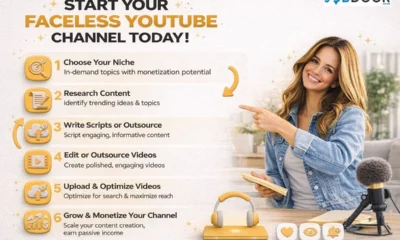

How to Start a Faceless YouTube Channel Today Without Showing Up!
The idea of starting a YouTube channel excites many people.But the moment you think about showing your face on camera,...


31 Jobs That Hire Teenagers: Real Ways to Earn Money
You want to earn money.Not just pocket change—but your own income, something that gives you freedom and confidence. But then...


Top 10 Facebook Reels Tips That Still Work in 2026
If you’ve tried posting on Facebook and felt disappointed by low reach, poor engagement, or zero growth—pause right here. You’re...
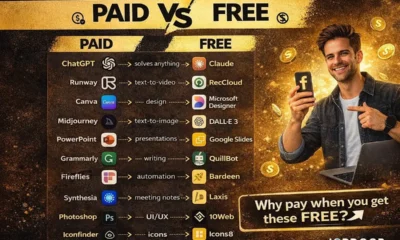

Paid vs Free AI Tools in 2026: Why Paying is Optional
Let’s start with a feeling most beginners won’t admit out loud. You want to: But every time you search for...
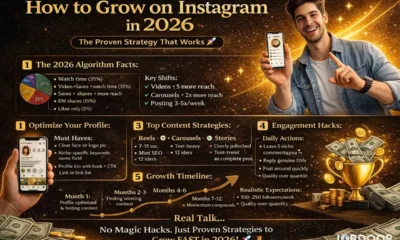

How to Grow on Instagram in 2026 Step by Step?
If you’ve ever opened Instagram, posted consistently for a few weeks, and then thought “Why is nobody seeing this?”—you’re not...


ChatGPT vs Copilot: Which AI Is Best for You in 2026?
If you’re new to AI, this decision can feel confusing. You hear people talk about ChatGPT and Copilot everywhere.Some say...
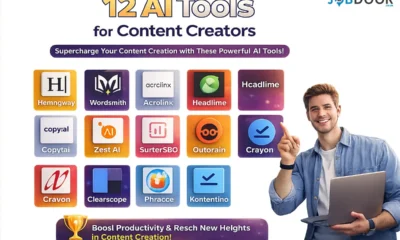

12 AI Tools for Content Creators to Create Faster, Smarter, and Stress-Free Content
Let’s talk honestly. If you’re a content creator—or trying to become one—you’ve probably felt this before: You are not alone.And...


10 Insane Ways Google Gemini Will Explode Your Productivity in 2026
In the fast-paced digital landscape of 2026, time isn’t just money—it’s the ultimate competitive advantage. While many are still using...
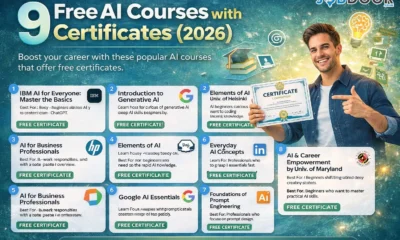

9 Free AI Courses with Certificates in 2026 (Step-by-Step Guide)
“AI Sounds Important… But Is It Really for Me?” Let’s be honest. When you hear Artificial Intelligence, what comes to...


Top 12 Powerful Free Google AI Tools You Must Use in 2026 (Complete Beginner’s Guide)
When you see words like Google AI, Gemini, Video Generation, or AI Studio, it can feel overwhelming.You may think: You’re...


5 Free Sites to Sell Digital Products and Keep More Profits
If you’ve ever thought about selling digital products but stopped halfway, you’re not alone. Maybe you asked yourself: Take a...

21 Free Must-Have Tools for Social Media Creators
If you’ve ever opened Instagram, YouTube, or LinkedIn and thought “How are they posting so consistently?”, you’re not alone. Most...

How to Grow a Facebook Page in 2026: A Simple, Proven, Beginner-Friendly Guide
If you’ve ever created a Facebook page with excitement, posted for a few days, then slowly stopped—this is for you....

20 Ways to Make Money with Google Gemini: Practical Methods Anyone Can Start
Artificial Intelligence is no longer limited to tech experts or large companies. Tools like Google Gemini are now accessible to...

Spend Like Rich People: Are You Building Wealth or Just Looking Wealthy
Most people believe wealth is about how much money you earn. In reality, wealth is built by how you spend...
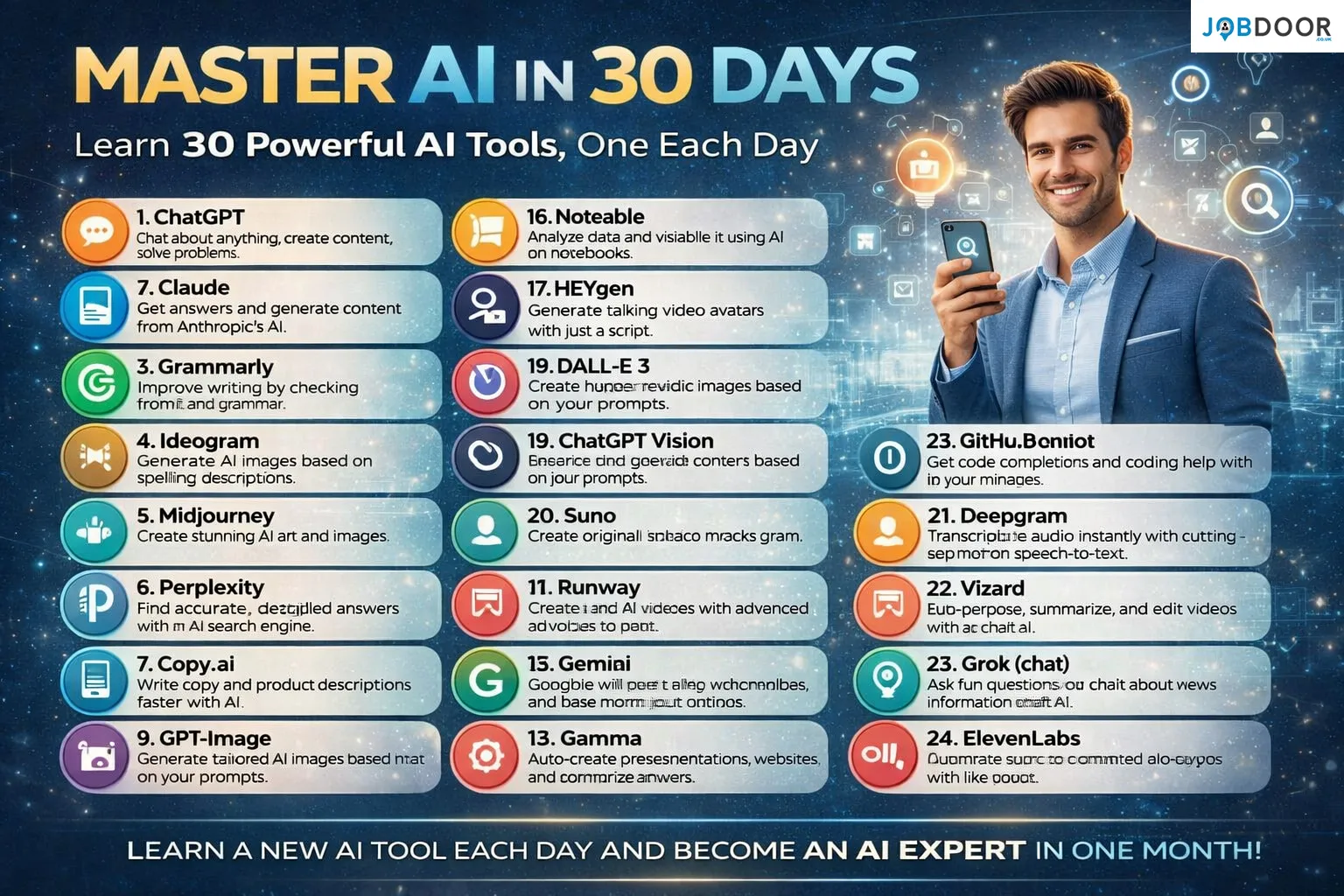
Master AI in 30 Days: Learn 30 Powerful AI Tools One Day at a Time
Artificial Intelligence is no longer limited to developers or large companies. Today, AI tools are used by students, professionals, freelancers,...
-
 Career2 years ago
Career Opportunities for Seniors: 7 Jobs that are Perfect for Older Adults
-
 Job Description2 years ago
Graphic Designer Job Description: Education, Salary, Skills, Work Hours
-

 News2 years ago
Students’ question to UK PM Rishi Sunak: “What if your kids started smoking?
-

 Career2 years ago
13 Best Jobs That AI Can’t Replace: A Guide to Future-proof Careers
-

 Career2 years ago
Standard Employment Contract Template Example for UK (Word & PDF)
-

 Money2 years ago
How To Get Paid to Read Books? (9 Best & Legit Sites)
-

 Job Description2 years ago
Support Worker Job Description: Qualifications, Skills, Salary, Working Hours
-

 News2 years ago
Top 10 Richest Countries in 2024 By GDP Per Capita