
How-to
How to Sell Digital Products Online: A Practical Guide
A practical guide to selling digital products online, from choosing an idea and platform to pricing, marketing, AI-assisted creation and improving sales.
Selling a digital product can be a practical way to turn useful knowledge, templates, creative work or professional skills into an online offer. But the biggest challenge is usually not finding a platform. It is creating something people actually need and building a simple path from interest to purchase.
This guide explains how to sell digital products from idea to delivery, how to choose a platform, how to price your offer, how AI can support the process and what to measure after launch.
What Is a Digital Product?
A digital product is something a customer can access electronically rather than receive as a physical item. It can usually be delivered online after purchase.
Common examples include:
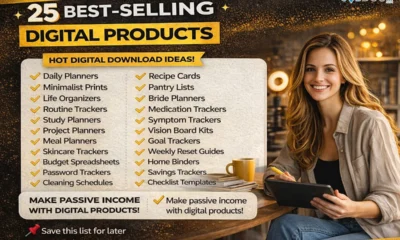
- PDF guides and ebooks
- Resume and business templates
- Spreadsheets and calculators
- Notion or productivity templates
- Printable planners and worksheets
- Design assets and graphics
- Stock photos, music or other creative files
- Video lessons and online courses
- Checklists, workbooks and research resources
The important point is not that a product is digital. It is that the product solves a clear problem or makes a useful task easier.
Why People Buy Digital Products
Customers rarely buy a file simply because it exists. They buy a shortcut, a solution, a useful resource or a better way to complete something.
| Customer Need | Possible Product |
|---|---|
| Save time | Checklist, template or ready-to-use spreadsheet |
| Complete a task | Step-by-step guide or workbook |
| Improve a skill | Course, lesson or practice pack |
| Stay organised | Planner or productivity template |
| Present work professionally | Resume, proposal or presentation template |
| Create content faster | Content calendar, template pack or workflow guide |
Start With a Problem, Not a Product
One of the most common mistakes is deciding to create an ebook, template or course before knowing who will use it.
Start with a specific audience and problem. For example, instead of creating a general productivity planner, you could create a weekly planning template for freelance designers who manage several client projects.
- Who is the product for?
- What problem are they trying to solve?
- What do they currently use?
- What takes too much time or effort?
- What result would make the purchase worthwhile?
Specific products are often easier to explain and market than products designed for everyone.
Digital Product Ideas You Can Build Around Your Skills
- Writing: guides, checklists, templates and editing resources
- Design: presentation templates, social graphics and printable resources
- Career knowledge: resume templates, interview worksheets and job-search trackers
- Education: study packs, workbooks and lesson resources
- Business: calculators, operating checklists, proposal templates and planning sheets
- Marketing: content calendars, campaign templates and research frameworks
- Creative work: photos, illustrations, audio assets and video resources
- Professional expertise: practical guides that help a specific audience complete a task
If you are interested in using AI alongside your skills, our guide to AI business ideas covers practical service and business models that can complement digital products.
How to Validate a Digital Product Before Spending Too Much Time
You do not need to build a large product first. Test the idea before investing heavily in design, software or advertising.
- Ask potential customers about the problem.
- Look for repeated questions in relevant communities.
- Review competing products and identify gaps.
- Create a simple outline or sample.
- Ask people whether they would pay for the finished version.
- Use early feedback to change the product before launch.
A small validation test can prevent weeks of work on a product that has little demand.
How to Choose Where to Sell Digital Products
You can sell through a digital-product platform, an online marketplace or your own website. The best choice depends on how much control you want and how you plan to attract customers.
| Option | Good For | What to Check |
|---|---|---|
| Digital product platform | Simple setup and automated delivery | Transaction fees, payment support and features |
| Online marketplace | Access to an existing shopping audience | Competition, marketplace rules and fees |
| Your own website | Brand control and long-term ownership | Payment, delivery, security and maintenance |
| Direct sales | Small audiences and early testing | Manual work, payment handling and delivery |
Before choosing a platform, check its current pricing, transaction fees, payment availability, tax features, refund rules and digital-delivery options. These details can change over time.
What to Look for in a Digital Product Platform
- Simple product setup
- Secure payment processing
- Automatic file or content delivery
- Support for your target customers and currency
- Useful sales and customer information
- Reasonable transaction and subscription costs
- Options that fit your product type
- Clear policies for refunds and customer support
Do not choose a platform only because it has a free plan. A low starting cost can still become expensive if the platform takes a large share of each sale or lacks features you need later.
How to Price a Digital Product
There is no universal price that works for every digital product. Price should reflect the usefulness of the product, the audience, the problem it solves and the alternatives available.
- Low-cost templates and simple resources can work as entry products.
- Detailed guides and professional resources can justify a higher price when they solve a meaningful problem.
- Courses and larger product bundles usually require more value and support.
- Business-focused products can be priced around the value of the time or cost they help save.
Also calculate your real margin. Include platform fees, payment processing, advertising, software, taxes where applicable and customer-support time.
Use AI to Help Create and Improve Digital Products
AI can speed up parts of digital-product creation, but it should support your expertise rather than replace it.
- Generate possible product ideas from customer problems.
- Organise research and create an outline.
- Draft descriptions and marketing copy.
- Create variations of titles or product names.
- Check writing for clarity and consistency.
- Turn a long guide into a checklist or short content pieces.
- Help build spreadsheets, formulas or structured templates.
Review AI-generated material carefully. Check facts, examples, originality, licensing and the usefulness of the final product before selling it.
For a broader approach to building income with AI skills, see our guide on AI skills and freelance services.
A Simple Digital Product Launch Workflow
- Choose an audience: Pick a specific group with a clear need.
- Define the problem: Write down the result your product should help achieve.
- Validate the idea: Talk to potential buyers and review competing solutions.
- Create the smallest useful version: Avoid adding features simply to make the product bigger.
- Choose a sales channel: Select a platform or website that fits your needs.
- Create the product page: Explain the problem, what is included and who the product is for.
- Test the buying process: Make sure payment, delivery and customer instructions work.
- Launch: Share the product through channels where your audience already spends time.
- Collect feedback: Look for questions, objections and common requests.
- Improve: Update the product and sales page based on real customer behaviour.
How to Market a Digital Product Without a Huge Audience
You do not necessarily need a large following. You need to reach people who have the problem your product solves.
- Publish useful educational content related to the product.
- Answer relevant questions in communities where promotion is allowed.
- Build an email list around a specific topic.
- Create search-friendly pages that answer customer questions.
- Use short-form content to demonstrate the product in action.
- Offer a useful sample, preview or free resource when appropriate.
- Ask satisfied customers for reviews or testimonials.
Good marketing shows the product solving a problem. Simply posting “buy my product” repeatedly is rarely enough.
What to Measure After Launch
Sales are important, but they are not the only useful signal. Track the steps between someone finding your product and becoming a customer.
- Product-page visits
- Traffic source
- Click-through rate where available
- Conversion rate
- Refunds
- Customer questions
- Average order value
- Repeat purchases or related-product sales
If many people visit but few buy, the problem may be the product offer, price, positioning or sales page. If people buy but request the same change repeatedly, that feedback can guide your next version.
Common Mistakes to Avoid
- Building too much too early: Start with a focused product.
- Targeting everyone: A clear audience makes marketing easier.
- Ignoring customer research: Do not assume people want what you want to create.
- Competing only on price: Explain why the product is useful instead.
- Using AI without review: Automated output can contain errors or weak material.
- Ignoring fees: Calculate your actual profit after all costs.
- Depending on one traffic source: Build more than one reliable way for customers to find you.
- Never updating the product: Improve it when customer needs or tools change.
A Practical 30-Day Plan
| Period | Main Goal |
|---|---|
| Days 1–5 | Choose an audience and identify a specific problem. |
| Days 6–10 | Research alternatives and validate your product idea. |
| Days 11–18 | Create the smallest useful version of the product. |
| Days 19–22 | Set up the sales page, payment and delivery process. |
| Days 23–26 | Test the purchase experience and fix problems. |
| Days 27–30 | Launch, collect feedback and review early results. |
The goal of the first month is not to build a huge digital-product business. It is to test whether a specific product can solve a real problem and attract paying customers.
Frequently Asked Questions
Do I need a website to sell digital products?
No. A digital-product platform or marketplace can handle parts of the selling process. A website becomes more useful when you want greater control over branding, content, customer relationships and long-term traffic.
What is the easiest digital product to start with?
A focused template, checklist, short guide or spreadsheet can be easier to create and test than a large course. Choose the format that best solves the problem.
Can I use AI to create a digital product?
Yes, AI can help with research, drafting, organisation, editing and other production tasks. You should still add your own expertise, verify important information and check the rights and originality of anything you sell.
How much does it cost to start?
The cost can range from very little for a simple product to much more for software, professional design, advertising or course production. Start with the lowest-cost setup that lets you test the idea properly.
How long does it take to make a digital product?
It depends on the format and depth. A simple template may take hours, while a detailed course can take weeks or months. Start with a manageable product so you can test demand before committing to a large project.
Related JobDoor Guides
- Digital Product Ideas You Can Build and Sell
- AI Business Ideas: Practical Ways to Build a Business With AI
- How to Use ChatGPT for Freelance Work
- 30-Day AI Skills Plan for Work
Final Thoughts
Selling digital products is not simply about uploading a file and waiting for sales. A sustainable approach starts with a real customer problem, a useful product, a suitable sales channel and a clear way to reach the right audience.
Start small. Test one product. Measure what happens. Then improve the offer based on real customer feedback instead of trying to build everything at once.



How to Start a Career in Law in the UK
Thinking about a career in law? This guide explains UK legal career routes, qualifications, solicitor and barrister pathways, apprenticeships, skills,...


How to Start a Career in Education in the UK
Thinking about a career in education? Compare teaching and non-teaching roles, qualifications, apprenticeships, experience, skills and practical steps for getting...


How to Start a Career in Marketing in the UK
Marketing is a broad career field that combines communication, creativity, research, data and business thinking. It includes traditional marketing as...


How to Start a Career in Healthcare in the UK
Healthcare is one of the UK’s broadest career areas. It includes doctors and nurses, but also healthcare assistants, laboratory staff,...


How to Start a Career in Human Resources (HR) in the UK
Photo by Vitaly Gariev on Unsplash Human resources, usually called HR, is a people-focused career that combines communication, organisation, business...


How to Start a Career in Construction in the UK
Construction is one of the UK’s broadest career sectors. It includes hands-on trades such as bricklaying, carpentry and plumbing, as...


How to Start a Career in Energy and Utilities in the UK
Planning a career in energy and utilities in the UK? See job options, apprenticeships, qualifications, skills and practical steps to...


How to Start a Career in Media and Communications in the UK
Planning a media and communications career in the UK? Compare job options, entry routes, apprenticeships, skills, experience and practical steps...


How to Start a Career in Environmental and Sustainability Jobs in the UK
Environmental and sustainability careers are becoming an important part of many UK workplaces. Jobs in this area can involve protecting...


How to Start a Career in Cybersecurity in the UK
Thinking about a cybersecurity career in the UK? Here is a practical guide to skills, qualifications, entry-level roles, applications and...


How to Start a Career in Engineering in the UK
Thinking about engineering as a career in the UK? Here is a practical guide to engineering fields, qualifications, apprenticeships, skills,...


How to Start a Career in Government and Public Services in the UK
Thinking about a career in government or public services? This guide covers job options, entry routes, apprenticeships, skills, applications and...


Rolls-Royce Internship UK: Eligibility, Opportunities & How to Apply
Find Rolls-Royce internships in the UK with practical guidance on eligibility, opportunities, applications, assessments, skills and preparation.


How to Start a Career in Transport and Logistics in the UK
Planning a career in transport and logistics in the UK? See entry-level roles, apprenticeships, qualifications, skills and practical steps to...
JLR Internships in the UK: How to Find and Apply
Find JLR internships and undergraduate placements in the UK, with practical guidance on eligibility, applications, career areas, assessments and preparation.


How to Start a Career in Architecture and Design in the UK
How to Start a Career in Architecture and Design in the UK Architecture and design careers combine creativity with practical...


Technology Internships in the UK: How to Find and Prepare
Find technology internships in the UK with practical guidance on choosing a tech career area, building skills, finding employers and...


Deloitte Internship UK: How to Apply and Prepare
A practical guide to Deloitte internships in the UK, covering programmes, eligibility, applications, assessments, skills, student visas and preparation.


How to Start a Career in Arts and Culture in the UK
How to Start a Career in Arts and Culture in the UK A career in arts and culture is not...


How to Start a Career in Automotive in the UK
How to Start a Career in Automotive in the UK The UK automotive industry offers many different career paths, from...
-
 Career3 years ago
Flexible Jobs for Older Adults in the UK: 7 Career Options
-
 Jobs8 months ago
Second Jobs in the UK: 15 Practical Ways to Earn Extra Income
-

 Career2 years ago
Free Job Posting Sites in the UK: Options for Employers
-
 How-to8 months ago
How to Use Google Gemini for Freelance Work and Career Skills
-
 How-to8 months ago
Passive Income Ideas: Build Long-Term Income Streams
-

 AI & Tools8 months ago
How to Use Google Gemini for Productivity at Work
-

 Job Description2 years ago
Support Worker Job Description: Duties, Skills, Salary and Career Guide UK
-

 AI & Tools8 months ago
ChatGPT vs Microsoft Copilot: Which AI Is Best for You?