
Career
YouTube Automation Business Model: Costs, Skills, Risks and How It Works
How the YouTube automation business model works, including production costs, outsourcing, revenue options, useful skills, risks and practical ways to test the idea.
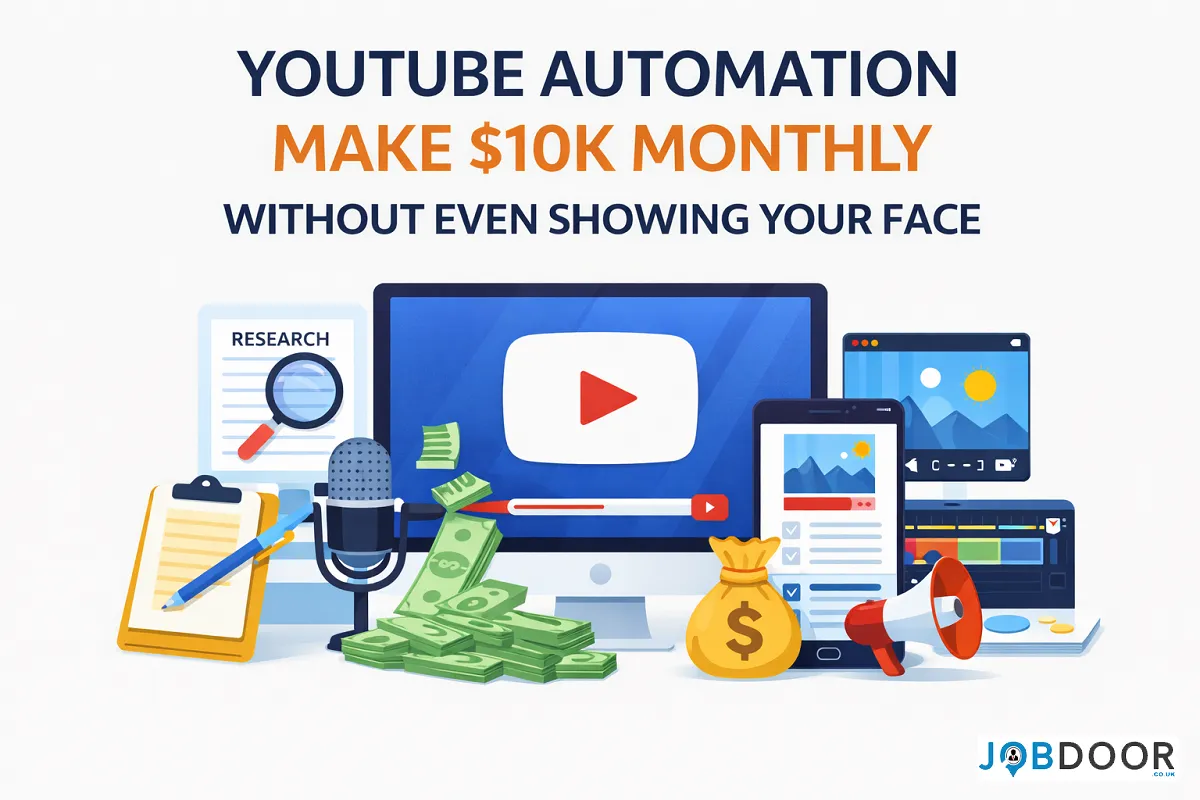
YouTube automation is often presented as a way to build a channel with little daily involvement. In reality, it is better understood as a content business model built around repeatable processes. Research, scripting, editing, voiceover, thumbnails, publishing and analytics can be systemised, automated or outsourced, but the business still needs strategy and quality control.
This guide looks at how the YouTube automation business model works, what it can cost, which tasks you can delegate, what skills matter, where the main risks are and how to test the model before investing heavily.
What Is the YouTube Automation Business Model?
YouTube automation means building a channel where recurring production tasks follow a documented process. Instead of one person doing everything, the work can be divided between the channel owner, AI tools, freelancers and software.
| Business Area | How It Can Be Systemised | Who Usually Owns the Decision? |
|---|---|---|
| Topic research | Research templates, databases and AI-assisted organisation | Channel owner |
| Scriptwriting | Briefs, templates, AI drafting and editing | Editor or channel owner |
| Voiceover | AI narration or freelance voice talent | Channel owner/editor |
| Visual production | Stock footage, graphics, screen recordings or AI visuals | Editor |
| Editing | Templates, presets and documented standards | Editor |
| Thumbnails | Design templates and testing | Designer/channel owner |
| Publishing | Metadata templates and scheduling | Channel owner |
| Analytics | Regular reports and performance dashboards | Channel owner |
YouTube Automation Is a Business System, Not Passive Income
The word “automation” can create the wrong expectation. A channel may reduce manual production work, but it does not remove the need for decisions.
- Someone must choose worthwhile topics.
- Content needs to provide original value rather than simply repeat existing videos.
- Scripts and visuals need quality and accuracy checks.
- Copyright and licensing need to be handled properly.
- Performance data needs to influence future decisions.
- The audience still expects useful and engaging content.
Think of automation as reducing repetitive work, not removing responsibility.
How a YouTube Automation Business Makes Money
A YouTube channel can eventually support several revenue streams. The right mix depends on the audience, niche, content format and business model.
| Revenue Stream | How It Works | What to Consider |
|---|---|---|
| Advertising | Revenue from eligible YouTube advertising | Depends on views, audience, content and platform rules |
| Affiliate marketing | Commission from qualifying referrals | Requires relevant products and audience trust |
| Sponsorships | Brands pay for promotional placements | Audience fit and credibility matter |
| Digital products | Sell guides, templates, courses or other useful resources | Product quality and demand are essential |
| Services | Use the channel to generate leads | Works best when the content attracts the right audience |
| Memberships | Offer additional value to paying viewers | Requires an engaged community |
Do not build the business around a fixed monthly income promise. Revenue can vary significantly, and a channel may take substantial time to develop.
What Does YouTube Automation Cost?
There is no single startup cost. Your budget depends on how much work you do yourself and how much you outsource.
| Cost Area | Lower-Cost Approach | Higher-Cost Approach |
|---|---|---|
| Research | Free research tools and your own time | Paid research software or researcher |
| Scripts | DIY with AI assistance | Professional writer/editor |
| Voice | Own voice or basic AI narration | Professional voice actor |
| Visuals | Original recordings and free assets | Licensed libraries, designers or custom production |
| Editing | DIY templates | Freelance or specialist editor |
| Thumbnails | DIY templates | Professional designer and testing |
| Management | Owner-managed | Virtual assistant or production manager |
A sensible approach is to validate the channel before building a large team. Spending more money does not automatically produce better videos or a larger audience.
The Main Roles in an Automated YouTube Channel
A larger channel may eventually divide production into specialist roles. A small channel can combine several of these responsibilities.
- Channel strategist: audience, niche and business direction.
- Researcher: topics, sources and supporting information.
- Scriptwriter: structure, storytelling and narration.
- Editor: video assembly, pacing, captions and audio.
- Thumbnail designer: visual packaging and testing.
- Publisher: uploads, descriptions, playlists and scheduling.
- Analytics manager: performance review and improvement ideas.
At the beginning, one person may handle most of these roles. The purpose of automation is to make the handoffs clear enough that tasks can later be delegated.
Which Tasks Should You Automate, Outsource or Keep?
| Task | Best Starting Approach | Why |
|---|---|---|
| Topic strategy | Keep in-house | It shapes the entire channel |
| Research organisation | Automate + review | Useful for reducing repetitive work |
| Script drafting | AI + human editing | Speed improves while judgement remains important |
| Editing | Template or outsource | Easy to document once quality standards are clear |
| Thumbnails | Template + testing | Can become repeatable without becoming identical |
| Publishing | Systemise | Many steps are routine |
| Analytics decisions | Keep in-house | Performance needs business context |
💡 Practical tip: Do a task yourself before outsourcing it. That helps you understand the quality standard, estimate the time involved and create better instructions.
How AI Fits Into YouTube Automation
AI can support many parts of production, including research organisation, outlines, script drafts, title ideas, captions, audio cleanup, editing assistance, content repurposing and analytics summaries.
However, using AI for every stage without review can create repetitive or inaccurate content. The goal should be a faster production process with stronger human oversight, not maximum automation.
If you are focused specifically on video production, see our guide to AI video creation for YouTube. For broader content workflows, see our AI content creation workflow guide.
How to Choose a YouTube Niche as a Business
A good niche is more than a popular subject. It should give you enough useful topics to build a content library and enough audience value to support a business.
- There is a clearly identifiable audience.
- The audience has recurring questions or problems.
- You can create original content consistently.
- The topic has multiple potential revenue paths.
- You can research the subject responsibly.
- The format can be produced within your available budget.
- You can explain why viewers should choose your channel instead of another one.
Avoid choosing a niche simply because another channel appears to be earning well. You are building a business system, not copying a screenshot of someone else’s results.
A Simple YouTube Automation Workflow
1. Research the Audience
Identify the questions, problems and interests your target viewers repeatedly have.
2. Build a Video Brief
Define the audience, topic, main promise, evidence required, structure and desired outcome.
3. Produce the Script
Use AI or a writer for support, then check the finished script for accuracy, originality, clarity and useful detail.
4. Produce the Video
Create or source the narration, visuals, music and graphics according to your documented production standards.
5. Review and Publish
Check factual accuracy, copyright, audio, visual quality, titles, thumbnails and descriptions before publishing.
6. Measure and Improve
Review impressions, click-through rate, retention, returning viewers, traffic sources and business outcomes. Use the findings to improve the next production cycle.
When Should You Outsource?
Outsource when a task is predictable enough to explain clearly and the time saved is worth the cost. Do not outsource strategic decisions simply because they are difficult.
- Editing and captioning
- Thumbnail design
- Voiceover
- Research assistance
- Video assembly
- Upload preparation
Keep audience strategy, editorial direction, quality control, financial decisions and important channel choices under appropriate human control.
The Biggest Risks in YouTube Automation
- Low-quality content: automation can increase output without increasing value.
- Copyright problems: footage, music, images and other assets require appropriate rights.
- AI errors: generated information can be inaccurate or incomplete.
- Audience fatigue: repetitive formats can make a channel feel interchangeable.
- Overspending: a large production team can become expensive before the business is validated.
- Platform dependence: changes to platform rules, recommendations or monetisation can affect the business.
- Weak differentiation: copying popular channels makes it harder to build a durable brand.
⚠️ Watch out: A workflow that produces ten average videos faster is not necessarily better than one that produces fewer, more useful videos.
How to Measure Whether the Business Model Works
| Metric | What It Tells You |
|---|---|
| Production time | How efficiently the workflow operates |
| Cost per video | Whether production spending is sustainable |
| Click-through rate | How effectively the title and thumbnail attract clicks |
| Audience retention | Whether viewers continue watching |
| Returning viewers | Whether the channel is building an audience |
| Revenue per video | Which content contributes to the business |
| Leads or sales | Whether the channel supports wider business goals |
| Rework rate | How often production problems create extra cost |
A useful business metric is not simply “how many videos did we publish?” It is whether the system creates valuable content at a sustainable cost.
A 30-Day Test Before You Invest Heavily
| Period | Focus | Goal |
|---|---|---|
| Days 1–7 | Audience and niche research | Choose one focused concept |
| Days 8–14 | Build templates and production standards | Create a repeatable process |
| Days 15–21 | Produce initial videos | Test content quality and workflow speed |
| Days 22–30 | Review performance and costs | Decide what to improve before scaling |
Do not treat the first month as proof of guaranteed income. Treat it as a business validation period. The objective is to find out whether the audience, production process and economics make sense.
Skills You Build Through YouTube Automation
Building this type of channel can develop useful professional skills in content strategy, research, project management, AI workflow design, video production, analytics, digital marketing and outsourcing.
These skills can also support freelance and digital-business opportunities. Our guide to AI skills for job seekers covers broader skills that can strengthen your career.
Common YouTube Automation Mistakes
- Starting with unrealistic income expectations
- Spending heavily before testing the content concept
- Choosing a niche only because it looks profitable
- Publishing AI-generated material without meaningful human review
- Using assets without checking usage rights
- Outsourcing before documenting the workflow
- Measuring success only by subscriber count
- Copying competitors instead of building a clear point of difference
- Increasing upload volume when quality is already weak
Frequently Asked Questions
Is YouTube automation a real business model?
Yes. The business model is based on producing content through repeatable processes and generating value through advertising, sponsorships, affiliate income, products, services or other revenue streams. Results vary widely.
Do I need to show my face?
No. A channel can use narration, screen recordings, animation, graphics, demonstrations, licensed footage or other formats without the owner appearing on camera.
Can AI run a YouTube channel by itself?
AI can assist with many production tasks, but a responsible channel still needs human decisions around topics, quality, accuracy, rights, audience needs and business strategy.
How much money do I need to start?
There is no fixed amount. You can start by doing more work yourself and gradually spend on tools or freelancers after you validate the concept.
Is YouTube automation passive income?
Usually not. A well-designed system can reduce repetitive work, but channels still require content decisions, quality checks, analytics, audience management and ongoing improvement.
Related JobDoor Guides
- AI Video Creation for YouTube
- AI Video Repurposing
- AI Content Creation Workflow
- AI Skills for Job Seekers
Final Takeaway
YouTube automation is best treated as a repeatable content business, not a shortcut to guaranteed passive income. Start with a focused audience, validate the content idea, document the workflow, automate repetitive tasks and outsource only when the economics make sense.
The strongest long-term advantage is a system that produces useful content consistently while keeping strategy, quality and business decisions under control.













How to Start a Career in Transport and Logistics in the UK
Planning a career in transport and logistics in the UK? See entry-level roles, apprenticeships, qualifications, skills and practical steps to...


Rolls-Royce Internship UK: Eligibility, Opportunities & How to Apply
Find Rolls-Royce internships in the UK with practical guidance on eligibility, opportunities, applications, assessments, skills and preparation.


JLR Internships in the UK: How to Find and Apply
Find JLR internships and undergraduate placements in the UK, with practical guidance on eligibility, applications, career areas, assessments and preparation.


Technology Internships in the UK: How to Find and Prepare
Find technology internships in the UK with practical guidance on choosing a tech career area, building skills, finding employers and...


Deloitte Internship UK: How to Apply and Prepare
A practical guide to Deloitte internships in the UK, covering programmes, eligibility, applications, assessments, skills, student visas and preparation.


How to Prepare for a Remote Interview: Complete Guide
Prepare for a remote or video interview with practical advice on technology, camera setup, communication, notes and handling technical problems.

How to Stay Employable: 12 Long-Term Career Strategies
No one can guarantee permanent employment. Employers change, industries evolve and personal circumstances can affect a career at any stage....


How AI Is Changing Recruitment: What Job Seekers Should Expect
Artificial intelligence is changing recruitment, but not in the simple way many headlines suggest. Employers may use AI to organise...


How to Use AI to Identify Your Transferable Skills
Changing careers can feel difficult because job titles often make people focus on what they have not done instead of...

How to Use AI Responsibly When Applying for Jobs
AI can help job seekers save time when researching roles, improving a CV, preparing a cover letter and practising for...

AI Skills Every Job Seeker Should Learn (Without Becoming an AI Expert)
Artificial intelligence is becoming part of everyday work in many industries. You do not need to become a programmer, data...


How to Get a Job in the UK: A Complete Step-by-Step Guide
Finding a job in the UK can feel difficult, especially when you are competing with many other applicants. The process...


How to Write a CV With No Experience
Find out how to write a CV with no experience, what to include and how students, graduates and first-time job...


What Is a Job Description and What Should You Look For?
What is a job description? Understand what it means, what to look for and how to use it to decide...

Job Interview Preparation: Complete Guide to Before, During and After the Interview
A complete job interview preparation guide covering common questions, competency answers, remote interviews, interview mistakes and what to do after...

Sales Assistant Job Description: Duties, Skills, Salary and Career Guide UK
A Sales Assistant helps customers, processes purchases and supports the day-to-day running of a retail environment.


Web Developer Job Description: Duties, Skills, Salary and Career Guide UK
A Web Developer builds, maintains and improves websites and web applications. See the main duties, skills, qualifications, salary expectations and...

Choose an Entry-Level Job Based on Your Personality and Skills
Choosing your first job can be confusing. There are hundreds of entry-level jobs in the UK, but the best option...

How AI Can Help You Write a CV Without Making It Sound Generic
Find out how to use AI to improve your CV, tailor your experience and write clearer applications without adding false...

Python Interview Cheat Sheet: 30 Python Concepts You Should Know Before Your Next Coding Interview
Python is one of the most popular programming languages for beginners and professional developers. It is widely used in web...
-
 Career3 years ago
Career Opportunities for Seniors: 7 Jobs that are Perfect for Older Adults
-
 Jobs8 months ago
Second Jobs in the UK: 15 Practical Ways to Earn Extra Income
-

 Career2 years ago
5 Free Job Posting Sites in the UK (For Employers)
-
 How-to8 months ago
How to Use Google Gemini for Freelance Work and Career Skills
-
 How-to8 months ago
Passive Income Ideas: Build Long-Term Income Streams
-

 AI & Tools8 months ago
How to Use Google Gemini for Productivity at Work
-

 Job Description2 years ago
Support Worker Job Description: Duties, Skills, Salary and Career Guide UK
-

 AI & Tools8 months ago
ChatGPT vs Microsoft Copilot: Which AI Is Best for You?