Career
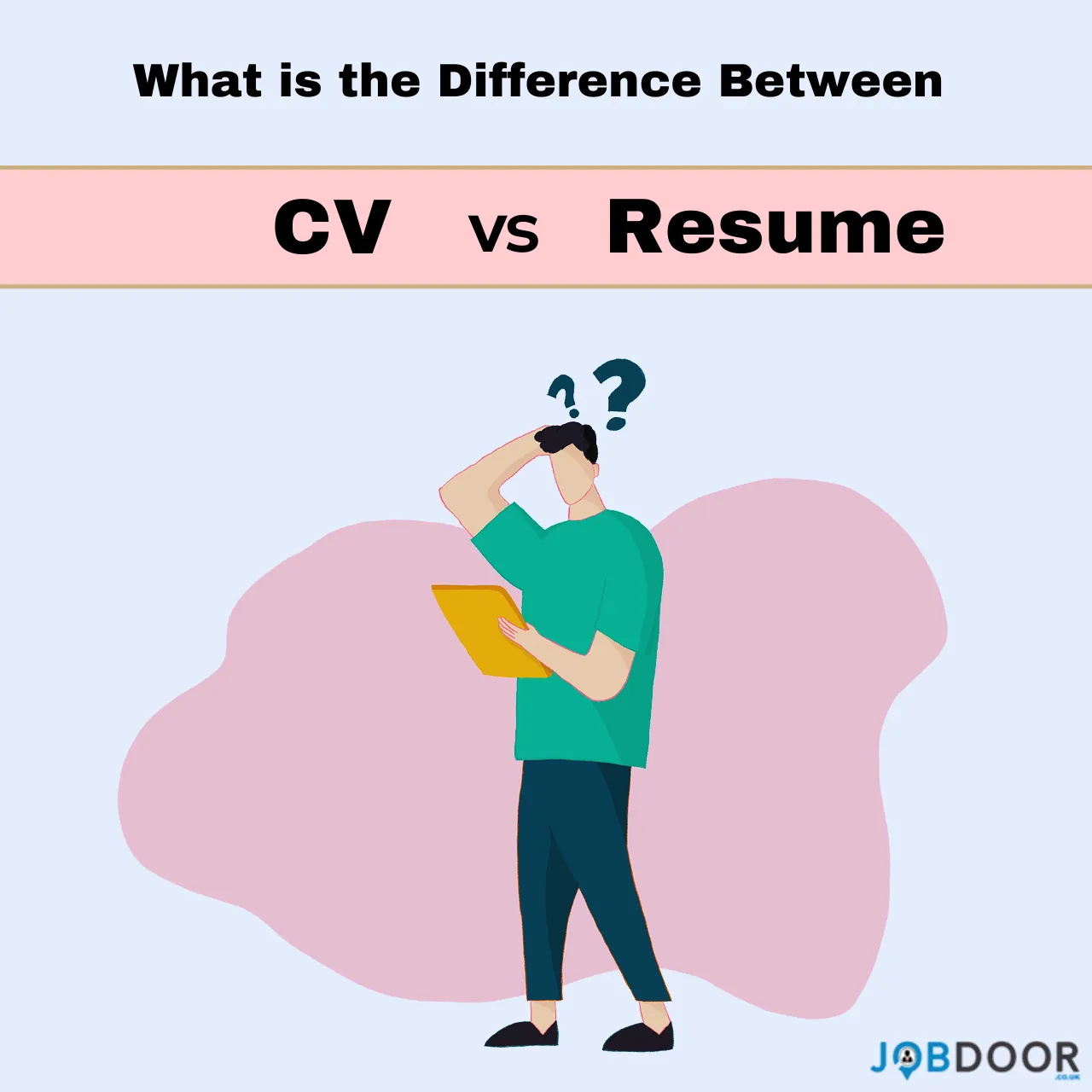
CV vs Resume: What are the Key Differences?
This guide will show you the differences between a CV and a resume and give you everything you need to know to create either one!
I still remember the night before my big job interview, and I was frantically updating my resume. I had spent hours perfecting the layout, choosing the right words, and double-checking for any typos. As I stared at the screen, I couldn’t help but wonder – should I be creating a CV instead?
The truth is the lines between a CV (curriculum vitae) and a resume can get a bit blurry. They’re both important tools in your job search, but there are some key differences you need to know. Whether you’re a recent graduate or an experienced professional, understanding these distinctions can give you a major advantage.
So, let’s explore the world of CVs and resumes, shall we?

What is the Difference Between CV and Resume?
At their core, a CV and a resume serve the same purpose – to showcase your skills, work experience, and qualifications to a potential employer. However, the way they’re formatted and the amount of information they contain can vary greatly.
Resume:
A resume is typically a concise, one-page document that highlights your most relevant work history, education, and key achievements. It’s designed to give the employer a quick, high-level overview of your background. Resumes are often used for more traditional job applications, especially in the United Kingdom.
CV:
On the other hand, a CV is a more detailed and comprehensive document that can span multiple pages. It provides a complete chronological record of your academic and professional history, including publications, awards, certifications, and other accomplishments. CVs are more commonly used in academia, research, or international job searches.
The Length Factor:
One of the most obvious differences between a CV and a resume is the length. As mentioned above, a resume should typically be just one page, while a CV can be several pages long. To precise resumes are to be no longer than 1-2 pages, while for CVs, there is no real rule or limit to how many pages it can have. However, it would seem that most CVs fall between 2-8 pages.
This is because a CV is meant to be a more in-depth representation of your entire career journey. It allows you to showcase the breadth and depth of your experience, education, and achievements. A resume, on the other hand, is designed to be a concise summary of your most relevant qualifications.
The level of detail you include in a CV can also vary depending on your field and the specific requirements of the job you’re applying for. For example, an academic CV for a research position might be much more extensive than a CV for a corporate job. One of more we would like to add here is that more than 80% of CVs are only fit for the dustbin so be care when writing one read our full guide.

What to include on a CV:
- Contact information
- Education
- Skills
- Certificates
- Publications
- Presentations
- Research interests and experience
- Awards & honors
- Work experience
- Languages
- References
What to include on a Resume:
- Personal Details
- Qualification
- Skills
- Work experience
- Certifications
- Current job
- Languages
- Contact information

Tailoring Your Approach:
Another key difference is the level of customization required for each application. With a resume, you’ll want to tailor it to the specific job you’re applying for, highlighting the skills and experience that are most relevant. This might mean rearranging the order of your work history, emphasizing certain accomplishments, or even removing irrelevant information.
CVs, on the other hand, tend to be more static documents that you can use across multiple applications. While you may still want to adjust the order or emphasis of certain sections, the overall structure and content of your CV will typically remain the same.
That said, it’s important to remember that both your resume and CV should be regularly updated to ensure they accurately reflect your current skills and experience.
The Positive and Negative Sides:
Now that we’ve covered the basics, let’s explore the pros and cons of each approach.
The Positive Side of Resumes:
- Concise and easy to scan, making it more likely to catch the employer’s attention
- Allows you to highlight your most relevant and impressive qualifications
- Faster and easier to customize for each job application
The Negative Side of Resumes:
- Limited space means you may have to omit important details or achievements
- Employers may perceive a one-page resume as lacking depth or substance
- Harder to showcase the full breadth of your experience and qualifications
| Also Read: How to Prepare for Remote Interviews? |
The Positive Side of CVs:
- Provides a comprehensive and detailed record of your academic and professional background
- Allows you to showcase a wider range of accomplishments, publications, and certifications
- Demonstrates your depth of knowledge and expertise in your field
The Negative Side of CVs:
- Can be time-consuming to create and update
- Longer length may make it harder for employers to quickly identify your most relevant qualifications
- Some employers may prefer a more concise and focused resume

Which One Do You Use CV or Resume?
So, how do you know which one to use? The answer really depends on the specific job and industry you’re targeting.
If you’re applying for a more traditional corporate or business role, a resume is probably the way to go. But if you’re pursuing an academic, research, or international position, a CV may be the better choice.
Regardless of which route you choose, here are some tips to help you create a standout document:
- Research the employer’s preferences. Some job postings may explicitly state whether they want a resume or CV. Make sure to follow their instructions.
- Highlight your most impressive and relevant accomplishments. Don’t be afraid to showcase your achievements, awards, and special skills.
- Use clear, concise language and formatting. Make it easy for the employer to quickly scan and understand your qualifications.
- Tailor your document to the specific job. Emphasize the skills and experience that directly match the role you’re applying for.
- Proofread, proofread, proofread. Double-check for any typos or errors before submitting your application.
| Also Read: 12 IT Jobs That Don’t Require Coding Skills |
Examples and Case Studies:
To bring these concepts to life, let’s take an example:
Let’s say Sarah, a recent college graduate, was applying for entry-level marketing positions. She created a one-page resume that highlighted her internship experience, relevant coursework, and impressive academic achievements. This allowed her to showcase her qualifications in a concise and compelling way.
On the other hand, Dr. Michael, a tenured professor, used a detailed CV when applying for a research fellowship. His CV included a comprehensive list of his published papers, conference presentations, and awards, demonstrating his extensive expertise in the field.
By understanding the differences between a CV and resume, both Sarah and Dr. Michael were able to tailor their application materials to the specific requirements of the roles they were pursuing.
So, if you want to describe this in one sentence then “Resume is like a fresher (beginner) and CV is an experienced professional”.
Visual Example of a CV:

Visual Example of Resume:

Creating a Connection:
At the end of the day, whether you choose a CV or a resume, the goal is to present your qualifications in the most effective way possible. By understanding the nuances between these two important documents, you can position yourself as the ideal candidate and make a lasting impression on potential employers.
So, the next time you’re preparing for a big job interview, don’t stress about whether to use a CV or resume. Instead, embrace the opportunity to showcase your unique story and experience. After all, you’ve got this – and I’m rooting for you every step of the way!
Career
5 Underrated Digital Skills You Can Learn at Home That Most People Still Ignore
If you’ve read even a few career blogs, you’ve seen the same advice again and again.
Learn content writing.
Learn graphic design.
Learn digital marketing.
And at some point, you think:
“Okay… but everyone already knows this. What now?”
That feeling is valid.
The internet keeps recycling the same beginner skills, while quietly ignoring newer, less crowded opportunities. Skills that don’t look flashy on Instagram—but actually create leverage.
This article is for people who:
- Are tired of generic advice
- Want skills with less competition
- Prefer quiet, long-term value over hype
- Want control, not constant hustle
In this guide, you’ll learn 5 overlooked digital skills you can learn at home, why they matter, who they’re for, and how to start without overwhelm.
No buzzwords. No trend-chasing. Just practical direction.
Why “Popular Skills” Are Becoming Harder to Monetize?
Let’s be honest for a moment.
Popular skills aren’t useless—but they are crowded.
When everyone learns the same thing:
- Prices drop
- Competition rises
- Anxiety increases
That’s why the smarter move today is not popular skills, but supporting, system-level skills.
Skills that:
- Sit behind the scenes
- Are hard to replace
- Are learned by fewer people
That’s where stability lives.
1. No-Code Automation (Making Tools Talk to Each Other):
What This Skill Really Is?
No-code automation means connecting apps so work happens automatically, without writing code.
Example:
- When someone fills a form → data goes to a spreadsheet → email is sent automatically.
Tools do the work. You design the flow.
Why This Skill Is Powerful (and Ignored)?
Most people:
- Hate repetitive tasks
- Don’t know automation exists
- Think it requires programming
It doesn’t.
Businesses lose hours daily on manual work. Automation fixes that quietly.
Tools You’d Learn:
- Zapier
- Make (formerly Integromat)
- Airtable
Who This Skill Is Perfect For?
- Organized thinkers
- Process lovers
- People who enjoy efficiency
This skill pays well because it saves time, not because it looks creative.
2. Data Cleanup & Organization (The Skill Nobody Wants—but Everyone Needs):
What It Is?
This skill involves:
- Cleaning messy spreadsheets
- Organizing data
- Removing duplicates
- Making information usable
Not analysis. Not coding. Just clarity.
Why This Skill Is Underrated?
Data is everywhere.
Clean data is rare.
Most businesses have information—but it’s unusable. They need someone who can bring order.
Why Beginners Can Learn This Easily?
- Learn Google Sheets or Excel basics
- Practice sorting, filtering, formatting
- Build patience and precision
It’s calm work. Focused work.
And surprisingly valuable.
3. AI Prompt Design (Talking to AI the Right Way):
What This Skill Actually Is
AI prompt design means knowing how to ask AI tools the right questions to get high-quality results.
Most people type vague prompts and get poor outputs.
A prompt designer:
- Structures instructions clearly
- Adds context
- Guides outcomes
Why This Is a New Opportunity?
AI tools are everywhere now.
But most people use them badly.
Those who know how to guide AI properly save:
- Time
- Money
- Effort
This skill is about thinking clearly, not being technical.
Who This Is For?
- Writers
- Managers
- Researchers
- Anyone working with AI tools daily
It’s a thinking skill. And thinking skills age well.
4. Digital Product Operations (Running the Backend Nobody Sees):
What This Skill Means?
Digital product operations involves managing:
- Product uploads
- File organization
- Customer access
- Updates and versions
It’s the engine room behind online products.
Why This Skill Is Rare?
Everyone wants to:
- Create
- Sell
- Promote
Very few want to maintain systems.
But creators desperately need help keeping things running smoothly.
What You’d Learn?
- File management
- Platform dashboards
- Version control (simple, not technical)
- Customer access workflows
This skill brings stability and long-term work.
5. Knowledge Management (Turning Information Into Systems):
What Is Knowledge Management?
It’s the skill of:
- Organizing notes
- Structuring information
- Building personal or team knowledge systems
Think:
- Notion dashboards
- Documentation systems
- Learning libraries
Why This Skill Is Becoming Valuable?
Information overload is real.
People don’t lack information.
They lack structure.
Those who can turn chaos into clarity are quietly in demand.
Who This Is Perfect For?
- Deep thinkers
- Note-takers
- People who love systems
It’s not loud work. But it’s respected work.
How to Choose the Right “Unpopular” Skill for You?
Ask yourself:
- Do I enjoy structure or creativity?
- Do I prefer solving problems quietly?
- Do I like improving systems?
Choose the skill that feels mentally calm, not exciting.
Calm skills are sustainable skills.
A Simple Learning System:
Use this 3–2–1 system:
- 3 days a week: learning
- 2 days a week: practice
- 1 day a week: review
Track:
- What confused you
- What clicked
- What improved
This reduces anxiety and builds confidence naturally.
Why These Skills Give You an Advantage?
These skills:
- Have less competition
- Are harder to replace
- Support other roles
- Age well over time
They don’t depend on trends.
They depend on thinking and structure.
Conclusion:
The internet rewards noise.
The real world rewards reliability.
You don’t need another popular skill.
You need one overlooked skill you can grow steadily.
Pick one from this list.
Learn it slowly.
Apply it calmly.
That’s how real careers are built—without panic.
👉 Choose the skill that feels boring but useful. Start today.
Career
9 Free AI Courses with Certificates in 2026 (Step-by-Step Guide)
“AI Sounds Important… But Is It Really for Me?”
Let’s be honest.
When you hear Artificial Intelligence, what comes to mind?
Complex math? Coding? Long hours? Expensive courses?
You’re not wrong to feel confused or even intimidated.
Many students and beginners think free AI courses are low quality, too technical, or a waste of time. Some even tried one before… and quietly quit halfway.
Here’s the truth most people don’t tell you:
You don’t need to be smart, technical, or experienced to learn AI. You just need the right starting point.
In this guide, I’ll walk you through:
- What AI really means?
- The right mindset for learning AI without stress
- 9 genuinely free AI courses with certificates in 2026
- How to choose the right course for you
- How to track your progress and stay consistent
No jargon.
No pressure.
Just a clear path forward.
Let’s begin.
What Is AI?
Artificial Intelligence (AI) simply means teaching computers to think and learn like humans—at least a little.
AI is already around you:
- Google search suggestions
- YouTube recommendations
- Chatbots
- Face recognition on phones
- Spam email filters
You don’t need to build AI to benefit from it.
First, you just need to understand how it works and how it’s used.
That’s exactly what these free AI courses with certificates help you do.
The Right Mindset Before You Start Any AI Course:
Most beginners fail not because AI is hard—but because they start with the wrong mindset.
Common Fears (Totally Normal):
- “Free courses won’t be respected”
- “I’m not good at math”
- “I don’t have a technical background”
- “What if I don’t understand anything?”
Take a breath.
The Correct Beginner Mindset:
- You are learning concepts, not becoming a scientist
- Progress matters more than speed
- Certificates are proof of effort, not perfection
Think of AI like learning to drive.
You don’t start with a Formula 1 car.
You start with basics.
Why Free AI Courses with Certificates Are Worth It in 2026?
Let’s clear this doubt once and for all.
Yes, free AI courses can be valuable.
When they come from trusted platforms.
They help you:
- Understand AI fundamentals
- Improve your resume
- Build confidence
- Decide if AI is right for your career
And most importantly…
You lose nothing except time—and you gain clarity.
Now, let’s get to the list you came for.
9 Best Free AI Courses with Certificates in 2026:
Below are carefully chosen courses that are:
- Free (or free with certificate option)
- Beginner-friendly
- Recognized globally
- Easy to follow at your own pace
1. AI for Everyone – Andrew Ng:
Platform: Coursera
This is one of the best starting points for absolute beginners.
What You’ll Learn?
- What AI can and cannot do
- How AI is used in real businesses
- Common myths about AI
Why It’s Beginner-Friendly?
- No coding
- No math
- Pure concepts, explained simply
Certificate:
- Free to learn
- Certificate available via financial aid
Best for: Non-technical learners, students, managers
2. Introduction to Artificial Intelligence – IBM:
Platform: IBM (via Coursera)
What You’ll Learn?
- Basics of AI, ML, and deep learning
- AI use cases in real industries
- Ethics of AI
Key Highlights:
- Taught by a global tech company
- Beginner-level explanations
- Short modules
Certificate:
- Free with financial aid
Best for: Resume builders and corporate learners
3. Google AI for Beginners:
Platform: Google
Google offers simple learning paths under its AI initiative.
What You’ll Learn?
- Machine learning basics
- AI tools used by Google
- Real-world examples
Why It’s Powerful?
- Trusted brand
- Clean explanations
- Practical insights
Certificate:
- Free certificate available
Best for: Students and job seekers
4. Introduction to AI – Microsoft Learn:
Platform: Microsoft
What You’ll Learn?
- AI workloads
- Machine learning basics
- Responsible AI concepts
Why Beginners Love It?
- Short lessons
- Interactive learning
- Clear structure
Certificate:
- Free completion badge
Best for: Beginners who like step-by-step learning
5. AI Basics for Everyone – Udemy (Free):
Platform: Udemy
What You’ll Learn?
- AI terminology
- How AI impacts jobs
- Everyday AI tools
Things to Know:
- Certificate available
- Course quality varies (check ratings)
Best for: Casual learners and fast starters
6. Elements of AI:
Provider: University of Helsinki
This course is famous worldwide.
What You’ll Learn?
- How AI works
- Societal impact of AI
- Logical thinking behind AI
Why It’s Special?
- No coding required
- Used by governments and universities
- Extremely beginner-friendly
Certificate:
- Free certificate
Best for: First-time learners
7. AI Foundations – LinkedIn Learning:
Platform: LinkedIn
What You’ll Learn?
- AI fundamentals
- Career relevance
- Business use cases
Certificate:
- Free certificate during trial period
Best for: Professionals and fresh graduates
8. Machine Learning Crash Course:
Platform: Google Developers
What You’ll Learn?
- Core ML concepts
- Visual explanations
- Practical understanding
Note:
- Slightly technical
- Still beginner-friendly
Certificate:
- Free completion badge
Best for: Curious learners ready to go deeper
9. AI Ethics and Responsible AI:
Platform: Microsoft / IBM
What You’ll Learn?
- Ethical AI use
- Bias and fairness
- Real-world implications
Why It Matters?
AI is not just about technology—it’s about responsibility.
Certificate:
- Free
Best for: Students and future professionals
How to Choose the Right Free AI Course?
Ask yourself three simple questions:
- Do I want concepts or coding?
- Concepts → AI for Everyone
- Coding later → Google or IBM
- Do I need a certificate?
- Yes → Coursera, Microsoft, Google
- How much time can I give daily?
- 30 minutes is enough
👉 Choose ONE course. Not three.
Step-by-Step System to Complete Any AI Course Successfully:
Step 1: Block Small Time Slots
- 20–30 minutes a day
- Same time every day
Step 2: Learn, Don’t Rush
- Pause videos
- Take notes
- Rewatch if needed
Step 3: Apply Light Learning
- Explain concepts in your own words
- Share what you learn with a friend
Step 4: Finish and Claim Certificate
- Certificates boost confidence
- Add them to LinkedIn or resume
How to Track Your AI Learning Progress?
You don’t need fancy tools.
Just track:
- Course started
- Lessons completed
- Date finished
- Certificate earned
Use:
- A notebook
- Google Docs
- Notes app
Consistency beats intensity.
Common Mistakes Beginners Make (Avoid These):
- Starting too many courses
- Quitting halfway
- Comparing yourself to experts
- Expecting instant results
Remember:
You’re building knowledge, not racing.
Conclusion: Start Your AI Journey Today, Not “Someday”
AI is no longer optional.
But learning AI does not have to be hard, expensive, or scary.
With these 9 free AI courses with certificates in 2026, you now have:
- A clear starting point
- Trusted platforms
- Zero financial risk
- A step-by-step system to succeed
Don’t wait for confidence.
Confidence comes from starting.
Choose one free AI course today.
Spend just 20 minutes.
Finish what you start.
Your future self will thank you.
Start now. AI is waiting.
Career
7 Skills AI Can’t Replace (Still Essential) to Future-Proof Your Career in 2026
Artificial Intelligence is transforming how work is done. Automation, machine learning, and AI tools now handle tasks that once required large teams and years of experience. While this progress brings efficiency, it also raises a serious question for professionals across industries:
Which skills will still matter when AI becomes more powerful?
The answer is reassuring. Despite rapid technological advances, there are core human skills that AI cannot replace. These skills are not trends—they are timeless qualities that have always defined capable professionals. In 2026 and beyond, these abilities will become even more valuable.
This article breaks down 7 essential skills AI can’t replace, explains why they matter, and shows how you can strengthen them to stay relevant and respected in your career.
Why Human Skills Still Matter in the Age of AI?
AI excels at processing data, identifying patterns, and automating routine work. However, it lacks consciousness, values, lived experience, and moral responsibility. Businesses don’t just run on systems—they run on trust, judgment, relationships, and leadership.
Those who combine AI tools with strong human skills will not be replaced; they will be promoted.
1. Emotional Intelligence:
Emotional intelligence is the ability to understand emotions—both your own and others’—and respond thoughtfully.
What AI can do?
Analyze tone, sentiment, and behavioral data.
What only humans can do?
Show empathy, read context, build trust, and handle sensitive situations with care.
In leadership, customer service, negotiations, and teamwork, emotional intelligence is irreplaceable. People want to work with those who listen, understand, and respond with sincerity.
How to strengthen it?
- Practice active listening
- Improve self-awareness
- Learn to manage emotions under pressure
2. Creative Problem-Solving:
AI can generate ideas based on existing data, but true creativity comes from human insight.
What AI can do?
Suggest solutions based on patterns and probabilities.
What only humans can do?
Think outside the box, challenge assumptions, and connect unrelated ideas in meaningful ways.
Complex problems often require imagination, intuition, and experience—qualities shaped by human life, not algorithms.
How to strengthen it?
- Work on open-ended problems
- Learn across disciplines
- Question “standard” solutions
3. Ethical Judgment:
Ethics cannot be automated.
What AI can do?
Follow programmed rules and guidelines.
What only humans can do?
Make moral decisions, weigh consequences, and act with integrity in uncertain situations.
In areas like business leadership, law, healthcare, and governance, ethical judgment defines credibility. AI lacks accountability; humans do not.
How to strengthen it?
- Study real-world case studies
- Understand long-term consequences
- Commit to principles, not convenience
4. Relationship Building:
Strong relationships are built on trust, consistency, and mutual respect.
What AI can do?
Track connections and suggest networking opportunities.
What only humans can do?
Build genuine bonds, earn loyalty, and maintain long-term professional relationships.
Careers grow through people—not systems. Mentorships, partnerships, and client relationships are deeply human.
How to strengthen it?
- Communicate honestly and clearly
- Follow up consistently
- Add value before asking for favors
5. Strategic Thinking:
Strategy involves foresight, experience, and judgment.
What AI can do?
Analyze trends and optimize based on data.
What only humans can do?
Set vision, define priorities, and make trade-offs in uncertain environments.
Strategic thinking is not about reacting to data—it’s about deciding where to go and why.
How to strengthen it?
- Think long-term, not just short-term
- Study business and history
- Practice decision-making with incomplete information
6. Communication and Persuasion:
Clear communication remains one of the most powerful professional skills.
What AI can do?
Generate text, summaries, and scripts.
What only humans can do?
Persuade, inspire, negotiate, and communicate with authenticity.
Whether leading a team, pitching an idea, or resolving conflict, human communication builds understanding and alignment.
How to strengthen it?
- Improve writing and speaking clarity
- Practice explaining complex ideas simply
- Learn negotiation fundamentals
7. Adaptability and Learning Mindset:
The ability to adapt is the ultimate future-proof skill.
What AI can do?
Execute tasks it was trained for.
What only humans can do?
Learn continuously, adapt to change, and redefine roles as industries evolve.
Those who resist change are replaced. Those who adapt lead.
How to strengthen it?
- Stay curious
- Learn new tools without fear
- Accept change as part of growth
How to Combine AI with Human Skills?
The goal is not to compete with AI, but to work alongside it.
Use AI to:
- Automate repetitive tasks
- Improve efficiency
- Support analysis and research
Use human skills to:
- Make decisions
- Lead people
- Build trust and vision
This combination creates professionals who are both efficient and indispensable.
Common Career Mistakes to Avoid in 2026:
- Relying only on technical tools
- Ignoring people skills
- Avoiding responsibility and judgment
- Treating AI as a replacement instead of an assistant
Technology changes fast. Human values do not.
Final Thoughts:
Every major technological shift in history has rewarded those who preserved core human strengths while adopting new tools. The AI era is no different.
The 7 skills AI can’t replace—emotional intelligence, creativity, ethics, relationships, strategy, communication, and adaptability—have always mattered. In 2026, they matter even more.
If you invest in these abilities while using AI wisely, you won’t just survive the future of work—you’ll shape it.
-
Career2 years agoCareer Opportunities for Seniors: 7 Jobs that are Perfect for Older Adults
-
Job Description2 years agoGraphic Designer Job Description: Education, Salary, Skills, Work Hours
-
Money3 weeks ago26 Lucrative Passive Income Ideas to Build Wealth in 2026
-
News2 years agoStudents’ question to UK PM Rishi Sunak: “What if your kids started smoking?
-
Career2 years ago13 Best Jobs That AI Can’t Replace: A Guide to Future-proof Careers
-
Career2 years agoStandard Employment Contract Template Example for UK (Word & PDF)
-
Money2 years agoHow To Get Paid to Read Books? (9 Best & Legit Sites)
-
Job Description2 years agoSupport Worker Job Description: Qualifications, Skills, Salary, Working Hours