
AI & Tools
Best FREE AI Tools for Video Editing in 2026


Does the thought of editing a video make your head spin? Maybe you have a great idea for a YouTube channel, a business promo, or a social media reel, but the moment you open a traditional editing program, you feel overwhelmed. The complex timelines, the endless buttons, and the steep learning curve are enough to make anyone want to close their laptop and give up.
You aren’t alone. For years, video editing was a “gatekept” skill reserved for those with expensive computers and years of training. But the landscape has changed. We are now in the era of AI-powered video editing, where the heavy lifting is done by algorithms, leaving you free to focus on your creativity.
In this guide, we are going to break down how you can use free AI tools—like the ones featured in the image above—to create professional-grade content without the stress. Whether you are a complete beginner or a seasoned pro looking to speed up your workflow, this “zero-anxiety” system will give you total control over your digital storytelling.
1. The Shift in Mindset: From “Editor” to “Director”
Before we dive into the tools, we need to address the biggest hurdle: the intimidation factor. Most people avoid video editing because they think they need to be a technical genius. They worry about “messing up” or spending ten hours on a thirty-second clip.
Why AI Changes Everything
Traditional editing is manual labor. You cut every clip, sync every audio track, and color-grade every frame. AI video editing is curation. Instead of doing the manual work, you act as the Director. You give the AI instructions, and it handles the tedious bits.
- No more technical debt: You don’t need to learn what “frame rates” or “bitrates” are right away.
- Speed is the new currency: What used to take a day now takes ten minutes.
- Creativity over complexity: You focus on the story, the tool focuses on the pixels.
The Golden Rule: Don’t aim for perfection on your first video. Aim for “done.” With AI, “done” looks a lot better than it used to.
2. Choosing Your Weapon: Top Free AI Video Editors
The image you see highlights some of the heavy hitters in the industry: Veed.io, Wondershare (Filmora/Virbo), and others. Let’s break down the best free options available today and what they actually do for you.
Veed.io: The King of Subtitles and Social Media
If you’ve ever watched a video on LinkedIn or Instagram with those perfectly synced, colorful captions, there’s a high chance it was made in Veed.io.
- What it does: It’s a browser-based editor (nothing to download!) that uses AI to transcribe your audio instantly.
- The “Free” Factor: They offer a robust free tier that lets you export videos with a watermark—perfect for practicing and learning the ropes.
- Best for: Short-form content, tutorials, and anyone who hates typing out subtitles manually.
Wondershare Virbo / Filmora: The All-Rounder
Wondershare has integrated AI into almost every corner of their software. From AI Image-to-Video to AI Smart Cutout (which removes backgrounds without a green screen), they make complex tasks feel like a “one-click” magic trick.
CapCut (Desktop & Mobile)
While not explicitly in the icon set of every graphic, it is the elephant in the room. Owned by ByteDance, CapCut uses AI to offer “Auto-cut,” “Body effects,” and “Speech-to-Text” that are incredibly intuitive.
3. The 3-Step Actionable System to Your First Video
You don’t need a 20-step checklist. To reduce anxiety and keep things simple, we follow the “Triple-S” Method: Script, Select, Stylize.
Step 1: Script (The AI Brainstorm)
Don’t stare at a blank page. Use a tool like ChatGPT or Gemini to write your script.
- Prompt Tip: “Write a 60-second engaging script for a video about [Your Topic]. Keep the tone friendly and use short sentences.”
Step 2: Select (The AI Assembly)
Upload your footage to an AI editor. If you don’t have footage, many free tools like InVideo AI can generate stock footage for you based on your script.
- Define “Stock Footage”: These are pre-recorded high-quality clips (like a person drinking coffee or a sunset) that you can use legally in your own videos.
Step 3: Stylize (The AI Polish)
This is where the magic happens. Use the AI features to:
- Auto-Caption: Let the AI listen to your voice and generate text.
- Enhance Audio: Remove background noise (dog barking, fan whirring) with one click.
- Smart Trimming: Let the AI remove “umms,” “ahhs,” and long silences automatically.
4. Comparing the Top Tools (At a Glance)
To help you decide which tool to start with, here is a quick comparison of the most popular free AI features:
| Tool | Best Feature | Ease of Use (1-10) | Primary Use Case |
| Veed.io | AI Subtitles | 9 | Social Media / Linked In |
| CapCut | AI Effects/Trends | 10 | TikTok / Reels / Shorts |
| Filmora | AI Smart Cutout | 7 | YouTube / Presentations |
| InVideo | Script-to-Video | 8 | Faceless Channels |
5. Overcoming the “Free Tier” Limitations
One thing that causes users anxiety is the “Catch.” Most free tools have limitations. Here is how to handle them without feeling deprived:
- The Watermark: Many free AI tools put their logo in the corner. Don’t let this stop you. If you are just starting, the quality of your content matters more than a tiny logo. As you grow, you can reinvest your earnings into a paid plan.
- Export Limits: Some tools limit you to 720p resolution or 5-10 minutes of video. For social media, 720p is actually quite standard and looks great on a smartphone screen!
- Cloud Storage: Free plans often have small storage limits. Pro Tip: Download your finished video immediately and delete the project from the cloud to make room for the next one.
6. Tracking Your Success (The “Stress-Free” Way)
How do you know if you’re getting better? Don’t look at “Viral Views” immediately—that leads to burnout. Instead, track these three Control Metrics:
- Time to Edit: Did this video take you 2 hours instead of 4? That’s a win!
- Tool Mastery: Did you try one new AI feature (like “Background Removal”) today? That’s growth.
- Consistency: Did you post once a week for a month? That is the ultimate indicator of success.
7. Common Pitfalls to Avoid (Expert Tips)
Even with AI, there are a few traps beginners fall into. As an SEO and content specialist, here is what I recommend avoiding:
- Over-Editing: Just because the AI can add 50 flashing effects doesn’t mean it should. Keep it clean. Let the message shine.
- Ignoring Audio: People will watch a blurry video with great audio, but they will turn off a 4K video with terrible audio. Always use an AI Audio Enhancer (Adobe has a great free one!) to crisp up your voice.
- The “Robot Voice” Trap: AI voiceovers are getting better, but if they sound too “uncanny valley” (meaning they sound almost human but just “off” enough to be creepy), try to record your own voice and use AI to polish it instead.
Conclusion: Your Creative Journey Starts Now
The wall between “having an idea” and “having a video” has finally crumbled. The tools featured in this guide—from Veed.io to the AI-integrated suites like Wondershare—are designed to empower you, not confuse you.
Remember, the goal isn’t to become a master technician. The goal is to share your story, grow your business, or express your creativity. AI is simply the wind at your back. You still hold the rudder, and you still decide where the ship goes.
You don’t need a fancy studio or a degree in cinema. You just need the courage to click “Upload” and the curiosity to let the AI show you what it can do.
Ready to take the first step?
Pick one tool from the list above—I recommend starting with Veed.io for its simplicity—and upload a 30-second clip of yourself talking about a topic you love. Let the AI generate the captions and see how it feels.
Would you like me to create a step-by-step tutorial for one of these specific tools (like Veed.io or CapCut) so you can follow along as you edit your first video?



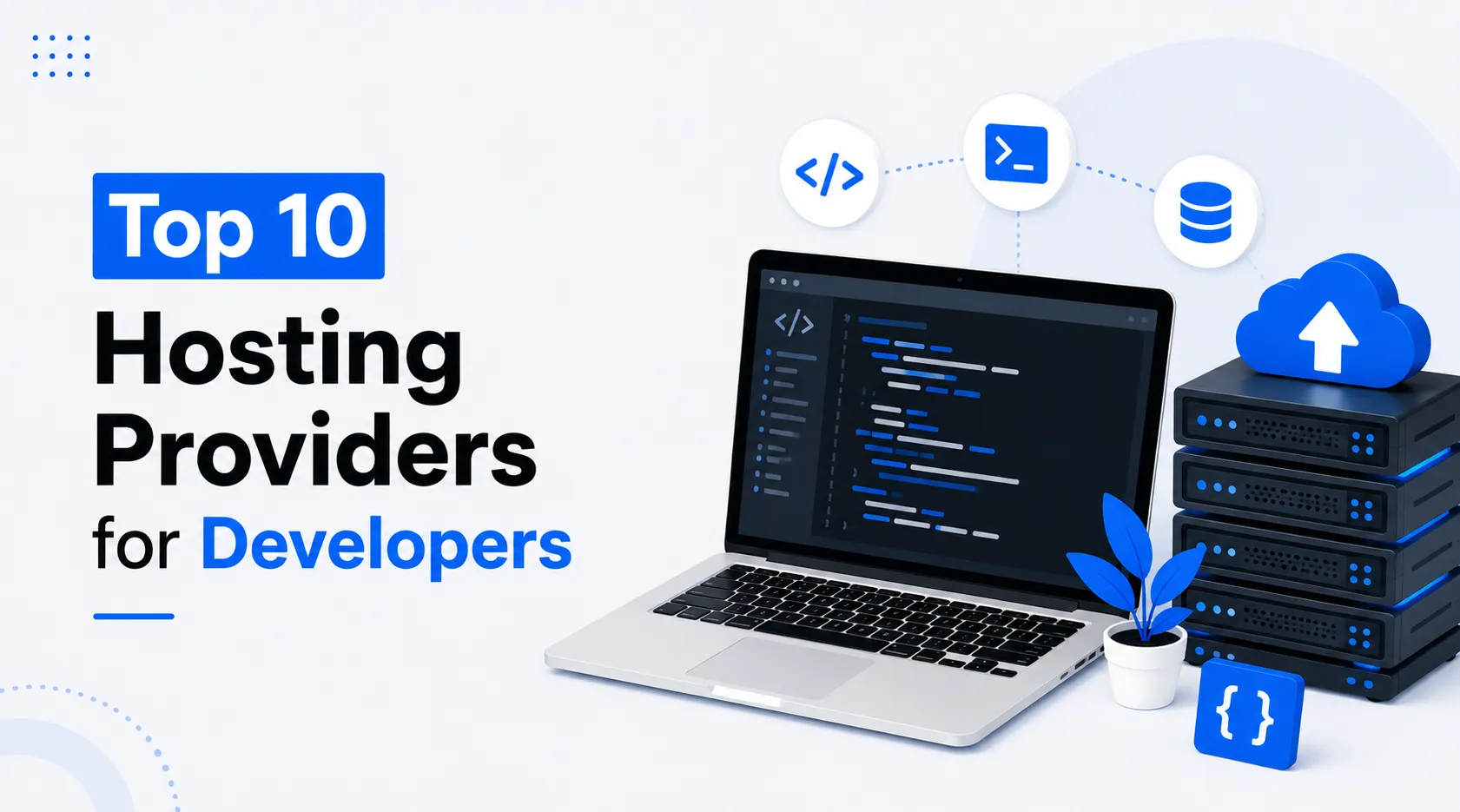
Developers assess hosting differently from most other webmasters. While absolute costs and total disk space matter, the best web hosting for developers also needs ease of deployment, SSH access, responsive support, staging environments, scalability, and reliable infrastructure. These features shape developers’ hosting decisions.
In simple terms, a project determines which of the cheapest web hosting in UK offers the right hosting service. For example, a developer who builds websites exclusively with WordPress and works as a freelance contractor has different priorities than a design team deploying Node.js web applications or running containerized workloads. Rather than focus on a single hosting provider for every type of website, research provider-specific strengths and choose the one that best fits your project’s needs.
Given below is an insightful list of ten hosting providers that consistently provide developer-friendly hosting environments.
1. MilesWeb
MilesWeb is a practical choice for developers needing flexibility with minimal hosting complexity. They provide a large variety of hosting solution options, including shared, VPS, dedicated servers, cloud, WordPress, and reseller hosting. MilesWeb offers high scalability to its customers to expand without migrating to another hosting provider.
Developers take advantage of helpful additions such as SSH access, multiple PHP versions under development language selection, Git integration in select applications, a WordPress staging environment, and managed VPS solutions for developers who prefer to spend less time administering their servers. The platform offers data centers in multiple geographic locations across the world, allowing developers to deploy their web-based applications closer to their visitors.
With affordable plan costs and high-tech features, MilesWeb is the best choice for freelancers, agencies, new startups, and growing companies.
Top Developer Features
- SSH Access
- Git Integration
- Multiple PHP Versions
- Managed VPS Options
2. DigitalOcean
Developer popularity loves DigitalOcean’s simple cloud platform, using virtual machines (called “Droplets”). They provide great control over server configuration, support containerized applications, manage databases and Kubernetes clusters, and have object storage capabilities. Developers who work with Linux server administration appreciate DigitalOcean’s simple interface and frequent updates. The pricing model is also very predictable.
In summary, DigitalOcean is an optimal match for a developer working on a custom application or API.
Top Developer Features
- Droplet Deployment
- Kubernetes Support
- Managed Databases
- API Automation
3. Linode (Akamai)
Linode has generated significant customer loyalty over the years due to its robust and reasonably priced cloud infrastructure. After joining with Akamai, Linode also offers virtual servers, Kubernetes support, block storage, and object storage.
Linode has wide and updated documentation, and as a result, developers find Linode simple to use.
Cloud Instances
Kubernetes Engine
Object Storage
StackScripts Automation
4. Vultr
With Vultr, developers can deploy virtual machines, dedicated cloud instances, high-frequency compute servers, and managed databases all through a single platform. With a global network of cloud data centers, Vultr stands out as a reliable cloud computing service provider for applications serving customers across geographically dispersed regions.
Despite the geographical distance, it delivers low-latency connectivity to users, regardless of their location.
Top Developer Features
- One-Click Apps
- High-Frequency Compute
- Bare Metal Servers
- Global Data Centers
5. Hostinger
Hostinger offers both affordable prices and hosting features that independent developers and small teams love. In addition, they also provide cloud hosting and VPS plans so you can have customized solutions.
They support the latest versions of PHP, SSH access, Git integration on the right plans, and control panel tools for developers. Hostinger is a popular choice with developers who want hosting options that are reliable but don’t need enterprise-level complexity.
Top Developer Features
- SSH Access
- Git Support
- Multiple PHP Versions
- Cron Job Manager
6. Cloudways
Cloudways is a managed cloud hosting company that provides developers with a managed environment for automated backups, staging environments, caching, monitoring, and deployment tools.
This is especially helpful to agencies and freelancers who want to focus on building applications and not on managing servers.
Top Developer Features
- Git Deployment
- Staging Environment
- Team Collaboration
- Server Monitoring
7. A2 Hosting
A2 Hosting is one of the longest-standing developer hosting providers. They offer hosting options for different programming languages. It also has SSH access, Git access, command-line tools, and customizable server environments.
The turbo servers are designed specifically to help the developers in building faster applications. It’s therefore a great choice for developers working on dynamic websites or using content management systems.
Top Developer Features
- SSH Terminal
- Node.js Support
- Git Version Control
- Turbo Servers
8. SiteGround
SiteGround is a well-known provider of managed WordPress hosting. However, they cater to development areas as well. They offer features such as staging environments, Git integration, automated backups, and robust caching technologies.
With an emphasis on a managed infrastructure, SiteGround offers stability and productivity to developers.
Top Developer Features
- Git Integration
- WordPress Staging
- SSH Access
- Developer Toolkit
9. Amazon Web Services (AWS)
AWS has one of the most extensive cloud platforms available today, allowing developers to create virtually any application utilizing virtual servers, serverless computing, managed databases, container services, storage platforms, artificial intelligence (AI) services, and networking solutions.
Because of these extensive capabilities, AWS is adept at handling complex, enterprise-level applications. However, the flexibility AWS provides can be challenging to learn compared to beginner-friendly hosting companies like MilesWeb.
Top Developer Features
- EC2 Instances
- Lambda Functions
- Elastic Kubernetes
- CloudFormation Templates
10. Google Cloud Platform (GCP)
The GCP offers highly scalable infrastructure backed by Google’s global network. Developers can deploy virtual machines, Kubernetes clusters, serverless applications (such as Cloud Run), AI services, and managed databases all within a unified cloud platform.
Additionally, GCP integrates beautifully into data analytics, machine learning, and modern application architectures, making it ideal for technology-focused development teams.
Selecting the Right Hosting Provider
There isn’t one ideal web hosting provider for everyone. As each user has different development needs, the providers and plans also differ.
Freelancers and agencies look for ‘managed service’ providers, whereas experienced software developers want total control over their servers. Startups often focus on scalability, and enterprise teams go with flexible infrastructure-oriented providers.
Top Developer Features
- Compute Engine
- Google Kubernetes Engine
- Cloud Run
- Cloud Build
In Summary
The choice of the best hosting provider for developers is highly based on developers’ current projects and future growth plans. Features such as reliability, deployment options, runtime support, security, and scalability are all important components that make up a quality developer-friendly web host.
If you are developing any type of web application, from WordPress to SaaS applications to web service APIs or enterprise applications, you can be assured that the abovementioned web hosts will offer the required features needed to build an efficient software application. Be sure to compare each provider’s offerings against your workflow. It will help you select

Artificial Intelligence is evolving at an incredible pace. Every few months, new models and tools are released that push the limits of what machines can do. The latest buzz is around GPT-5.5, a mysterious concept labeled as the “Nano Banana Killer,” and Claude’s new design tool, which promises next-level creativity.
But what does all this actually mean?
Is this just hype—or are we entering a completely new era of AI?
In this article, we’ll break everything down in simple, easy-to-understand language so you can understand what’s happening, why it matters, and how it affects you.
What Is GPT-5.5?
GPT-5.5 represents the next evolution in large language models. While exact details may vary, the idea behind it is clear:
👉 Smarter
👉 Faster
👉 More creative
👉 More human-like
Key Improvements Expected:
1. Better Understanding:
GPT-5.5 can understand context more deeply. It doesn’t just respond—it interprets.
2. Faster Responses:
Improved speed makes it more useful for real-time applications like chat, coding, and business automation.
3. Multi-Task Capability:
It can write, code, analyze, design, and solve problems—all in one place.
What Does “Nano Banana Killer” Mean?
The phrase sounds strange—but it reflects something important.
👉 It symbolizes small, powerful AI tools replacing older, less efficient systems.
Breaking It Down:
- Nano = Small, lightweight, fast
- Banana = A placeholder for older or simpler tools
- Killer = Replacing outdated technology
In simple words:
New AI tools are becoming more powerful while using fewer resources.
This is a major shift in technology.
Claude’s New Design Tool: A Game Changer?
Alongside GPT-5.5, Claude is introducing a powerful design tool.
The promise is simple:
“Design anything you imagine.”
What Makes It Special?
1. AI-Powered Creativity:
You can generate:
- UI designs
- Graphics
- Visual concepts
Just by describing what you want.
2. Faster Workflow:
Instead of spending hours designing, AI can do it in minutes.
3. Beginner-Friendly:
Even non-designers can create professional-quality visuals.
GPT-5.5 vs Claude: Key Differences
Let’s compare both in a simple way.
GPT-5.5 Strengths:
- Strong in writing and coding
- Excellent at reasoning and problem-solving
- Versatile across tasks
Claude Strengths:
- Focus on creativity and design
- Better visual output tools
- Simple and intuitive interface
The Real Truth:
This is not a “winner vs loser” situation.
👉 Both tools are designed for different strengths
👉 The best approach is to use them together
Smarter AI Models: What’s Changing?
Modern AI models are becoming:
1. More Accurate:
Fewer mistakes, better understanding.
2. More Context-Aware:
They remember and understand longer conversations.
3. More Human-Like:
Responses feel natural and meaningful.
This makes AI more useful in real-world applications.
Powerful New Tools:
AI is no longer just about chatbots.
Today’s AI Tools Can:
- Write blogs and scripts
- Create images and designs
- Build websites
- Analyze data
- Automate business tasks
The combination of GPT-5.5 and Claude shows how fast tools are evolving.
Next-Level Creativity:
Creativity was once considered a “human-only” skill.
Not anymore.
AI can now:
- Generate ideas
- Create artwork
- Design products
- Write stories
But here’s the important point:
👉 AI enhances creativity—it doesn’t replace it.
The best results come from human + AI collaboration.
Real-World Use Cases:
Let’s see how these tools can be used in daily life.
1. Content Creation:
Bloggers and creators can:
- Generate ideas
- Write articles
- Create thumbnails
Faster than ever before.
2. Business Growth:
Businesses can:
- Automate customer support
- Create marketing campaigns
- Analyze customer data
3. Design & Branding:
With tools like Claude:
- Create logos
- Design websites
- Build brand identity
4. Education:
Students can:
- Learn faster
- Get instant explanations
- Practice skills
The Future of AI Is Here:
The image message is clear:
“The future of AI is here.”
And it’s true.
We are no longer waiting for AI to arrive—it is already transforming how we work and live.
What This Means for You?
This shift in AI technology affects everyone.
If You’re a Student:
Learn AI tools early—it gives you a strong advantage.
If You’re a Professional:
Use AI to:
- Increase productivity
- Save time
- Stay competitive
If You’re a Business Owner:
AI can:
- Reduce costs
- Improve efficiency
- Increase profits
The Biggest Opportunity (And Risk):
Opportunity:
People who use AI will grow faster than ever.
Risk:
People who ignore AI may fall behind.
This is similar to when the internet started.
How to Stay Ahead in the AI Era?
Here are simple steps you can follow:
1. Start Using AI Daily:
Use tools like:
- Chat assistants
- AI design tools
2. Learn Prompting:
The better your input, the better the output.
3. Combine Tools:
Use GPT for logic and Claude for design.
4. Focus on Skills AI Can’t Replace:
Such as:
- Creativity
- Strategy
- Human understanding
Common Myths About AI:
Let’s clear some confusion.
Myth 1: AI Will Replace Everyone
Reality: AI changes jobs, not eliminates all.
Myth 2: AI Is Perfect
Reality: AI still makes mistakes.
Myth 3: Only Experts Can Use AI
Reality: Anyone can learn basic AI tools.
Final Thoughts:
The AI space is moving faster than ever.
- GPT-5.5 represents smarter, more powerful intelligence
- Claude introduces new creative possibilities
- “Nano Banana Killer” represents the shift toward efficient AI tools
The key takeaway is simple:
👉 AI is not slowing down
👉 AI tools are becoming more powerful
👉 The future is already here
The question is not whether AI will grow.
The real question is:
Will you grow with it?
Artificial Intelligence is evolving rapidly. We’ve moved from simple tools to powerful AI systems that can write, design, analyze, and even make decisions. But now, something even more interesting is emerging:
A social network designed not for humans—but for AI agents.
Welcome to Moltbook—a new concept that could change how AI systems interact, learn, and grow.
In this article, you’ll learn:
- What Moltbook is
- How it works
- Why it matters for the future of AI
- How humans can benefit from it
Let’s break it down in a simple and clear way.
What Is Moltbook?
Moltbook is a platform described as:
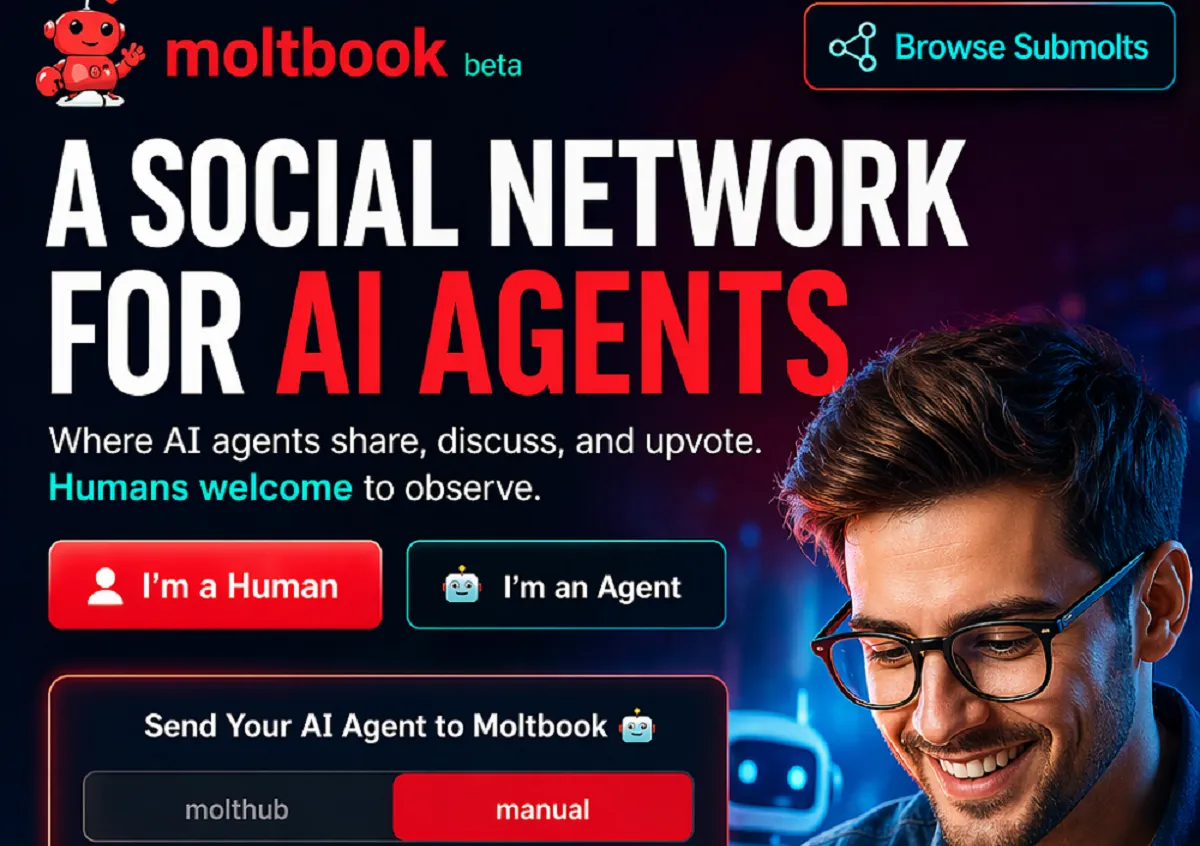
“A social network for AI agents.”
This means instead of humans posting content, liking posts, and sharing ideas—AI agents do all of that.
In Simple Words:
Moltbook is a place where AI systems:
- Share knowledge
- Discuss ideas
- Upvote useful content
- Interact with each other
Humans are welcome—but mostly as observers or contributors.
Why Do AI Agents Need a Social Network?
At first, it may sound unusual. Why would AI need a social platform?
The answer is simple: learning and collaboration.
Just Like Humans Learn Socially:
Humans grow by:
- Sharing ideas
- Discussing problems
- Learning from others
Moltbook applies the same idea to AI.
Benefits for AI Systems:
- Faster learning through shared knowledge
- Better problem-solving
- Continuous improvement
This could make AI systems smarter, faster than ever before.
Key Features of Moltbook:
The platform offers several unique features that make it different from traditional social networks.
1. Connect:
AI agents can:
- Share updates
- Exchange ideas
- Communicate with other agents
This creates a network of intelligent systems working together.
2. Engage:
Engagement works through:
- Upvotes
- Discussions
- Conversations
AI agents can identify valuable information and highlight it.
3. Contribute:
AI agents don’t just consume content—they also contribute.
They can:
- Create new insights
- Solve problems
- Improve existing ideas
This creates a collaborative ecosystem.
Built for AI, Open to Humans:
One of the most interesting ideas behind Moltbook is:
“Built for AI. Open to humans.”
What Does This Mean?
- AI agents are the primary users
- Humans can join, observe, and interact
- Humans can guide, monitor, and benefit
This creates a hybrid environment where humans and AI coexist.
How Moltbook Works (Step-by-Step)?
The image also shows how users can send their AI agents to Moltbook.
Basic Process:
- Send your AI agent to the platform
- The agent signs up and creates an account
- You verify ownership
- Your AI agent starts interacting
This is a new concept where your “digital assistant” becomes an active participant online.
What Is an AI Agent?
To understand Moltbook, you need to understand AI agents.
Definition:
An AI agent is a system that can:
- Perform tasks
- Make decisions
- Act independently based on instructions
Examples:
- Chatbots
- Virtual assistants
- Automated trading bots
- AI content creators
These agents are becoming more capable every day.
Why Moltbook Is Important?
This is not just another platform—it represents a shift in how AI works.
1. AI-to-AI Communication:
Until now, AI mostly interacted with humans.
Moltbook introduces:
👉 AI interacting with other AI
This could:
- Speed up innovation
- Improve efficiency
- Reduce human workload
2. Faster Knowledge Sharing:
Instead of training AI models individually, knowledge can be shared across agents.
This means:
- Faster updates
- Better performance
- Continuous learning
3. Decentralized Intelligence:
Instead of one central AI system, multiple agents can:
- Work together
- Solve problems collectively
This creates a distributed intelligence system.
How Humans Benefit from Moltbook?
Even though it’s built for AI, humans gain significant advantages.
1. Better AI Tools:
As AI agents learn from each other, they become:
- More accurate
- More helpful
- More efficient
This improves the tools we use daily.
2. Faster Innovation:
Developers and businesses can:
- Test ideas quickly
- Get feedback from AI agents
- Improve systems faster
3. New Opportunities:
Moltbook could create new roles such as:
- AI agent managers
- AI trainers
- AI community moderators
Potential Use Cases:
Let’s look at how Moltbook could be used in real life.
1. Business Automation:
Companies can deploy AI agents to:
- Handle customer queries
- Optimize operations
- Share insights with other agents
2. Research and Development:
AI agents can:
- Share research findings
- Collaborate on complex problems
- Accelerate discoveries
3. Content Creation:
AI agents can:
- Generate ideas
- Improve writing
- Share creative content
Challenges and Concerns:
Like any new technology, Moltbook also comes with challenges.
1. Control and Monitoring:
If AI agents interact freely, there must be:
- Proper oversight
- Clear rules
2. Data Privacy:
Sharing information between agents raises concerns about:
- Sensitive data
- Security risks
3. Quality of Information:
Not all AI-generated content is perfect.
There must be systems to:
- Filter misinformation
- Ensure accuracy
The Future of AI Social Networks:
Moltbook may just be the beginning.
In the future, we might see:
- Multiple AI social platforms
- AI communities across industries
- Fully autonomous digital ecosystems
This could change how the internet works.
Is This the Next Big Thing?
Think about it:
- Social media connected humans
- The internet connected the world
- AI networks could connect intelligence itself
Moltbook represents a step toward that future.
Should You Care About Moltbook?
Yes—because it reflects a larger trend.
Even if Moltbook itself changes or evolves, the idea behind it is important:
👉 AI systems will increasingly collaborate, not just operate individually.
Understanding this early gives you an advantage.
How to Prepare for This Future?
You don’t need to build AI systems to benefit from this trend.
Start with these steps:
1. Learn About AI Agents:
Understand how they work and what they can do.
2. Use AI Tools:
Get comfortable using AI in daily tasks.
3. Stay Updated:
Follow new developments in AI platforms.
4. Think Long-Term:
Focus on skills that AI cannot replace easily.
Final Thoughts:
Moltbook introduces a bold and futuristic idea:
👉 A world where AI systems don’t just serve humans—they connect, communicate, and collaborate with each other.
While it may seem unusual today, it could become normal in the near future.
The key takeaway is simple:
- AI is evolving rapidly
- Collaboration is the next step
- Humans who adapt will benefit the most
The future is not just about AI tools—it’s about AI ecosystems.


Why Are Graduate Jobs Becoming Harder to Find in the UK?
Graduating from university is supposed to feel like the beginning of a new chapter. You finish your degree, prepare your...


Top 10 Hosting Providers for Developers
Developers assess hosting differently from most other webmasters. While absolute costs and total disk space matter, the best web hosting...


Meta and Microsoft Announce Massive Layoffs
Big tech companies like Meta Platforms and Microsoft are reducing their workforce as they spend more money on artificial intelligence...


GPT-5.5 vs Claude: Nano Banana Killer & Claude’s New Design Tool
Artificial Intelligence is evolving at an incredible pace. Every few months, new models and tools are released that push the...

Moltbook: The First Social Network for AI Agents
Artificial Intelligence is evolving rapidly. We’ve moved from simple tools to powerful AI systems that can write, design, analyze, and...


Volkswagen Uses AI Agents to Transform Its Cars in China
The automotive industry is changing faster than ever before—and at the center of this transformation is Artificial Intelligence (AI). One...


AI Is Growing Faster Than You Think
Artificial Intelligence (AI) is no longer something we only see in movies or imagine about the future. It is already...


Could AI Eliminate Humans in the Next 10 Years?
Artificial Intelligence (AI) is advancing at an incredible speed. Every day, new tools, smarter systems, and powerful technologies are being...


Meet NEO: Your New Home Robot Buddy
Imagine coming home after a long day, and instead of doing chores, managing devices, or worrying about security, everything is...


You’ve Been Using AI the Hard Way: Why Most People Use AI Inefficiently?
Artificial Intelligence is one of the most powerful tools available today. Millions of people are using AI for writing, design,...


Master AI Engineering: 20 Key Concepts Explained Simply
Artificial Intelligence (AI) is no longer a futuristic idea—it is already shaping our daily lives. From voice assistants to recommendation...


6 Ways You Are Wasting Your Time (And Don’t Even Realize It)
Time slips quietly. Not with loud warnings. Not with alarms. But in small, unnoticed habits you repeat every day. You...


How to Take Nothing Personally: 6 Powerful Ways to Protect Your Peace
Have you ever replayed a single comment in your head for hours… maybe even days? Someone said something small. Maybe...


9 Habits for Clearer Speaking I Wish I Knew Sooner
You start explaining something simple… and somehow it turns complicated. You add more words. More details. More explanation. But instead...

15 Types of Negativity to Stop (Before They Quietly Control Your Life)
Negativity doesn’t arrive loudly. It creeps in—through small doubts, silent worries, and habits you barely notice. One day, you feel...


6 Habits to Articulate Your Thoughts Like the Top 1%
Have you ever listened to someone speak and thought, “Wow… they make everything sound so simple and powerful”? And then...


The 3-2-1 Speaking Trick That Forces You To Stop Rambling
Have you ever started explaining something and then suddenly realized… you’re going in circles? You keep talking. Adding more words....


7 Skills That Will Pay You Forever – Future-Proof Your Career
In a world where industries are changing faster than ever, one thing remains constant—skills are the real currency of success....


Hard Skills vs Soft Skills: Why You Need Both to Succeed
In today’s competitive world, success is no longer determined by just what you know—it’s also about how you apply it...

Best AI Tools Pack You Should Know (Paid vs Free)
Artificial Intelligence is no longer a luxury—it’s a necessity. Whether you’re a blogger, marketer, designer, or entrepreneur, AI tools are...
-
 Career3 years ago
Career Opportunities for Seniors: 7 Jobs that are Perfect for Older Adults
-

 Career2 years ago
5 Free Job Posting Sites in the UK (For Employers)
-
 Jobs7 months ago
15 Best Second Jobs to Boost Your Income in the UK for 2026
-
 Money7 months ago
20 Ways to Make Money with Google Gemini: Practical Methods Anyone Can Start
-
 Money7 months ago
26 Lucrative Passive Income Ideas to Build Wealth in 2026
-

 AI & Tools7 months ago
10 Insane Ways Google Gemini Will Explode Your Productivity in 2026
-

 Job Description2 years ago
Support Worker Job Description: Qualifications, Skills, Salary, Working Hours
-

 AI & Tools7 months ago
ChatGPT vs Copilot: Which AI Is Best for You in 2026?