
News
AI and the Future of Work: How Artificial Intelligence Is Changing Jobs
See how artificial intelligence is changing jobs, workplace tasks and career skills, with practical steps workers and businesses can take to prepare.
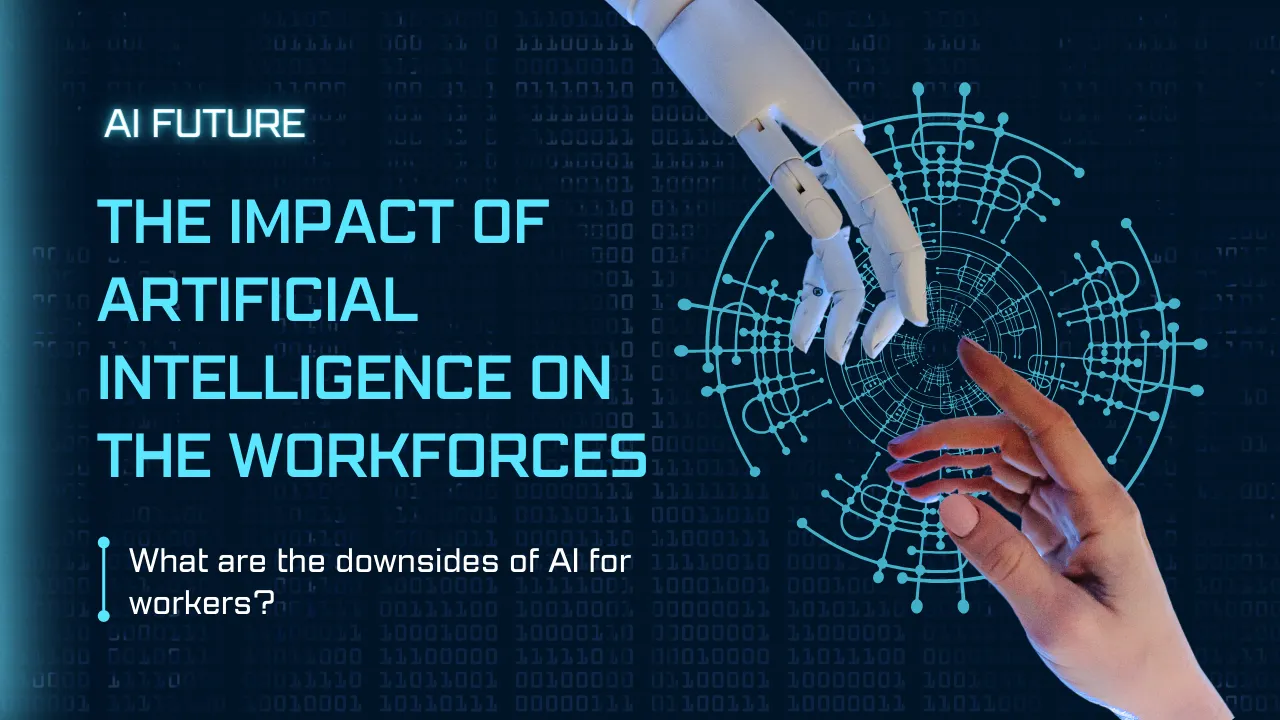
Artificial intelligence is changing how people work, how businesses organise tasks and which skills matter in the workplace. The biggest change is not simply that machines can perform tasks. It is that AI can support people across many parts of a workflow, from research and writing to analysis, customer service and software development.
That creates both opportunities and challenges. Some tasks may become faster or partly automated, while other roles may change rather than disappear. Workers who understand where AI fits, how to check its output and how to combine it with human judgement can be better prepared for these changes.
What Is Artificial Intelligence?
Artificial intelligence refers to computer systems that can perform tasks that normally require human intelligence. Depending on the system, these tasks can include recognising patterns, processing language, generating content, analysing information, making predictions and supporting decisions.
Modern AI includes machine learning, natural language processing, computer vision and generative AI. These technologies are used in many everyday products and workplace systems.
How AI Is Changing the Workplace
AI can affect work in several different ways. It can automate repetitive steps, assist workers with difficult tasks, provide information faster or create a first version of a piece of work for a person to review.
| Work area | How AI can help | Human responsibility |
|---|---|---|
| Writing | Drafts, summaries and rewriting | Accuracy, tone and final approval |
| Research | Organising information and finding starting points | Source checking and judgement |
| Data | Pattern finding and explanations | Checking data and assumptions |
| Customer service | Routine replies and information retrieval | Complex cases and relationships |
| Software | Code suggestions, testing and documentation | Architecture, security and quality |
| Administration | Repetitive data and workflow tasks | Process control and exceptions |
AI Can Automate Tasks Without Replacing an Entire Job
One of the most important points to understand is the difference between a task and a job. A job usually contains many different activities. AI may automate one part while leaving other parts dependent on communication, judgement, creativity, relationships or physical work.
For example, an HR professional might use AI to summarise applications or draft interview questions. The professional may still need to assess candidates, handle sensitive situations and make hiring recommendations.
This task-based view gives workers a more useful question than “Will AI take my job?” A better question is: Which parts of my work are likely to change, and which skills will become more valuable?
Which Types of Work Are More Exposed to AI?
Work is generally more exposed when it involves repetitive, predictable and highly digital tasks that can be described clearly. Examples can include routine data processing, basic document classification, simple content transformation and some forms of administrative work.
Exposure does not automatically mean job loss. An employer may use AI to increase output, reduce repetitive work, change staffing needs or give employees more time for higher-value activities.
Workers should therefore focus on understanding their own task mix rather than assuming that an entire occupation will either disappear or remain unchanged.
Which Skills Become More Valuable?
As AI handles more routine work, human skills can become increasingly important. These include critical thinking, communication, problem-solving, leadership, collaboration, adaptability and domain knowledge.
AI literacy is also becoming useful. Workers do not necessarily need to become AI engineers. They need to understand what AI can do, where it can fail, how to give it useful instructions and when human review is essential.
For a practical starting point, see AI Skills Every Job Seeker Should Learn and 7 Career Skills That Stay Valuable in the Age of AI.
How AI Can Improve Productivity
AI can save time when it is connected to a clear workflow. Useful examples include preparing a first draft, summarising meeting notes, organising research, creating a checklist, analysing a spreadsheet or turning one piece of content into several formats.
The goal should not be to use AI everywhere. Instead, identify tasks that consume repeated effort and test whether AI can reduce that effort without lowering quality.
- List the repetitive tasks you perform each week.
- Choose one low-risk task.
- Define the desired output clearly.
- Test an AI-assisted workflow.
- Review accuracy and time saved.
- Keep the workflow only if the benefit is real.
Our guide to using AI efficiently at work covers this process in more detail.
What Are the Risks of AI at Work?
AI can create new risks alongside its benefits. Systems can produce incorrect information, reflect bias in data, expose sensitive information or give users an unjustified sense of confidence.
- Accuracy: AI output can contain factual or calculation errors.
- Privacy: Sensitive company, customer or personal information should not be entered into unapproved systems.
- Bias: AI-supported decisions can reproduce problems in the data or process behind them.
- Security: AI systems and connected tools can create new points of risk.
- Overreliance: People may accept plausible-looking output without checking it.
Responsible use means keeping appropriate human oversight, following workplace policies and understanding what information can safely be shared with an AI system.
How Businesses Should Introduce AI
Businesses can get better results by starting with specific workflows instead of buying large numbers of AI tools. A simple implementation process can be:
- Identify a business problem.
- Map the current workflow.
- Find the steps where AI could provide genuine value.
- Run a small pilot with clear boundaries.
- Measure quality, time, cost and user experience.
- Improve the process before expanding it.
This approach also helps businesses avoid automating a broken process. AI can make a good process more efficient, but it can also make a poor process produce mistakes faster.
How Workers Can Prepare for AI Changes
Workers do not need to predict exactly what the labour market will look like years from now. A more practical approach is to build skills that remain useful as tools change.
1. Understand AI Basics
Learn the basic concepts behind generative AI, machine learning, automation, data and AI limitations.
2. Apply AI to Your Existing Work
Find one or two real tasks in your current role where AI can support productivity.
3. Strengthen Human Skills
Improve communication, critical thinking, problem-solving and decision-making alongside technical skills.
4. Keep Evidence of Results
Record useful examples of how you improved a workflow, reduced repetitive work, improved documentation or supported better decisions.
5. Keep Updating Your Skills
AI tools change quickly. Building the ability to evaluate and adapt to new tools is more useful than memorising one particular product.
AI and the Future of Different Careers
The impact will vary by occupation. A software engineer may use AI for coding and testing. A marketer may use it for research and content production. An HR professional may use it for administrative workflows and candidate communication. An analyst may use it to investigate data and prepare explanations.
The common pattern is that AI can become part of the workflow while professional judgement remains important.
For example, software engineers using AI at work still need to understand system design, security and code quality. Similarly, HR professionals using AI need to consider fairness, privacy and the human side of employment decisions.
How Job Seekers Can Talk About AI Skills
Simply writing “AI skills” on a CV is not very convincing. Employers can get a clearer picture when candidates show how they used technology to solve a real problem.
Instead of saying “I am good at AI,” describe the task, the tool or method used, the result and the human judgement involved. For example, a candidate might explain how they used AI to organise research, prepare a report, analyse information or improve a repetitive workflow while checking the final output themselves.
This makes AI experience part of a broader professional skill rather than a standalone buzzword.
Common Mistakes to Avoid
- Assuming AI output is automatically correct.
- Trying to automate an unclear workflow.
- Using too many AI tools without a clear reason.
- Sharing confidential information with unapproved services.
- Focusing only on speed and ignoring quality.
- Learning tools without developing the underlying professional skill.
- Assuming AI will affect every job in the same way.
A Practical AI Readiness Checklist
Use this quick checklist to assess your position:
- ☐ I understand the basic capabilities and limitations of modern AI.
- ☐ I know which tasks in my work are repetitive or information-heavy.
- ☐ I have tested AI on at least one low-risk task.
- ☐ I check important AI-generated information before using it.
- ☐ I understand my workplace privacy and AI policies.
- ☐ I am developing human skills alongside AI skills.
- ☐ I can explain a real example of AI-assisted work on my CV or in an interview.
Frequently Asked Questions
Will AI replace all human workers?
No. AI may automate or change some tasks, but jobs contain combinations of activities. Many roles will involve a changing mix of AI-supported and human-led work.
Which jobs are most affected by AI?
Jobs with large amounts of repetitive, predictable and digital work may experience greater task-level exposure. The actual impact depends on the occupation, employer, technology and how workflows are redesigned.
Do I need to become an AI expert to stay employable?
No. Most workers can start by understanding AI basics, using suitable tools for their field and developing the ability to check and improve AI output.
Is AI good or bad for workers?
It can be either, depending on how it is introduced and used. AI can reduce repetitive work and support productivity, but it can also create job disruption, privacy concerns, bias and new forms of workplace pressure.
How can I prepare for AI at work?
Start with one practical workflow, build AI literacy, strengthen human skills and keep evidence of how you use technology responsibly to produce useful results.
Final Thoughts
The impact of artificial intelligence on work is better understood as a change in tasks, workflows and skills rather than a simple story of machines replacing people. Some activities will become automated, some will become easier and new responsibilities will emerge.
Workers who combine AI literacy with professional knowledge, critical thinking and strong communication can be better positioned for this transition. Businesses can also benefit when they introduce AI carefully, measure real outcomes and keep people responsible for important decisions.
For a broader view, read AI Growth and the Future of Work and AI and Public Trust.








How to Start a Career in Sports and Leisure in the UK
A practical guide to sports and leisure careers in the UK, covering jobs, qualifications, apprenticeships, skills, experience, CVs and career...


How to Start a Career in Travel and Tourism in the UK
Travel and tourism is a broad career sector with opportunities in travel agencies, airports, airlines, visitor attractions, tours, hotels, heritage...


How to Start a Career in Property and Real Estate in the UK
Property and real estate is a broad career field covering residential property, commercial buildings, land, development, valuation, lettings, property management...


How to Start a Career in Hospitality in the UK
Thinking about hospitality as a career in the UK? Compare hotel, restaurant and guest service roles, entry routes, skills, apprenticeships...


How to Start a Career in Retail in the UK
Thinking about a retail career in the UK? Compare retail roles, entry routes, apprenticeships, skills, experience, CV tips and ways...


How to Start a Career in Science and Research in the UK
Planning a science or research career in the UK? Compare career paths, qualifications, apprenticeships, skills and practical ways to get...


How to Start a Career in Law in the UK
Thinking about a career in law? This guide explains UK legal career routes, qualifications, solicitor and barrister pathways, apprenticeships, skills,...


How to Start a Career in Education in the UK
Thinking about a career in education? Compare teaching and non-teaching roles, qualifications, apprenticeships, experience, skills and practical steps for getting...


How to Start a Career in Marketing in the UK
Marketing is a broad career field that combines communication, creativity, research, data and business thinking. It includes traditional marketing as...


How to Start a Career in Healthcare in the UK
Healthcare is one of the UK’s broadest career areas. It includes doctors and nurses, but also healthcare assistants, laboratory staff,...


How to Start a Career in Human Resources (HR) in the UK
Photo by Vitaly Gariev on Unsplash Human resources, usually called HR, is a people-focused career that combines communication, organisation, business...


How to Start a Career in Construction in the UK
Construction is one of the UK’s broadest career sectors. It includes hands-on trades such as bricklaying, carpentry and plumbing, as...


How to Start a Career in Energy and Utilities in the UK
Planning a career in energy and utilities in the UK? See job options, apprenticeships, qualifications, skills and practical steps to...


How to Start a Career in Media and Communications in the UK
Planning a media and communications career in the UK? Compare job options, entry routes, apprenticeships, skills, experience and practical steps...


How to Start a Career in Environmental and Sustainability Jobs in the UK
Environmental and sustainability careers are becoming an important part of many UK workplaces. Jobs in this area can involve protecting...


How to Start a Career in Cybersecurity in the UK
Thinking about a cybersecurity career in the UK? Here is a practical guide to skills, qualifications, entry-level roles, applications and...


How to Start a Career in Engineering in the UK
Thinking about engineering as a career in the UK? Here is a practical guide to engineering fields, qualifications, apprenticeships, skills,...


How to Start a Career in Government and Public Services in the UK
Thinking about a career in government or public services? This guide covers job options, entry routes, apprenticeships, skills, applications and...


Rolls-Royce Internship UK: Eligibility, Opportunities & How to Apply
Find Rolls-Royce internships in the UK with practical guidance on eligibility, opportunities, applications, assessments, skills and preparation.


How to Start a Career in Transport and Logistics in the UK
Planning a career in transport and logistics in the UK? See entry-level roles, apprenticeships, qualifications, skills and practical steps to...
-
 Career3 years ago
Flexible Jobs for Older Adults in the UK: 7 Career Options
-
 Jobs8 months ago
Second Jobs in the UK: 15 Practical Ways to Earn Extra Income
-
 How-to8 months ago
How to Use Google Gemini for Freelance Work and Career Skills
-

 Career2 years ago
Free Job Posting Sites in the UK: Options for Employers
-
 How-to8 months ago
How to Build Passive Income: 20 Income-Producing Assets for Long-Term Financial Growth
-

 AI & Tools8 months ago
How to Use Google Gemini for Productivity at Work
-

 Job Description3 years ago
Support Worker Job Description: Duties, Skills, Salary and Career Guide UK
-

 AI & Tools8 months ago
ChatGPT vs Microsoft Copilot: Which AI Is Best for You?