
Blog
6 AI Tools that Can Automate Your Work and Save 1,000+ Hours of Work


Artificial intelligence is no longer a futuristic concept reserved for tech experts. It has become a practical companion for students, professionals, entrepreneurs, and creators who want to accomplish more in less time. From writing content and managing tasks to automating repetitive work and analyzing data, AI tools are transforming the way people work every day.
The biggest advantage of AI is not just speed. It is the ability to reduce mental overload, improve accuracy, and allow individuals to focus on meaningful work rather than routine tasks. When used strategically, a small set of powerful AI tools can easily save hundreds or even thousands of working hours each year.
This guide walks through six highly effective AI tools that can dramatically boost productivity, explains how to use them, and shows practical ways to integrate them into daily workflows.
Why AI Productivity Tools Matter Today
Modern work environments demand faster execution, constant creativity, and multitasking across different platforms. Manual effort alone often leads to burnout, delays, and inconsistency. AI tools help by automating repetitive processes, generating ideas instantly, and supporting better decision-making.
Instead of replacing human effort, these tools amplify it. Writers can create drafts faster, marketers can analyze trends quickly, developers can debug efficiently, and business owners can streamline operations without hiring large teams.
The real productivity breakthrough comes when AI is used as an assistant rather than a replacement.
1. AI Writing and Content Creation Tools
Writing is one of the most time-consuming tasks in marketing, blogging, and business communication. AI writing tools help generate ideas, draft articles, rewrite content, and improve grammar within seconds.
These tools are especially useful for bloggers who need consistent publishing schedules, businesses that require regular communication, and freelancers managing multiple projects.
Key productivity benefits include faster first drafts, improved readability, SEO optimization support, and the ability to overcome writer’s block. Instead of spending hours brainstorming, users can focus on refining and personalizing content.
To maximize value, it is best to treat AI writing as a starting point. Adding personal insights, examples, and real experience ensures authenticity and better audience connection.
2. AI Automation and Workflow Tools
Automation tools powered by AI can connect multiple apps and trigger actions automatically. Tasks such as sending emails, organizing data, scheduling reminders, and updating records can run in the background without manual intervention.
For entrepreneurs and remote workers, this reduces repetitive administrative work and allows more time for strategy and growth.
The most effective use of automation is identifying tasks repeated daily or weekly. Once automated, these tasks stop consuming mental energy and free up focus for creative thinking and decision-making.
Even simple automation workflows can save several hours every week.
3. AI Research and Knowledge Tools
Research often involves scanning articles, summarizing reports, and gathering insights from multiple sources. AI research tools simplify this process by providing quick summaries, extracting key points, and answering complex questions clearly.
Students benefit from faster learning, professionals gain quicker market insights, and creators can gather information without spending excessive time reading lengthy materials.
These tools also improve comprehension by breaking complex topics into simple explanations. Instead of information overload, users receive structured knowledge that supports faster understanding and implementation.
When combined with human judgment, AI research tools become powerful learning accelerators.
4. AI Design and Visual Creation Tools
Visual content plays a major role in engagement across blogs, social media, and marketing campaigns. However, design can be time-intensive for people without technical skills.
AI design tools allow users to generate graphics, presentations, thumbnails, and social media visuals quickly. They offer templates, automated layouts, and intelligent editing features that reduce the need for advanced design expertise.
This is particularly valuable for bloggers and digital marketers who must create consistent visual content to maintain audience attention.
The productivity advantage is clear: faster content production, improved visual quality, and the ability to experiment with multiple design variations without extra effort.
5. AI Meeting and Communication Assistants
Meetings often consume large portions of the workday, especially when notes, summaries, and follow-ups must be handled manually. AI meeting assistants can record conversations, generate summaries, highlight action points, and even suggest follow-up messages.
This helps teams stay aligned without the stress of remembering every detail discussed during calls.
For freelancers and business owners, these tools reduce miscommunication and ensure accountability. Instead of spending time writing detailed notes, users can focus fully on the conversation.
Over time, this significantly improves collaboration and reduces the friction caused by missed information.
6. AI Data Analysis and Productivity Tracking Tools
Understanding performance and productivity patterns is essential for growth. AI analytics tools can evaluate work habits, track progress, analyze customer behavior, and identify opportunities for improvement.
Businesses benefit from better decision-making, while individuals gain insights into how their time is spent and where efficiency can be improved.
These tools transform raw data into actionable insights. Instead of guessing what works, users can rely on patterns and recommendations generated through intelligent analysis.
The result is smarter planning, optimized workflows, and measurable productivity improvement.
How to Integrate AI Tools into Daily Work
Adopting AI does not require a complete workflow overhaul. The most effective approach is gradual integration.
Start by identifying the most time-consuming tasks in your routine. Introduce one AI tool that solves a specific problem, such as writing drafts or automating reminders. Once comfortable, add additional tools that complement the workflow.
Consistency matters more than quantity. Using a few tools effectively delivers better results than experimenting with too many without clear purpose.
It is also important to maintain human oversight. AI should support creativity, judgment, and authenticity rather than replace them.
Common Mistakes to Avoid
Many users expect instant perfection from AI tools, which leads to disappointment. AI works best when guided with clear instructions and refined through human editing.
Another common mistake is over-automation. Automating everything can create a disconnected workflow and reduce personal touch in communication. Balance is essential.
Ignoring data privacy and relying solely on AI output without verification can also create risks. Responsible use ensures reliability and long-term benefits.
The Long-Term Impact of AI on Productivity
The future of productivity lies in intelligent collaboration between humans and AI. As tools continue to evolve, they will handle increasingly complex tasks while allowing people to focus on creativity, strategy, and relationship building.
Professionals who learn to work alongside AI today will gain a significant advantage in efficiency and adaptability. Instead of competing with technology, leveraging it as an assistant leads to sustainable growth and reduced stress.
The real transformation is not working faster alone but working smarter with better focus and fewer distractions.
Final Thoughts
Saving 1,200 or more working hours is not an unrealistic promise when AI tools are used intentionally. Writing assistance, automation, research support, visual design, communication management, and data analysis together create a powerful productivity ecosystem.
The key is thoughtful implementation, consistent usage, and maintaining the human element that makes work meaningful and engaging.
By embracing AI as a supportive partner rather than a replacement, anyone can achieve higher efficiency, improved creativity, and greater work satisfaction.
If used wisely, these six categories of AI tools can transform daily routines, reduce overwhelm, and create more time for innovation, learning, and personal growth.


If you’ve ever thought about starting a YouTube channel but stopped yourself, you’re not alone.
Maybe you’ve asked yourself:
- “What if nobody watches my videos?”
- “Do I need expensive equipment?”
- “Everyone else seems so far ahead—what’s the point?”
These doubts are normal. In fact, every successful YouTuber once felt exactly this way.
The problem isn’t a lack of talent or ideas.
The problem is too much information and no clear system.
This guide is designed for complete beginners—people who don’t know where to start and don’t want to feel overwhelmed. You’ll learn a simple, proven process to go from zero to confidence, without pressure or burnout.
By the end of this article, you’ll know:
- The right mindset for YouTube success
- How to choose your niche and channel name
- How to create and optimize videos step by step
- How to stay consistent without stress
- How to track progress and grow calmly
Let’s slow things down and build this the right way.
Step 1: Know Your “Why”
Before cameras.
Before subscribers.
Before monetization.
You need clarity.
Why Your “Why” Matters More Than Views
Many beginners quit YouTube not because they fail—but because they lose motivation.
Ask yourself:
- Why do I want to start YouTube?
- Do I want to teach, entertain, inspire, or document?
- Who do I want to help?
Your “why” keeps you steady when growth feels slow.
Define These Three Things Clearly:
1. Your Motivation:
Is it freedom? Creativity? Income? Sharing knowledge?
2. Your Target Audience:
Who is this channel for? Beginners? Students? Professionals?
3. Your Goals:
Keep them realistic:
- First 10 videos
- First 100 subscribers
- First positive comment
Small goals reduce anxiety. Momentum follows clarity.
Step 2: Choose an Awesome YouTube Channel Name
Your channel name does not need to be perfect.
It needs to be:
- Clear
- Relevant
- Easy to remember
Simple Rules for Choosing a Channel Name:
- Keep it short and catchy
- Make sure it reflects your content
- Avoid numbers and complex spellings
Examples of Strong Channel Name Styles:
- Personal Brand: YourName Explains
- Topic-Based: Smart Money Basics
- Outcome-Based: Learn YouTube Fast
Don’t get stuck here. You can always rebrand later. Progress matters more than perfection.
Step 3: Learn Basic YouTube SEO
SEO sounds scary. It isn’t.
YouTube SEO simply means helping YouTube understand your video.
What YouTube SEO Includes?
- Keywords (what people search for)
- Video titles
- Descriptions
- Tags
Beginner-Friendly SEO Checklist?
- Use one main keyword in your title
- Repeat it naturally in your description
- Write descriptions like you’re explaining the video to a friend
- Use tags as support—not stress
You’re not gaming the system.
You’re helping it understand you.
Step 4: Create & Edit Quality Videos
You do not need expensive gear to start.
You need clarity and consistency.
Minimum Equipment to Begin:
- A smartphone with a decent camera
- Natural light or a simple lamp
- Clear audio (wired earphones work fine)
Focus on These Three Video Elements:
1. Clear Message
One video = one main idea.
2. Simple Structure
- Introduction (what they’ll learn)
- Main content
- Quick summary
3. Honest Delivery
People connect with real, not perfect.
Editing should clean up—not complicate. Trim mistakes. Add clarity. That’s enough.
Step 5: Stay Consistent
Consistency is where most beginners struggle—not because they’re lazy, but because they try to do too much.
The Calm Consistency Rule:
Choose a schedule you can keep for months, not weeks.
Examples:
- 1 video per week
- 2 short videos per week
Consistency builds trust—with both YouTube and your audience.
Simple Consistency Tips:
- Batch record when possible
- Create a content calendar
- Keep video formats repeatable
YouTube rewards reliability more than intensity.
Step 6: Promote Your Channel the Smart Way
Promotion doesn’t mean spamming links everywhere.
It means showing up where your audience already is.
Easy Promotion Channels for Beginners:
- WhatsApp or Telegram groups (when relevant)
- Instagram Reels or Shorts
- Facebook groups
- Community tabs
Collaboration Is Underrated:
Small creators grow faster together.
Reach out. Be genuine. Build relationships.
Promotion works best when it feels natural—not forced.
Step 7: Track Your Progress Without Obsession
Analytics should guide you—not stress you.
What Beginners Should Track?
- Watch time (most important)
- Click-through rate (CTR)
- Audience retention
- Comments and feedback
Simple Weekly Reflection Questions:
- Which video performed best?
- Where did viewers drop off?
- What can I improve next time?
Ignore vanity metrics early. Focus on improvement.
A Simple Beginner’s YouTube System:
| Step | Focus | Goal |
|---|---|---|
| Mindset | Know your why | Stay motivated |
| Branding | Channel name & niche | Clarity |
| SEO | Titles & descriptions | Discoverability |
| Content | Clear videos | Trust |
| Consistency | Simple schedule | Growth |
| Promotion | Smart sharing | Reach |
| Tracking | Learn from data | Improvement |
Common Beginner Mistakes:
❌ Waiting for perfection
❌ Copying big creators
❌ Quitting too early
Instead:
- Start imperfectly
- Learn publicly
- Improve gradually
YouTube rewards patience.
Conclusion:
Becoming a successful YouTuber is not about luck, fame, or expensive gear.
It’s about:
- Clear intent
- Simple systems
- Consistent action
You don’t need to know everything today.
You don’t need to be confident yet.
You just need to start.
Create your first video.
Upload it.
Learn from it.
Momentum will take care of the rest.
The best time to start YouTube was years ago.
The second-best time?
Today.
Take the step. Your future audience is already waiting.


5 Simple Things Successful People Do Before 8 AM
Have you ever wondered why some people seem to start their day full of energy, focus, and confidence? While others...
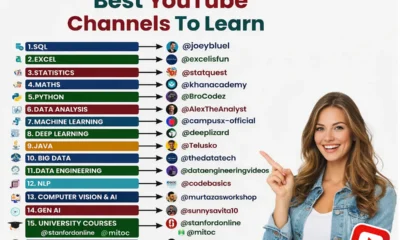

Best YouTube Channels to Learn Tech Skills for Free
Learning technology skills today is easier than ever. You don’t need expensive courses or a computer science degree anymore. YouTube...


12 Underrated Apps To Learn Something New Every Day
Let’s be honest. Most of us spend 3–5 hours a day on our phones. Scrolling social media. Watching random videos....


Google Launches Gemini 3.1 Pro: A Big Step Forward in Artificial Intelligence
Google has officially introduced Gemini 3.1 Pro, its newest and most powerful artificial intelligence model. This launch is part of...


How to Create Unlimited AI Videos in One Click for Free (2026 Guide)
Artificial Intelligence is changing how we create content online. Today, you don’t need expensive software, video editing skills, or hours...


How to Make AI Survival ASMR Videos in 2026: New Viral YouTube Niche
YouTube trends change very quickly. Every few months, a new content style appears and suddenly thousands of creators start using...


How to Run Meta Ads on a Small Budget ($100/Day Strategy That Actually Works)
Most businesses believe you need a huge advertising budget to get results from Meta Ads. That’s simply not true. In...


5 Free Facebook AI Tools to Solve 90% of Your Ad Problems
Running Facebook ads used to mean endless guesswork. You would test audiences manually, duplicate ad sets endlessly, refresh creatives every...


How to Automate Meta Ads Using Manus AI?
Meta Ads are evolving faster than ever. Manual optimization, endless A/B testing, creative fatigue, reporting stress — all of it...


How to Build Automated Online Income in 2026 – The “Sleepy” Side Hustle Blueprint
“Stop ignoring this.”“Boost your income.”“Get paid while you sleep.” You’ve seen headlines like that everywhere. Screenshots of large payouts. Smiling...


How to Sell on Amazon FBA in 2026: The Complete, Future-Proof Blueprint for Beginners & Growth Sellers
Amazon FBA (Fulfillment by Amazon) is no longer just a side-hustle trend. It’s a sophisticated eCommerce ecosystem where brand building,...


How to Outrank Your Competitors in ChatGPT? (2026 AI Guide)
You Google your brand inside ChatGPT… and nothing. Or worse — your competitors are everywhere. They’re recommended. They’re cited. They’re...


How to Get Instagram Followers with Meta Ads (Step-by-Step Funnel Strategy)
If your goal is to consistently add 20, 50, even 100+ new Instagram followers per day, and turn those followers...


How to Make $300 Per Day With a Simple Website in 2026?
“$300 per day.”“Build a simple website.”“Make easy money online.” You’ve seen headlines like this everywhere. And while most of them...


6 AI Tools that Can Automate Your Work and Save 1,000+ Hours of Work
Artificial intelligence is no longer a futuristic concept reserved for tech experts. It has become a practical companion for students,...

I Tested 250+ AI Tools — Here Are 15 Hidden Gems Worth Using in 2026
Artificial intelligence is expanding at an incredible pace, with hundreds of new tools launching every month. While most people only...


25 New AI Tools Everyone Will Be Using in 2026 (Most People Don’t Know)
Artificial intelligence continues to evolve at a breathtaking pace, and 2026 has already introduced a wave of innovative AI tools...

AI Basics That Will Save You Hours Every Week (Everybody Must Know)
Artificial Intelligence is no longer a futuristic concept. It’s already shaping how we search online, create content, run businesses, and...


Why AI Is a Wealth-Building Skill in 2026?
Artificial intelligence is no longer a futuristic concept — it’s a practical income tool that everyday creators, freelancers, bloggers, and...


The 7 Best AI Tools for Beginners in 2026 (Start Using AI Today)
Artificial Intelligence is everywhere right now. You hear about it on YouTube, social media, blogs, and even casual conversations. People...
-
 Career2 years ago
Career Opportunities for Seniors: 7 Jobs that are Perfect for Older Adults
-
 Money1 month ago
26 Lucrative Passive Income Ideas to Build Wealth in 2026
-
 Job Description2 years ago
Graphic Designer Job Description: Education, Salary, Skills, Work Hours
-

 News2 years ago
Students’ question to UK PM Rishi Sunak: “What if your kids started smoking?
-

 Career2 years ago
13 Best Jobs That AI Can’t Replace: A Guide to Future-proof Careers
-

 Career2 years ago
Standard Employment Contract Template Example for UK (Word & PDF)
-

 AI & Tools1 month ago
ChatGPT vs Copilot: Which AI Is Best for You in 2026?
-

 Money2 years ago
How To Get Paid to Read Books? (9 Best & Legit Sites)