
Tools
📌 36 Top AI Tools to Scale Your Business in 2026: The Complete Guide to Working Smarter

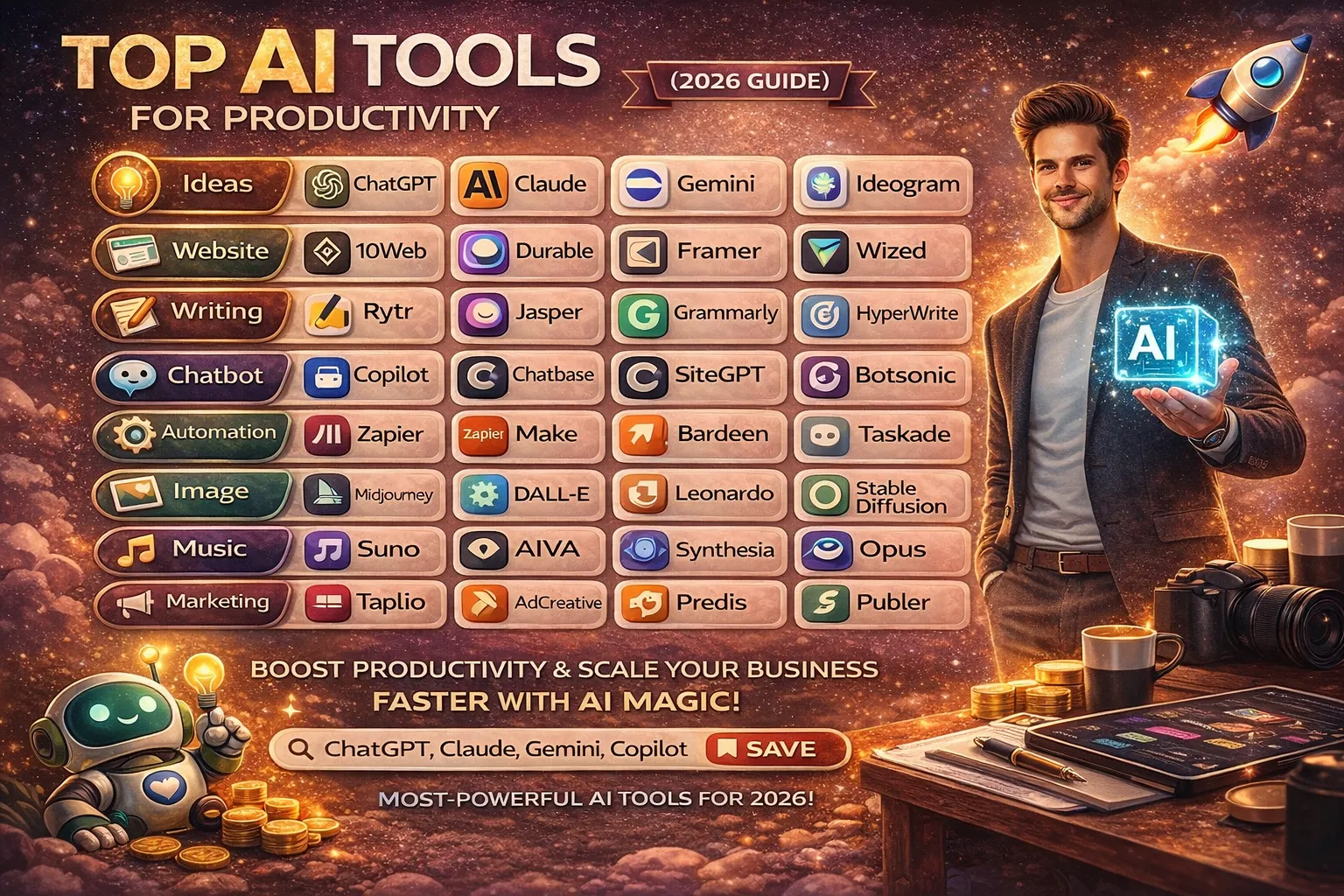
Productivity has always been the backbone of successful businesses. What has changed over the years is the speed and scale at which work is expected to be done. In 2026, Artificial Intelligence is no longer optional—it has become a reliable assistant that helps individuals and businesses save time, reduce effort, and make better decisions.
This guide covers the top AI tools for productivity in 2026, carefully grouped by use case. Whether you are a freelancer, content creator, startup founder, or business owner, these tools can help you streamline work and scale sustainably.
Why AI Productivity Tools Matter in 2026?
AI tools are not meant to replace human thinking. Their real value lies in:
- Automating repetitive tasks
- Improving speed and accuracy
- Reducing operational costs
- Allowing people to focus on strategy and creativity
When used with discipline, AI strengthens traditional work habits instead of weakening them.
AI Tools for Ideas and Research:
Strong ideas are the foundation of all productive work. These tools help with brainstorming, research, and clarity.
- ChatGPT – Ideal for brainstorming, drafting content, explaining complex topics, and planning workflows.
- Claude – Known for thoughtful responses, long-form analysis, and structured reasoning.
- Gemini – Useful for AI-powered search, summarization, and quick insights.
- Ideogram – Helps generate visual ideas and text-based design inspiration.
These tools reduce thinking fatigue and speed up early-stage planning.
AI Tools for Website Creation:
Building a website no longer requires weeks of development.
- 10Web – Creates and optimizes WordPress websites using AI.
- Durable – Generates complete business websites in minutes.
- Framer – Excellent for modern, responsive website design.
- Wized – Connects websites to databases and APIs without heavy coding.
These tools help businesses establish an online presence quickly and efficiently.
AI Writing and Editing Tools:
Clear communication saves time and prevents costly mistakes.
- Rytr – Simple tool for blogs, emails, and short-form content.
- Jasper – Designed for marketing teams and long-form content.
- Grammarly – Improves grammar, tone, and clarity across platforms.
- HyperWrite – Helps draft responses and complete writing tasks faster.
These tools act as editors and assistants, not replacements.
AI Chatbot Tools for Customer Support:
Chatbots help businesses stay responsive without increasing manpower.
- Copilot – Integrates AI into workplace tools for faster decisions.
- Chatbase – Builds chatbots trained on your own data.
- SiteGPT – Answers customer queries using website content.
- Botsonic – Automates customer interactions efficiently.
Reliable support builds trust and saves time.
AI Automation and Task Management Tools:
Automation is where AI delivers the biggest productivity gains.
- Zapier – Connects apps and automates repetitive workflows.
- Make – Advanced automation for complex processes.
- Bardeen – Automates browser-based tasks and data collection.
- Taskade – Combines tasks, notes, and AI planning.
Automation reduces human error and frees time for meaningful work.
AI Image Generation Tools:
Visual content plays a major role in branding and marketing.
- Midjourney – High-quality artistic image creation.
- DALL·E – Generates images from text prompts.
- Leonardo – Popular for game assets and creative visuals.
- Stable Diffusion – Flexible and customizable image generation.
These tools reduce dependency on expensive design resources.
AI Tools for Music and Video:
Content creation is faster than ever with AI.
- Suno – Creates music using AI.
- AIVA – Composes background music professionally.
- Synthesia – Creates videos with AI avatars.
- Opus – Turns long videos into short clips.
These tools are ideal for marketing and social media.
AI Marketing Tools:
Marketing requires speed, consistency, and data-driven decisions.
- Taplio – AI-powered LinkedIn content planning.
- AdCreative – Generates ad creatives using AI.
- Predis – Automates social content creation.
- Publer – Schedules and manages posts across platforms.
Consistent marketing builds long-term visibility.
How to Choose the Right AI Tools?
Avoid tool overload. Choose based on:
- Your daily tasks
- Ease of learning
- Long-term usefulness
- Cost vs value
Master a few tools deeply instead of using many poorly.
Final Thoughts:
AI in 2026 is about working smarter, not cutting corners. The most successful professionals are those who combine:
- Traditional work ethics
- Clear processes
- Reliable AI tools
Used wisely, these AI tools help you boost productivity, scale your business, and stay competitive without losing control or quality.

When you see words like Google AI, Gemini, Video Generation, or AI Studio, it can feel overwhelming.
You may think:
- “This is for developers, not me.”
- “Free AI tools can’t be that useful.”
- “I tried AI tools before and gave up.”
You’re not alone.
Most beginners don’t fail because AI is difficult — they fail because nobody explains it simply.
Here’s the good news:
Google has already built powerful AI tools for everyday people — students, creators, professionals, and beginners. And many of them are completely free.
In this guide, based on the image you shared, you’ll learn:
- The right mindset to use Google AI tools without stress
- What each of the Top 12 Powerful Google AI Tools actually does
- How to choose the right tools for your needs
- A simple system to use AI daily and track real results
No technical jargon.
No fear.
Just clarity.
Let’s start at the beginning.
First: Fix Your Mindset About Google AI Tools
Most people approach AI the wrong way.
They think:
- AI must replace everything
- AI should work perfectly on Day 1
- AI is only for experts
That mindset creates pressure — and pressure kills learning.
The Right Beginner Mindset:
- AI is an assistant, not a replacement
- Free tools are for speed, clarity, and confidence
- One small win builds momentum
Think of AI like a smart helper sitting next to you.
You don’t need to understand how it thinks.
You just need to ask the right questions.
Why Google AI Tools Are So Powerful in 2026?
Google has one massive advantage:
👉 It already understands how people search, watch, write, create, and work.
That’s why Google AI tools:
- Feel familiar
- Integrate with tools you already use
- Solve real-world problems, not theory
Most of these tools work inside or alongside:
- Search
- YouTube
- Google Docs
- Sheets
- Cloud
- Apps
Now let’s break down the Top 12 Powerful Google AI Tools shown in the image — in simple words.
1. Gemini:
Gemini is Google’s main AI brain.
What Gemini Does?
- Answers questions
- Explains complex topics simply
- Helps with writing, ideas, and learning
- Assists with research and planning
Why It’s Powerful?
You talk to it like a human.
No commands. No setup.
Best for:
Students, beginners, creators, professionals
2. Gemini Live (Stream):
Gemini Live allows real-time AI interaction.
What It Does?
- Live AI conversations
- Multi-turn discussions
- Interactive explanations
Think of it like a live AI tutor.
Best for:
Learning, presentations, brainstorming
3. Gems in Gemini:
Gems are custom AI helpers inside Gemini.
What You Can Do?
- Create AI assistants for specific tasks
- Example: “Study Helper”, “Content Writer”, “Resume Assistant”
Why It Matters?
Instead of repeating prompts every time, you build once and reuse.
Best for:
Productivity and repeated tasks
4. NotebookLM:
One of the most underrated Google AI tools.
What NotebookLM Does?
- Summarizes long notes
- Organizes research
- Explains documents clearly
Upload your notes or documents.
Ask questions.
Get instant clarity.
Best for:
Students, researchers, writers
5. Google AI Studio:
This is where Google lets you build and test AI models easily.
What It Does?
- Experiment with AI models
- Fine-tune responses
- Test prompts
Don’t worry — you don’t need to be a developer.
Best for:
Advanced learners, AI experimentation
6. Veo 3 (Video Generation):
This is Google’s AI video generation tool.
What Veo 3 Does?
- Creates videos using AI
- Supports multi-turn prompts
- Generates cinematic visuals
Think of it as AI-powered video creation.
Best for:
Content creators, marketers, storytellers
7. Media Generation (Imagen / Nano Banana):
These are Google’s image-generation and editing AI tools.
What They Do?
- Create images from text
- Edit visuals
- Animate images
No design skills needed.
Best for:
Social media creators, designers, beginners
8. Google App Builder:
This tool lets you build apps without coding.
What It Does
- No-code or low-code app creation
- Uses AI to simplify app building
If coding scares you, this tool is a blessing.
Best for:
Entrepreneurs, students, beginners
9. Firebase Studio:
Firebase Studio uses AI to speed up app and website creation.
What It Does?
- Builds apps faster
- Automates backend processes
- Integrates AI features easily
Best for:
Developers and startup builders
10. Gemini in Google Sheets:
AI inside spreadsheets.
What It Does?
- Explains formulas in plain English
- Analyzes data
- Creates summaries automatically
If Excel or Sheets ever scared you — this fixes that.
Best for:
Beginners, analysts, students
11. Gemini Ask YouTube:
This tool lets you ask questions about YouTube videos.
What It Does?
- Summarizes videos
- Answers questions from video content
- Saves hours of watching time
Perfect for learning faster.
Best for:
Students, learners, researchers
12. Google Cloud Vision API:
This AI tool analyzes images.
What It Does?
- Detects objects
- Reads text from images
- Identifies unsafe or sensitive content
Used widely in real-world applications.
Best for:
Advanced users, developers, businesses
How to Choose the Right Google AI Tool?
Don’t use all 12.
Use this filter:
Ask Yourself:
- Do I want to learn faster? → Gemini + Ask YouTube
- Do I want to create content? → Gemini + Media Generation
- Do I want to organize notes? → NotebookLM
- Do I want to save time at work or study? → Gemini + Sheets
👉 Start with 2 tools only.
A Simple Daily Google AI Workflow:
Daily (20–30 Minutes)
- Ask Gemini one question
- Summarize one concept using NotebookLM
- Use AI to improve one small task
Weekly
- Review what saved time
- Repeat what worked
- Ignore everything else
That’s how habits form.
Common Mistakes Beginners Make With AI Tools:
Avoid these:
- Tool hopping every day
- Expecting perfect answers
- Copy-pasting without understanding
- Quitting after one try
Remember:
AI improves with practice — and so do you.
How to Track Your Success With Google AI Tools?
You don’t need dashboards.
Just notice:
- Are tasks faster?
- Is learning easier?
- Is stress lower?
If yes — it’s working.
Why Free Google AI Tools Are More Than “Free”?
Free doesn’t mean weak.
It means:
- Accessible
- Scalable
- Trusted
- Continuously improved
Google AI tools are used by millions daily — including professionals.
Conclusion:
You don’t need to master AI.
You don’t need to learn everything.
With these Top 12 Powerful Free Google AI Tools, you now have:
- Clear direction
- Zero cost barrier
- Tools built for real people
Choose one Google AI tool today.
Use it for one task.
Feel the difference.
That’s how confidence builds.
That’s how skills grow.
That’s how AI becomes useful — not scary.
Start today. Google AI is already in your hands.
If you’ve ever opened Instagram, YouTube, or LinkedIn and thought “How are they posting so consistently?”, you’re not alone.
Most new creators feel:
- Overwhelmed by too many tools
- Confused about what they actually need
- Worried that free tools won’t be good enough
- Tired of trying once… and giving up
Here’s the honest truth:
Great social media content is not created by expensive tools. It’s created by clarity and consistency.
Free tools today are powerful. Some are used by professionals every single day. The problem isn’t quality.
The problem is not knowing where to start.
In this guide, you’ll learn:
- The right mindset for using free tools without stress
- A simple system to choose tools (without tool overload)
- 21 free must-have tools for social media creators
- How to track your progress and grow calmly
No jargon.
No pressure.
Just a clear, beginner-friendly path.
Let’s start from the ground up.
First, Fix This Mindset (Before You Use Any Tool):
Most beginners fail before they even start creating.
Why?
Because they believe:
- “Free tools are limited”
- “I need paid tools to grow”
- “This is too complicated”
Let’s flip that thinking.
The Right Creator Mindset:
- Free tools are for learning and momentum
- You don’t need all tools—only the right ones
- Simple systems beat fancy setups
Think of tools like kitchen utensils.
You don’t need everything in the store.
You need a knife, a pan, and fire.
Now let’s build your creator “toolbox”.
The Simple System: How Social Media Creation Actually Works:
Every social media creator—big or small—does the same 5 things:
- Plan ideas
- Create content
- Design visuals
- Schedule posts
- Track performance
So we’ll organize tools exactly in this order.
No confusion.
🧠 Tools for Content Ideas & Planning:
1. ChatGPT:
Perfect for:
- Content ideas
- Captions
- Hooks
- Hashtag ideas
Why beginners love it:
You don’t start from a blank page anymore.
2. Google Trends:
Shows what people are actually searching for.
Use it to:
- Spot trending topics
- Create timely content
- Avoid guessing
3. AnswerThePublic:
Finds real questions people ask online.
Great for:
- Reels ideas
- Carousel topics
- YouTube titles
4. Notion:
Your free content planner.
Use it to:
- Store ideas
- Plan weekly posts
- Track progress
🎨 Tools for Designing Social Media Content:
5. Canva
The backbone of most creators.
Create:
- Instagram posts
- Stories
- Thumbnails
- Posters
No design skills needed.
6. Adobe Express:
A simpler alternative to Photoshop.
Best for:
- Quick edits
- Clean designs
7. Pexels:
Free photos and videos.
Use it when:
- You don’t want to show your face
- You need background visuals
8. Unsplash:
High-quality free images.
Perfect for:
- Quotes
- Blog visuals
🎥 Tools for Video & Reels Creation:
9. CapCut:
One of the best free video editors.
Create:
- Reels
- Shorts
- TikToks
Beginner-friendly. Powerful.
10. InShot:
Simple mobile editing.
Best for:
- Quick edits
- Adding music
- Subtitles
11. VN:
Clean interface. No watermark.
Great for:
- YouTube videos
- Reels
12. Remove.bg:
Removes background from photos instantly.
Perfect for:
- Thumbnails
- Profile pictures
✍️ Tools for Writing Captions & Scripts:
13. Hemingway Editor:
Makes your writing clear and simple.
It helps you:
- Write shorter sentences
- Improve readability
14. Grammarly:
Checks grammar and tone.
Ideal for:
- Captions
- Descriptions
- Bios
⏰ Tools for Scheduling & Posting:
15. Meta Business Suite:
Official tool by Meta.
Schedule:
- Instagram posts
- Facebook posts
100% free.
16. Buffer:
Simple scheduling tool.
Best for:
- Beginners
- Consistent posting
17. Later:
Visual content planner.
Great for:
- Instagram planning
- Drag-and-drop scheduling
📊 Tools for Analytics & Tracking Growth:
18. Instagram Insights:
Built-in analytics.
Track:
- Reach
- Engagement
- Follower growth
19. YouTube Studio:
Essential for video creators.
Understand:
- Watch time
- Audience retention
20. Google Analytics:
If you share links or blogs.
Track:
- Clicks
- Traffic sources
🧩 Bonus Tool (Highly Underrated):
21. Linktree
One link. Many destinations.
Perfect for:
- Instagram bio
- Multiple links
How to Choose the Right Tools (Don’t Use All 21!)?
Here’s a simple beginner rule:
Start with just 5 tools:
- Canva
- CapCut
- ChatGPT
- Meta Business Suite
- Instagram Insights
That’s enough to grow.
More tools ≠ more growth.
Better use = better results.
A Simple Weekly Workflow (Beginner-Proof):
Sunday
- Plan ideas (ChatGPT + Notion)
Monday–Wednesday
- Design & edit (Canva + CapCut)
Thursday
- Write captions (Grammarly)
Friday
- Schedule posts (Meta Suite)
Weekend
- Check insights (Instagram Insights)
That’s it.
Common Mistakes New Creators Make:
Avoid these:
- Tool hopping every week
- Waiting for perfection
- Copying others blindly
- Overworking and burning out
Remember:
Consistency beats complexity.
Conclusion: Start Simple. Start Today.
You don’t need expensive software.
You don’t need a big team.
You don’t need to know everything.
With these 21 free must-have tools for social media creators, you now have:
- A clear system
- Zero financial pressure
- Full control over your content
Start with one post.
One tool.
One step today.
Momentum will follow.
Your creator journey starts now.
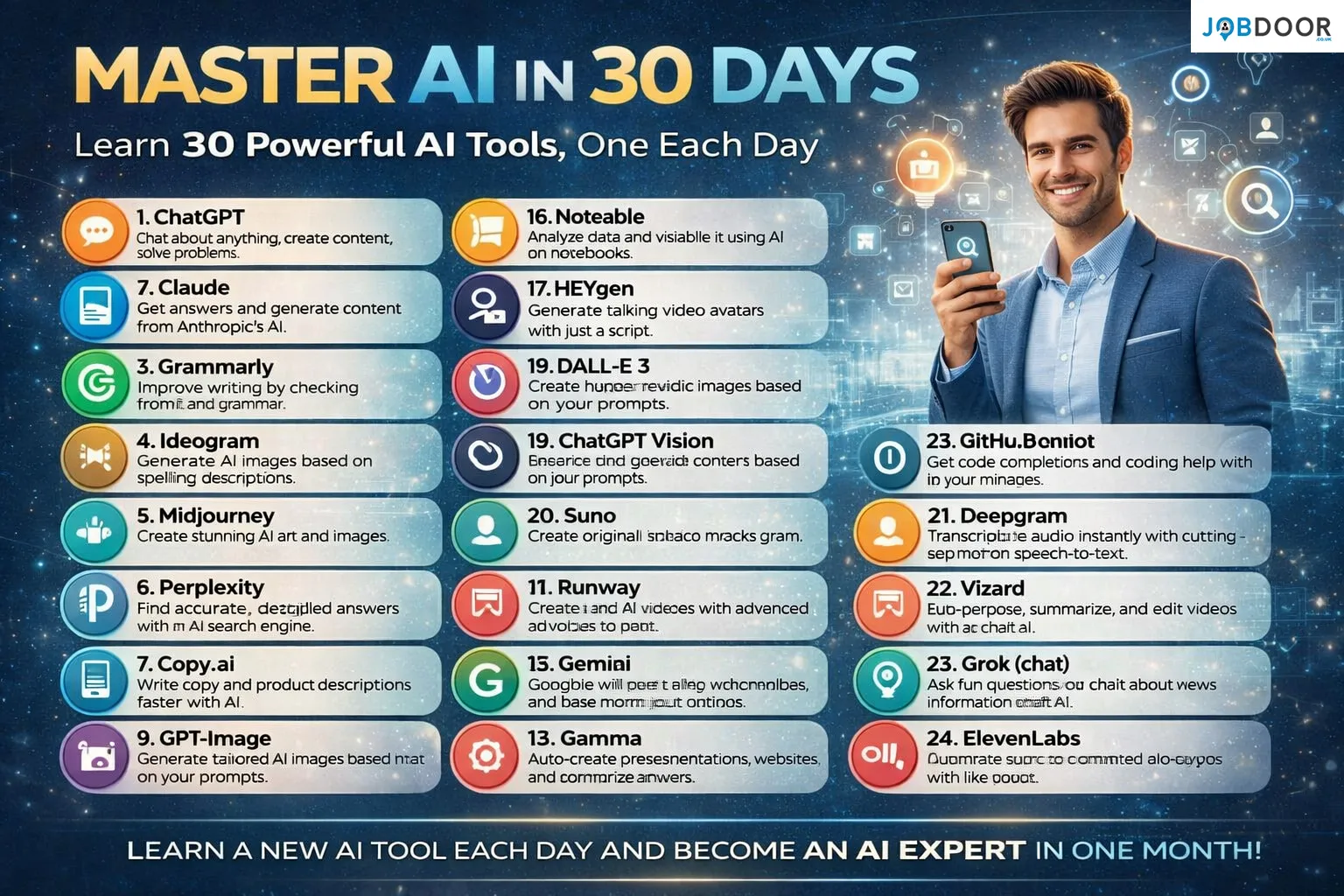
Artificial Intelligence is no longer limited to developers or large companies. Today, AI tools are used by students, professionals, freelancers, business owners, and creators across every industry. The real challenge is not access to AI, but knowing which tools matter and how to use them effectively.
That is where the idea of mastering AI in 30 days becomes practical and achievable. By learning one powerful AI tool each day, you can build real skills without feeling overwhelmed. Isn’t that a smarter approach than trying to learn everything at once?
This guide walks you through a structured way to master 30 essential AI tools in 30 days, helping you build confidence, productivity, and long-term relevance.
Why Learning AI in 30 Days Makes Sense?
Most people fail to learn AI because they try to do too much too fast. A daily learning approach works because it respects how humans actually learn. One tool per day allows focus, experimentation, and understanding.
Would you rather know a little about many tools or deeply understand tools you can actually use?
By the end of 30 days, you won’t just recognize AI tools, you will know how to apply them in real-world situations.
Day 1 to Day 5: Core AI Foundations
You begin with tools that form the backbone of modern AI usage.
ChatGPT helps you chat, brainstorm, create content, and solve problems. It becomes your thinking assistant for writing, planning, and research.
Claude focuses on generating thoughtful, well-structured answers and content. It is especially useful for long-form writing and reasoning.
Grammarly improves writing by correcting grammar, clarity, and tone. Clear communication is still one of the most valuable professional skills, isn’t it?
Ideogram allows you to generate AI images using text prompts, especially useful for designs with readable text.
Midjourney helps you create high-quality AI art and visuals, ideal for branding, social media, and creative projects.
Day 6 to Day 10: Research, Search, and Content Speed
As you progress, you move into tools that improve accuracy and speed.
Perplexity works as an AI search engine that provides direct, well-sourced answers. It saves hours of traditional searching.
Copy.ai helps write marketing copy, product descriptions, and short content faster without sacrificing clarity.
GPT-Image allows you to generate tailored images based on your prompts, helping with visuals and creative assets.
These tools reduce repetitive work so you can focus on decision-making and creativity. Isn’t that the real benefit of AI?
Day 11 to Day 15: Video, Presentations, and Visual Content
Visual communication is becoming essential in every field.
Runway enables you to create and edit AI videos using advanced tools. Video creation no longer requires expensive software or large teams.
Gamma helps auto-create presentations, documents, and structured content quickly. It is especially useful for professionals and educators.
Gemini integrates AI into Google’s ecosystem, helping with search, productivity, and content understanding.
By this stage, you start seeing how AI connects across writing, visuals, and workflows.
Day 16 to Day 20: Data, Avatars, and Creative Media
Now the tools become more specialized and powerful.
Noteable helps analyze data and visualize it using AI notebooks. It is ideal for analysts, students, and researchers.
HEYgen allows you to generate talking video avatars using simple scripts. This changes how training, marketing, and presentations are created.
DALL-E 3 creates high-quality images from text prompts, useful for design, marketing, and creative projects.
ChatGPT Vision enables image and visual understanding, helping analyze and generate content based on visuals.
Suno allows you to create original AI-generated music and audio tracks. Content creation is no longer limited by technical skills.
Day 21 to Day 25: Voice, Code, and Video Repurposing
At this point, you start mastering tools that save massive time.
Deepgram transcribes audio quickly and accurately using speech-to-text. This is useful for meetings, interviews, and content creation.
Vizard helps repurpose, summarize, and edit videos using AI chat. Long videos can now become multiple short clips easily.
GitHub Copilot assists with coding by providing suggestions and completions. Even non-experts can understand code better with AI support.
Grok enables conversational AI focused on real-time information and discussions.
ElevenLabs converts text into realistic voiceovers, making audio content professional and scalable.
Day 26 to Day 30: Becoming an AI-Ready Professional
The final days focus on integration rather than individual tools.
By now, you understand how AI tools connect across writing, visuals, audio, video, data, and automation. You are no longer just using tools, you are building AI workflows.
You start asking better questions, giving better prompts, and choosing the right tool for the right task. Isn’t that what separates beginners from experts?
How This 30-Day Plan Future-Proofs Your Career?
AI will not replace people who know how to use it wisely. It will replace those who ignore it.
This 30-day approach helps you
Work faster without burnout
Improve output quality
Reduce dependence on manual tasks
Stay relevant in a changing job market
The goal is not to memorize tools, but to understand how AI supports human judgment, creativity, and strategy.
Common Mistakes to Avoid While Learning AI:
Trying too many tools at once
Using AI without understanding the basics
Blindly copying AI output
Ignoring ethics and originality
AI works best as an assistant, not a replacement for thinking.
Final Thoughts:
Mastering AI in 30 days is not about becoming a technical expert overnight. It is about building confidence, curiosity, and practical skill.
One tool a day is enough to change how you work, think, and create. Over a month, that small daily effort compounds into a powerful advantage.

9 Free AI Courses with Certificates in 2026 (Step-by-Step Guide)
“AI Sounds Important… But Is It Really for Me?” Let’s be honest. When you hear Artificial Intelligence, what comes to...


Top 12 Powerful Free Google AI Tools You Must Use in 2026 (Complete Beginner’s Guide)
When you see words like Google AI, Gemini, Video Generation, or AI Studio, it can feel overwhelming.You may think: You’re...


5 Free Sites to Sell Digital Products and Keep More Profits
If you’ve ever thought about selling digital products but stopped halfway, you’re not alone. Maybe you asked yourself: Take a...

21 Free Must-Have Tools for Social Media Creators
If you’ve ever opened Instagram, YouTube, or LinkedIn and thought “How are they posting so consistently?”, you’re not alone. Most...
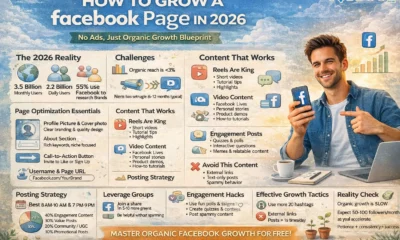

How to Grow a Facebook Page in 2026: A Simple, Proven, Beginner-Friendly Guide
If you’ve ever created a Facebook page with excitement, posted for a few days, then slowly stopped—this is for you....

20 Ways to Make Money with Google Gemini: Practical Methods Anyone Can Start
Artificial Intelligence is no longer limited to tech experts or large companies. Tools like Google Gemini are now accessible to...
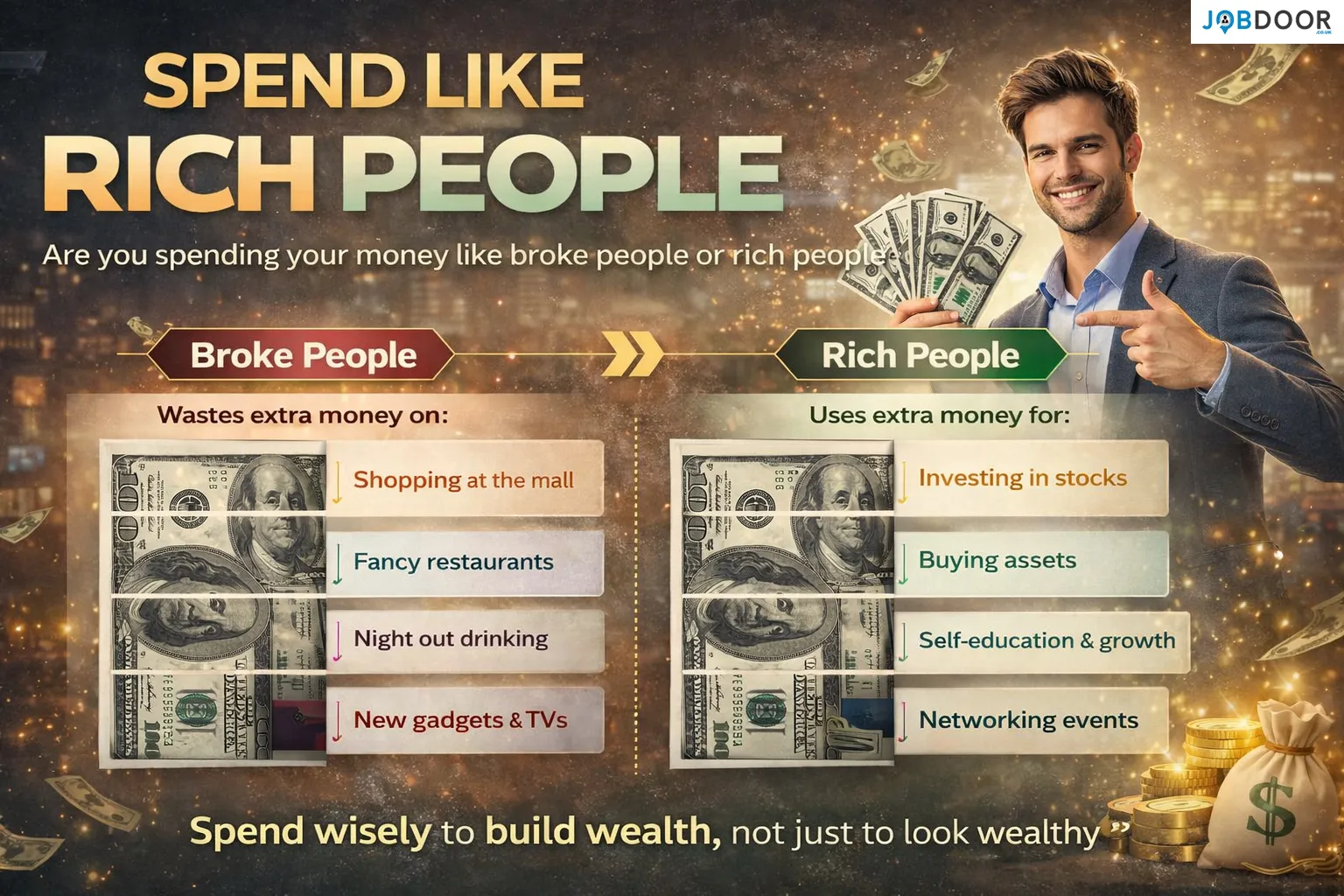
Spend Like Rich People: Are You Building Wealth or Just Looking Wealthy
Most people believe wealth is about how much money you earn. In reality, wealth is built by how you spend...
Master AI in 30 Days: Learn 30 Powerful AI Tools One Day at a Time
Artificial Intelligence is no longer limited to developers or large companies. Today, AI tools are used by students, professionals, freelancers,...
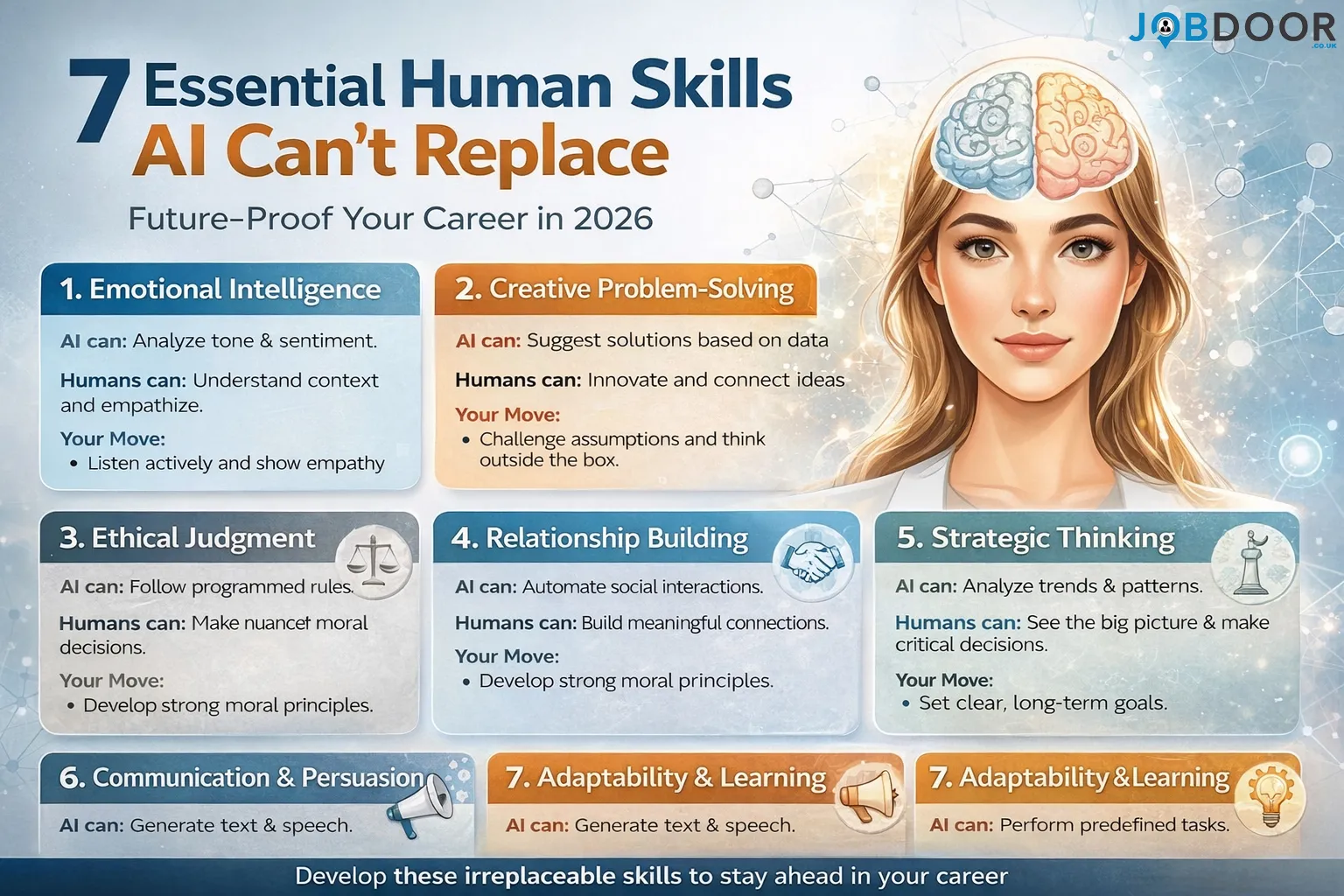
7 Skills AI Can’t Replace (Still Essential) to Future-Proof Your Career in 2026
Artificial Intelligence is transforming how work is done. Automation, machine learning, and AI tools now handle tasks that once required...
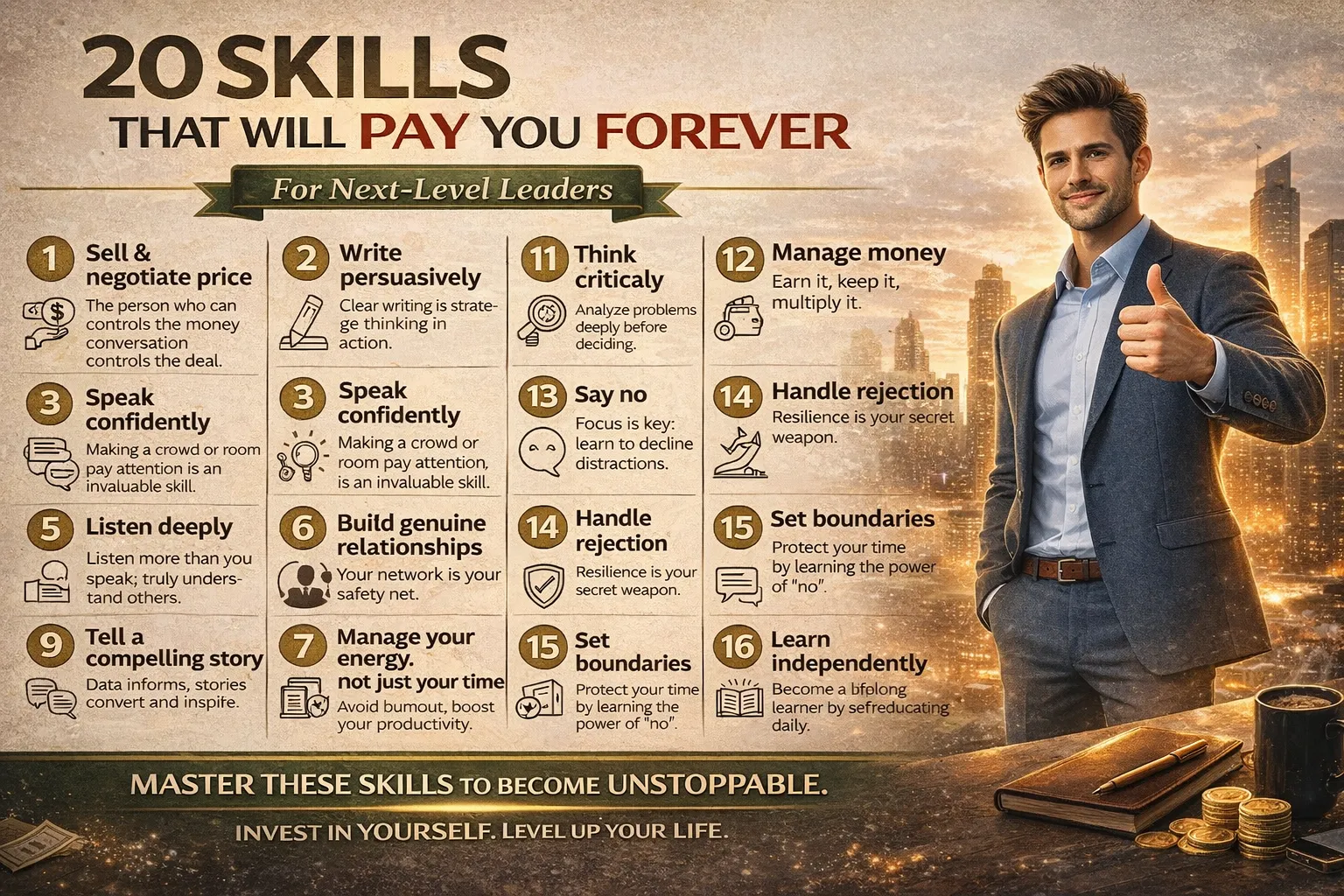
20 Skills That Will Pay You Forever and Why They Matter More Than Ever
Some skills give short-term results. Others reward you for a lifetime. In a world where tools, technology, and job titles...

26 Lucrative Passive Income Ideas to Build Wealth in 2026
Building wealth has always relied on one simple principle: earning money even when you are not actively working. For generations,...
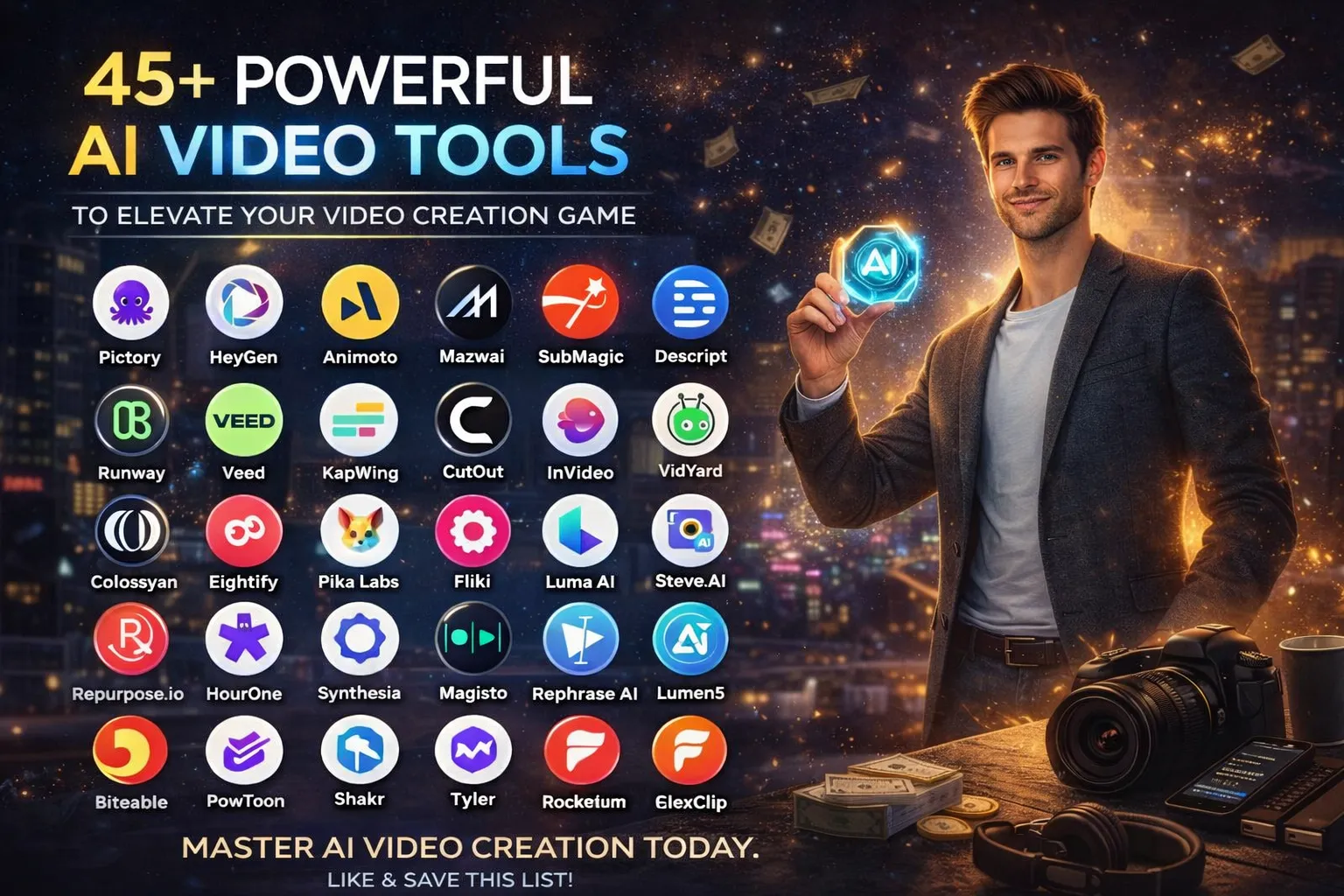
🎬 45+ Powerful AI Video Tools to Improve Your Video Creation Game
Video has become the most influential form of digital content. From YouTube and Instagram to online courses, ads, and business...
📌 36 Top AI Tools to Scale Your Business in 2026: The Complete Guide to Working Smarter
Productivity has always been the backbone of successful businesses. What has changed over the years is the speed and scale...

How to Make Money Using AI: Proven Methods Anyone Can Start Today
Artificial Intelligence is no longer a futuristic concept reserved for big tech companies. Today, AI has become a practical tool...

20 Must-Have AI Tools That Make Work 20x Easier
Productivity has always been the foundation of success. From traditional businesses to modern digital careers, those who manage time, effort,...

15 Best Second Jobs to Boost Your Income in the UK for 2026
Need extra cash without quitting your day job? Discover 15 flexible second jobs—remote, part-time, or creative—that fit your life and...
🔥 50 Practical Side Hustle Ideas That Actually Work in 2026
The landscape of work has shifted dramatically. In 2026, the “side hustle” is no longer just a way to make...
🚀 100 VIRAL YouTube Video Ideas That Can Explode Your Channel in 2026
Starting a YouTube channel is exciting—but deciding what to post consistently is where most creators struggle. Many channels fail not...
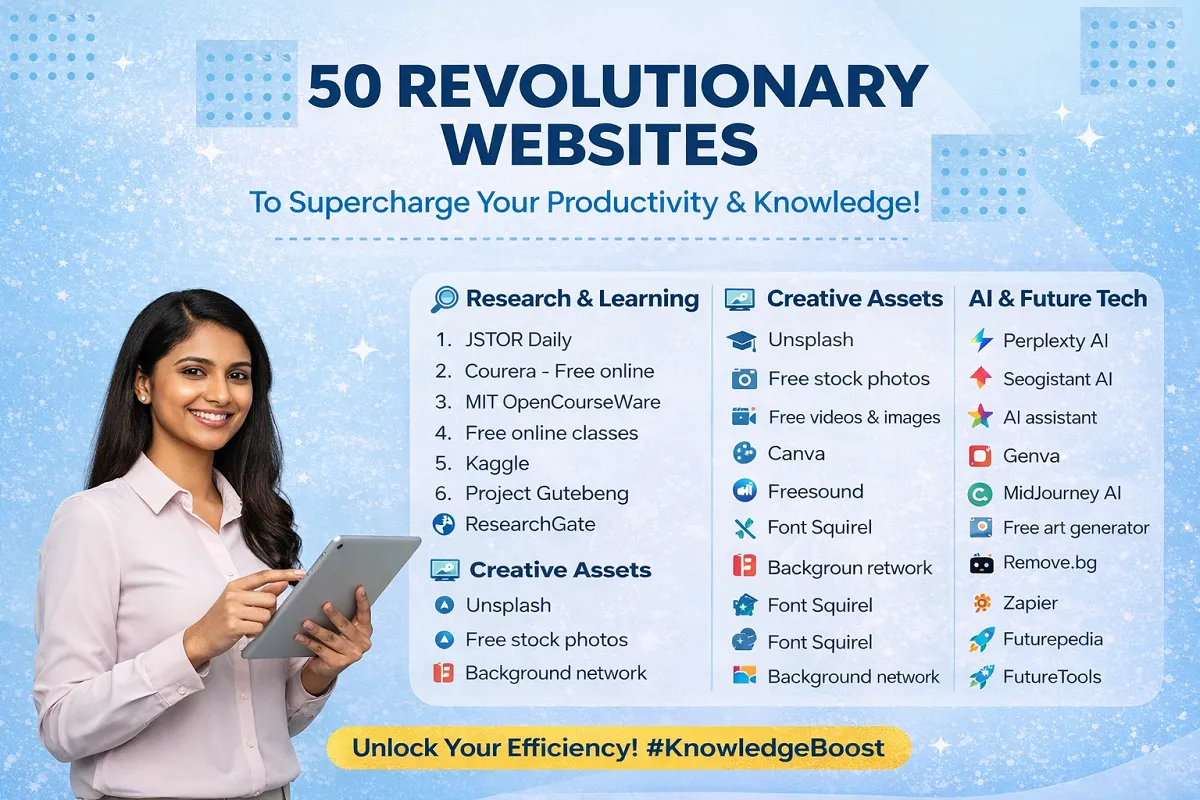
🚀 50 Remarkable Websites That Will Instantly Make You Smarter, Faster & More Productive
In today’s fast-moving digital world, working harder is no longer the answer—working smarter is. The right websites can save hours,...
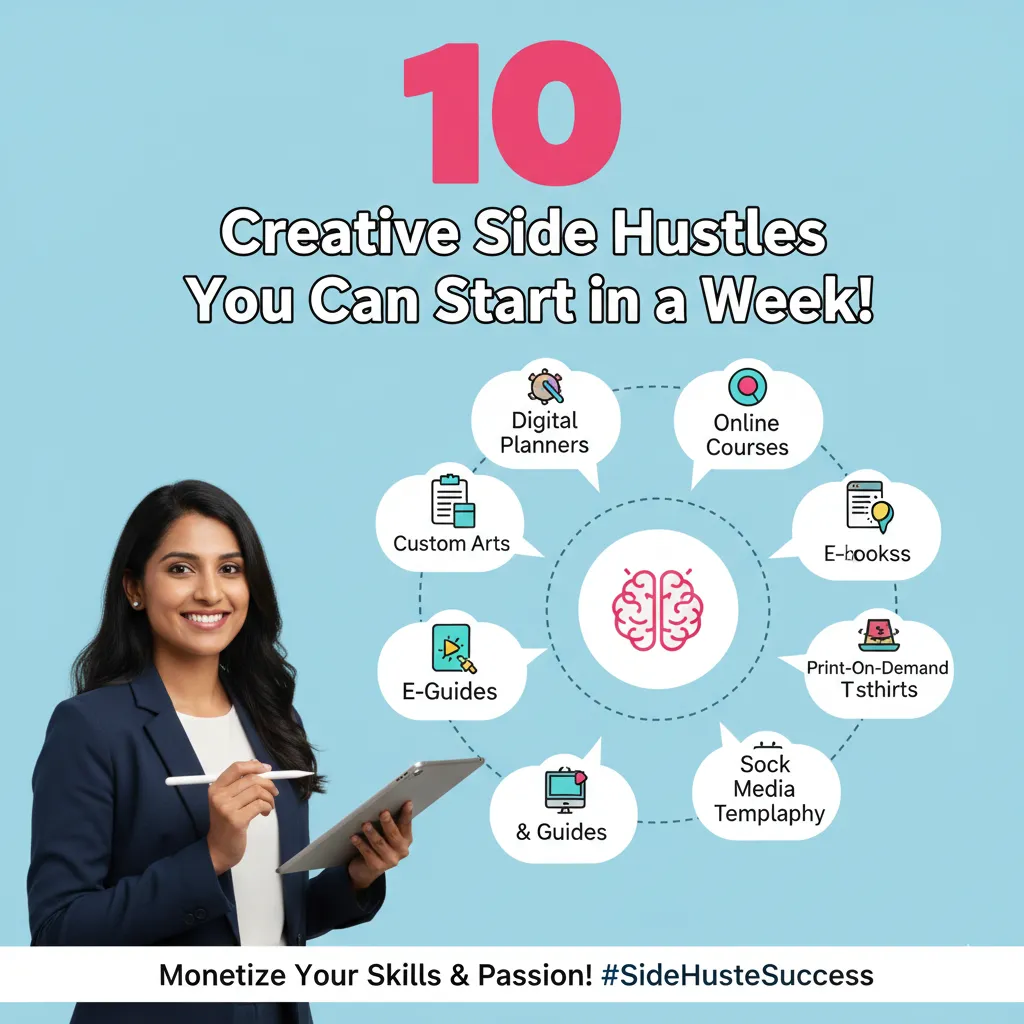
10 Creative Side Hustles You Can Start in Just 7 Days
In 2026, the “9-to-5” is no longer the only path to financial security. The digital economy has matured, and the...
-
 Career2 years ago
Career Opportunities for Seniors: 7 Jobs that are Perfect for Older Adults
-
 Job Description2 years ago
Graphic Designer Job Description: Education, Salary, Skills, Work Hours
-

 News2 years ago
Students’ question to UK PM Rishi Sunak: “What if your kids started smoking?
-

 Career2 years ago
13 Best Jobs That AI Can’t Replace: A Guide to Future-proof Careers
-

 Career2 years ago
Standard Employment Contract Template Example for UK (Word & PDF)
-

 Money2 years ago
How To Get Paid to Read Books? (9 Best & Legit Sites)
-

 Job Description2 years ago
Support Worker Job Description: Qualifications, Skills, Salary, Working Hours
-

 News2 years ago
Top 10 Richest Countries in 2024 By GDP Per Capita