
AI & Tools
AI Tools for Small Business: How to Choose the Right Tools to Grow
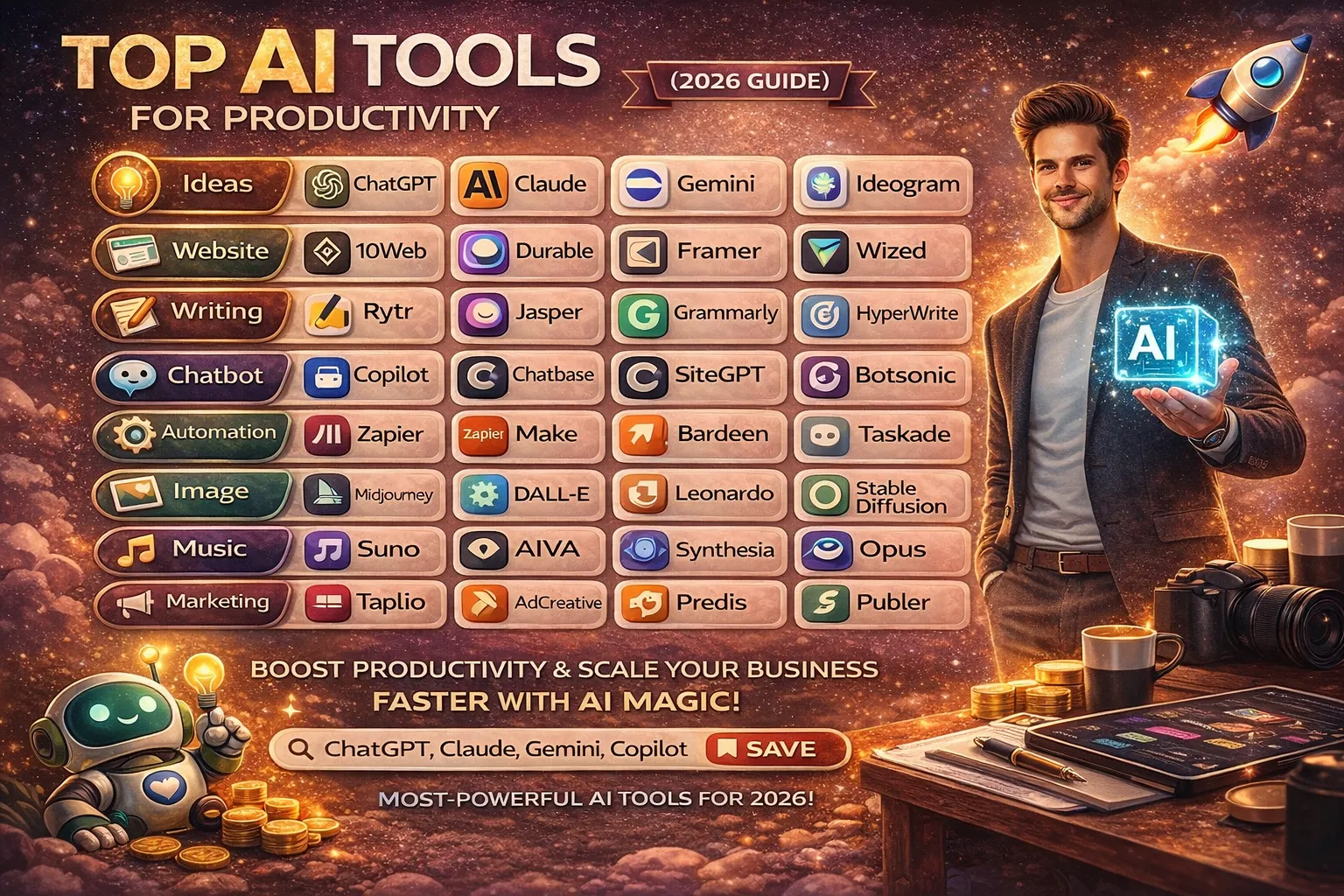
Small businesses do not need dozens of AI subscriptions to become more productive. The better approach is to identify where the team loses time and use AI to improve that specific workflow.
This guide looks at AI tools for small business work from a practical angle: marketing, customer communication, sales, administration, meetings, data and automation. The goal is not to build a huge list of software. It is to help a small business choose a few tools that solve real problems.
Start With the Business Problem, Not the AI Tool
AI adoption often goes wrong when a business starts by asking, “Which AI tool should we buy?” A better question is, “Which repeated task is costing us the most time?”
Common examples include:
- Writing similar emails and customer replies
- Creating social media and marketing content
- Following up with leads
- Entering the same information into several systems
- Preparing meeting notes and action lists
- Searching through documents and company information
- Preparing routine reports
- Answering the same customer questions repeatedly
Once the bottleneck is clear, choosing an AI category becomes much easier.
Where AI Can Help a Small Business
1. Writing and Everyday Business Communication
A general AI assistant can help prepare email drafts, proposals, customer replies, job descriptions, internal documents, social posts and first drafts of business content.
Best for: Business owners, managers, sales teams and employees who spend a lot of time writing.
Main benefit: Faster first drafts and more consistent communication.
Human review is still important, particularly for customer-facing, legal, financial or sensitive communication.
2. Marketing and Content Creation
Small businesses often need regular content but may not have a dedicated marketing team. AI can help with content ideas, outlines, first drafts, email campaigns, product descriptions and variations of existing content.
Best for: Small marketing teams, freelancers and business owners managing their own promotion.
Main benefit: Less time spent starting from a blank page.
The business should still provide the real customer knowledge, brand voice and final judgement.
3. Design and Visual Marketing
AI-assisted design platforms can help small teams create social graphics, presentations, promotional material and other routine visual assets without needing a full-time designer for every task.
Best for: Businesses that regularly create simple marketing visuals.
Main benefit: Faster production of routine creative work.
Important campaigns should still be checked for brand consistency, factual accuracy and usage rights.
4. Customer Support
Customer support is often a good starting point for AI because many businesses receive the same questions about prices, opening hours, services, delivery, bookings or basic processes.
AI support tools can help answer routine questions, organise conversations and pass more complicated issues to a human.
Main benefit: Faster responses without asking staff to repeat the same basic information throughout the day.
Do not automate everything. Complaints, sensitive cases, unusual requests and important decisions may need human attention.
5. Sales and Lead Follow-Up
AI can help sales teams summarise conversations, draft follow-up messages, organise lead information and identify routine tasks that can be automated.
Best for: Businesses receiving regular enquiries through websites, email, social media or other channels.
Main benefit: More consistent follow-up with less administration.
6. Workflow Automation
Automation platforms can connect the software a business already uses. For example, a new enquiry could be added to a CRM, a notification could be sent to a team member and a follow-up task could be created automatically.
Tools in this category include platforms such as Zapier, Make and n8n. The right choice depends on the existing software, workflow complexity, budget and technical ability.
Main benefit: Fewer repetitive manual steps.
7. Meetings and Internal Knowledge
AI meeting tools can turn conversations into summaries, decisions and action items. Other AI features can help employees search or summarise internal documents.
Best for: Teams with frequent meetings or large amounts of internal information.
Main benefit: Less time spent writing notes and finding information.
Important decisions should be checked against the original meeting or document rather than relying blindly on an AI summary.
8. Data and Business Analysis
AI can help business owners ask questions about spreadsheets, reports and other structured information. It may help identify patterns, create summaries or explain data in simpler language.
Main benefit: Faster initial analysis.
AI output should not replace qualified financial, legal or professional review when the decision carries significant consequences.
Useful AI Tool Categories for Small Businesses
Instead of treating every product as a direct competitor, it is more useful to choose tools according to the job they need to perform.
| Business need | Tool category | Examples |
|---|---|---|
| Writing and planning | General AI assistant | ChatGPT, Claude, Gemini |
| Microsoft 365 work | Workspace AI | Microsoft Copilot |
| Design and marketing | AI-assisted creative platform | Canva and similar tools |
| Customer support | AI chat and support platform | Tidio, Intercom and similar tools |
| Workflow automation | Automation platform | Zapier, Make, n8n |
| Project and knowledge management | AI-enabled workspace | Notion, ClickUp and similar tools |
| Meeting notes | AI meeting assistant | Otter, Fireflies and similar tools |
| Sales and marketing | CRM or marketing platform with AI | HubSpot, Mailchimp and similar tools |
Features, limits and pricing change regularly, so check the provider’s current offering before choosing a product.
How to Build a Small Business AI Stack
Step 1: Start With One General AI Assistant
Use one flexible assistant for everyday writing, planning, brainstorming and analysis. Give the team time to become comfortable with it before adding more software.
Step 2: Add One Specialist Tool
Choose the business area with the clearest bottleneck. This could be customer support, design, meetings, CRM work or automation.
Step 3: Connect Systems Only When Needed
Once a process is working manually, look for repetitive steps that can be automated. Automating a poorly designed process usually makes the problem harder to manage.
Step 4: Measure the Result
Check whether the tool actually saves time, reduces errors, improves response speed or helps employees produce better work.
Example AI Setups for Different Small Businesses
Solo Business or Freelancer
- One general AI assistant for writing and planning
- One design platform for routine marketing material
- Existing email, calendar and spreadsheet tools with useful built-in AI features
Small Service Business
- General AI assistant for communication and documents
- CRM or lead-management software
- Customer messaging or support automation
- Simple automation for repetitive administration
Growing Online Business
- General AI assistant
- Customer support automation
- Marketing and design tools
- Automation connecting ecommerce, CRM and communication systems
- Analytics and reporting tools
How to Choose the First AI Tool
- Write down five repetitive tasks that consume time.
- Estimate how often each task happens.
- Identify the task causing the biggest delay, cost or error.
- Find one AI tool designed for that problem.
- Test it with real but appropriate business examples.
- Measure the time, quality and cost difference.
- Only add another tool when there is a clear reason.
This approach is more practical than buying several subscriptions and hoping the team finds a use for them later.
When Should a Small Business Pay for an AI Tool?
A paid plan can make sense when a tool is already solving a real problem and the free version is limiting useful work.
Consider paying when the upgrade provides:
- Higher usage limits
- A feature your workflow genuinely needs
- Useful integrations
- Better collaboration or administration controls
- Business or privacy features appropriate for your data
- Enough time savings to justify the cost
Do not pay simply because a product advertises more AI features. The question is whether those features improve the business.
Common AI Mistakes Small Businesses Should Avoid
Buying Too Many Tools
Multiple unused subscriptions increase costs and create more systems for employees to manage.
Automating Before Fixing the Process
First make the workflow clear. Then automate repetitive parts of it.
Using AI for High-Risk Decisions Without Review
Keep appropriate human oversight for financial, legal, employment, customer or strategic decisions.
Ignoring Existing Software
Before buying another platform, check whether your current CRM, office suite, email platform or other software already includes an AI feature that meets the need.
Measuring Tool Usage Instead of Business Results
An employee using an AI tool every day does not automatically mean the business is benefiting. Measure time saved, quality, response speed, error reduction or revenue-related outcomes where appropriate.
How to Measure AI ROI
For each tool, track a few simple measures:
- Hours saved each week
- Reduction in repetitive work
- Customer response time
- Reduction in avoidable errors
- Improvement in output quality
- Monthly software cost
- Training and setup time
If a tool does not provide a meaningful benefit after a fair trial, consider changing the workflow or cancelling the subscription.
Privacy and Business Data
Small businesses should think carefully before putting customer information, confidential documents, financial information or internal business data into an AI service.
Review the provider’s current privacy terms, data controls, permissions and plan-specific policies. Consumer and business plans can have different features and controls.
For sensitive workflows, use tools and business processes that match your legal, contractual and internal data-handling requirements.
Can AI Help a Small Business Grow?
AI can increase the amount of work a small team can handle, but it is not a substitute for a useful product, good service or strong business processes.
Its biggest advantage is often leverage: helping a small team complete repetitive work faster so employees can spend more time on customers, sales, problem-solving and other higher-value tasks.
AI Skills Can Also Improve Career Opportunities
AI adoption is not only a business issue. Employees and job seekers can benefit from understanding how businesses use AI for communication, research, customer support, data and automation.
Knowing how to use an AI tool is useful, but understanding when to use it, how to check its output and how to improve a workflow is often more valuable.
For more guidance, see our AI skills guide for job seekers.
Related AI Guides
For a broader task-based overview, read our Best AI Tools by Task guide.
If you are deciding whether an AI subscription is worth the cost, read Paid vs Free AI Tools.
If you are comparing alternatives to ChatGPT for different types of work, see our ChatGPT alternatives guide.
Frequently Asked Questions
What AI tools should a small business start with?
Start with one general AI assistant and one tool that solves the biggest repeated problem in the business. Add more only when there is a clear need.
How many AI tools does a small business need?
There is no fixed number. Many small businesses can get useful results from two or three well-chosen tools rather than a large collection of subscriptions.
Can AI replace employees in a small business?
AI can reduce repetitive work and support employees, but businesses still need people for judgement, relationships, accountability and tasks that require context.
What is the best use of AI for a small business?
The strongest starting point is usually a frequent, time-consuming and relatively low-risk task that can be improved without harming customer service or business quality.
Should a small business use free or paid AI tools?
Start with free access when it is enough. Pay when a specific feature, higher capacity, integration or business control creates clear value.
Final Thoughts
The best AI tools for small businesses are not necessarily the tools with the longest feature lists. They are the ones that fit naturally into the way the business already works and remove a genuine bottleneck.
Start with one problem. Test one solution. Measure the result. Then expand carefully.
A focused AI setup can help a small business work more efficiently without turning everyday operations into a complicated collection of software subscriptions.









How to Start a Career in Hospitality in the UK
Thinking about hospitality as a career in the UK? Compare hotel, restaurant and guest service roles, entry routes, skills, apprenticeships...


How to Start a Career in Retail in the UK
Thinking about a retail career in the UK? Compare retail roles, entry routes, apprenticeships, skills, experience, CV tips and ways...


How to Start a Career in Science and Research in the UK
Planning a science or research career in the UK? Compare career paths, qualifications, apprenticeships, skills and practical ways to get...


How to Start a Career in Law in the UK
Thinking about a career in law? This guide explains UK legal career routes, qualifications, solicitor and barrister pathways, apprenticeships, skills,...


How to Start a Career in Education in the UK
Thinking about a career in education? Compare teaching and non-teaching roles, qualifications, apprenticeships, experience, skills and practical steps for getting...


How to Start a Career in Marketing in the UK
Marketing is a broad career field that combines communication, creativity, research, data and business thinking. It includes traditional marketing as...


How to Start a Career in Healthcare in the UK
Healthcare is one of the UK’s broadest career areas. It includes doctors and nurses, but also healthcare assistants, laboratory staff,...


How to Start a Career in Human Resources (HR) in the UK
Photo by Vitaly Gariev on Unsplash Human resources, usually called HR, is a people-focused career that combines communication, organisation, business...


How to Start a Career in Construction in the UK
Construction is one of the UK’s broadest career sectors. It includes hands-on trades such as bricklaying, carpentry and plumbing, as...


How to Start a Career in Energy and Utilities in the UK
Planning a career in energy and utilities in the UK? See job options, apprenticeships, qualifications, skills and practical steps to...


How to Start a Career in Media and Communications in the UK
Planning a media and communications career in the UK? Compare job options, entry routes, apprenticeships, skills, experience and practical steps...


How to Start a Career in Environmental and Sustainability Jobs in the UK
Environmental and sustainability careers are becoming an important part of many UK workplaces. Jobs in this area can involve protecting...


How to Start a Career in Cybersecurity in the UK
Thinking about a cybersecurity career in the UK? Here is a practical guide to skills, qualifications, entry-level roles, applications and...


How to Start a Career in Engineering in the UK
Thinking about engineering as a career in the UK? Here is a practical guide to engineering fields, qualifications, apprenticeships, skills,...


How to Start a Career in Government and Public Services in the UK
Thinking about a career in government or public services? This guide covers job options, entry routes, apprenticeships, skills, applications and...


Rolls-Royce Internship UK: Eligibility, Opportunities & How to Apply
Find Rolls-Royce internships in the UK with practical guidance on eligibility, opportunities, applications, assessments, skills and preparation.


How to Start a Career in Transport and Logistics in the UK
Planning a career in transport and logistics in the UK? See entry-level roles, apprenticeships, qualifications, skills and practical steps to...
JLR Internships in the UK: How to Find and Apply
Find JLR internships and undergraduate placements in the UK, with practical guidance on eligibility, applications, career areas, assessments and preparation.


How to Start a Career in Architecture and Design in the UK
How to Start a Career in Architecture and Design in the UK Architecture and design careers combine creativity with practical...


Technology Internships in the UK: How to Find and Prepare
Find technology internships in the UK with practical guidance on choosing a tech career area, building skills, finding employers and...
-
 Career3 years ago
Flexible Jobs for Older Adults in the UK: 7 Career Options
-
 Jobs8 months ago
Second Jobs in the UK: 15 Practical Ways to Earn Extra Income
-
 How-to8 months ago
How to Use Google Gemini for Freelance Work and Career Skills
-

 Career2 years ago
Free Job Posting Sites in the UK: Options for Employers
-
 How-to8 months ago
How to Build Passive Income: 20 Income-Producing Assets for Long-Term Financial Growth
-

 AI & Tools8 months ago
How to Use Google Gemini for Productivity at Work
-

 Job Description3 years ago
Support Worker Job Description: Duties, Skills, Salary and Career Guide UK
-

 AI & Tools8 months ago
ChatGPT vs Microsoft Copilot: Which AI Is Best for You?