
Interview Guide
How to Write a CV for a Job in the UK: Complete Guide
Write a strong CV for your next job with this complete UK guide covering CV structure, work experience, skills, formatting, tailoring, AI and common mistakes.

A CV is often your first opportunity to show an employer that you have the skills and experience they need. A clear, well-organised CV can make it easier for a recruiter or hiring manager to understand your background and decide whether to invite you for an interview.
This guide explains how to write a CV for a job in the UK, what to include in each section and how to tailor your application for different roles.
What Is a CV?
A CV, short for curriculum vitae, is a document that summarises your professional background. It usually includes your work experience, education, skills and other information relevant to the job you are applying for.
In the UK, employers commonly use the term CV when asking job seekers to provide a summary of their experience and qualifications. If you are unsure about the difference between a CV and a résumé, read our guide to CV vs resume: what is the difference?
What Should You Include in a CV?
The exact sections depend on your experience and the type of job, but most UK CVs include the following information.
Contact Information
Include the information an employer needs to contact you, such as your name, phone number, professional email address and location. You do not normally need to include unnecessary personal information.
Personal Profile
A personal profile is a short introduction near the top of the CV. It should summarise your professional background, relevant strengths and the type of role you are seeking.
Work Experience
List relevant jobs in reverse chronological order, starting with your most recent position. Include the job title, employer and dates, followed by relevant responsibilities and achievements.
Education and Qualifications
Include qualifications that are relevant to your career stage and the job. Candidates with limited work experience may place education closer to the top of the CV.
Skills
Add skills that are genuinely relevant to the role. These may include technical skills, professional knowledge, languages or other abilities requested in the job description.
Achievements and Additional Information
You may also include relevant certifications, professional memberships, awards, volunteering or projects when they help demonstrate your suitability for the position.
How to Write a CV Step by Step
1. Read the Job Description Carefully
Before writing or updating your CV, identify the main skills, responsibilities and qualifications mentioned in the job advert. This helps you decide which parts of your experience deserve the most attention.
2. Choose a Clear CV Structure
Use clear headings and a logical order. Most employers should be able to quickly find your contact details, professional background, experience, education and relevant skills.
3. Write a Focused Personal Profile
Keep your profile specific. Instead of relying on vague descriptions, briefly explain your background and strengths that relate to the type of work you want.
Example Approach
Start with your professional background, add two or three relevant strengths and connect them to the type of position you are seeking.
4. Describe Your Work Experience Clearly
For each relevant role, explain what you did and what responsibility you held. Prioritise information that helps demonstrate your suitability for the new position.
5. Show Achievements Where Possible
Responsibilities explain what your job involved. Achievements can show what you accomplished. Where appropriate, use specific results, improvements or outcomes that you can explain accurately.
6. Add Relevant Skills
Use the job description as a guide, but only include skills you genuinely have. A long list of unrelated abilities is less useful than a focused list connected to the role.
7. Tailor Your CV for the Job
You do not always need to rewrite your entire CV, but you should review it for each application. Adjust the profile, skills and examples so the most relevant experience is easy to see.
How Long Should a CV Be?
There is no single length that suits every candidate. The goal is to include enough relevant information without adding unnecessary detail. For many job seekers, one or two pages can be sufficient, while experienced professionals may need more space for directly relevant experience.
How to Format a CV
A good CV should be easy to read. Complex designs can sometimes make information harder to find.
Use Readable Fonts
Choose a clear, professional font and use consistent sizing throughout the document.
Use Headings and Spacing
Clear section headings and sensible spacing make it easier for a reader to scan your CV.
Keep Colours Simple
If you use colour, keep it restrained. The information on the CV should remain the main focus.
Be Careful With Graphics and Complex Layouts
Charts, icons, text boxes and elaborate layouts can look attractive, but they are not necessary for most applications. Prioritise clarity and readability.
How to Make Your CV Easy to Read and ATS-Friendly
Many employers use digital recruitment systems to manage applications. Clear headings, standard section names and straightforward formatting can help keep your CV easy for both people and software to process.
Use Relevant Language From the Job Description
If a job advert repeatedly refers to a skill or qualification you genuinely possess, use accurate wording that clearly reflects your experience.
Avoid Keyword Stuffing
Repeating words simply to match a job advert can make a CV difficult to read. Focus on natural, accurate descriptions of your skills and experience.
How to Write a CV With No Experience
If you are writing your first CV, see our detailed guide to how to write a CV with no experience.
Having little or no formal work experience does not mean you have nothing to include. Education, coursework, volunteering, internships, projects and other responsibilities can provide useful evidence of skills.
Focus on Relevant Experience
Think broadly about where you developed skills such as communication, teamwork, organisation, problem solving or responsibility.
Place Education Appropriately
If your education is one of your strongest qualifications, it may deserve a more prominent position on your CV.
How to Explain Employment Gaps on Your CV
An employment gap does not automatically make a candidate unsuitable. The best approach depends on the circumstances, but honesty and a clear explanation of relevant activities are generally more useful than trying to hide information.
Read our detailed guide on how to explain employment gaps on your CV.
Can You Use AI to Write a CV?
AI tools can help you brainstorm, improve clarity and review the structure of a CV. However, your CV should remain accurate and reflect your genuine experience, skills and achievements.
Read how AI can help you write a CV without making it sound generic before relying on AI-generated wording.
Common CV Mistakes to Avoid
Small mistakes can make a CV harder to read or reduce the impact of your experience. Common problems include poor tailoring, vague descriptions, spelling errors, unnecessary information and exaggerated claims.
For more detailed guidance, read 10 CV mistakes that can stop you getting an interview.
Why Your CV May Not Be Getting Interviews
A CV can be well written and still fail to generate interviews if the experience is not closely matched to the jobs being targeted or the most relevant information is difficult to identify quickly.
See our guide to why your CV is not getting interviews and what to fix.
Be Honest About Your Experience
Do not invent qualifications, skills or achievements. Employers may check information during the recruitment process, and inaccurate claims can create problems even if you are offered the role.
Read about common lies people tell on their CV and why they can backfire.
Final CV Checklist Before You Apply
- Does your CV clearly show the experience most relevant to the job?
- Have you tailored important sections for the position?
- Are your contact details correct?
- Have you checked spelling and grammar?
- Are your job dates accurate?
- Have you included genuine achievements where relevant?
- Is the formatting easy to read?
- Have you removed unnecessary information?
- Are all qualifications and skills accurate?
Frequently Asked Questions
How do I write a CV for the first time?
Start with your contact details, education, relevant skills and any experience that demonstrates your abilities. If you have limited employment history, include relevant projects, volunteering, internships or responsibilities.
Should I tailor my CV for every job?
It is a good idea to review your CV for each application and make sure the most relevant experience and skills are clearly presented.
Should I include a photo on my CV?
For most UK job applications, a photo is not necessary unless it is specifically requested or relevant to the role.
Can I use AI to help write my CV?
AI can help with ideas, structure and editing, but you should check every statement and ensure the final CV accurately represents your own background.
What should I leave off my CV?
Remove information that does not help demonstrate your suitability for the role, outdated details that no longer add value and unnecessary personal information.
Final Thoughts
A strong CV does not need to be complicated. The most important goal is to make your relevant skills, experience and achievements easy for an employer to understand. Keep the structure clear, tailor the content to the role and make sure every important claim is accurate.
Once your CV helps you secure an interview, continue your preparation with our complete job interview preparation guide.





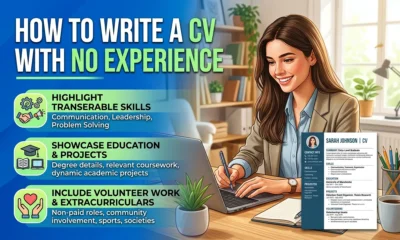

How to Write a CV With No Experience
Find out how to write a CV with no experience, what to include and how students, graduates and first-time job...


What Is a Job Description and What Should You Look For?
What is a job description? Understand what it means, what to look for and how to use it to decide...
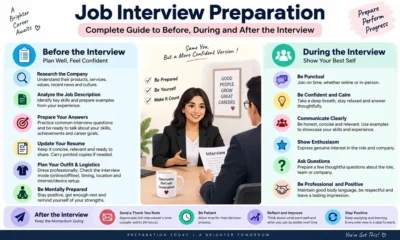

Job Interview Preparation: Complete Guide to Before, During and After the Interview
A complete job interview preparation guide covering common questions, competency answers, remote interviews, interview mistakes and what to do after...
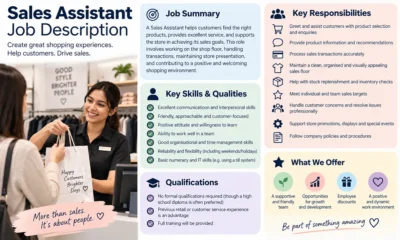

Sales Assistant Job Description: Duties, Skills, Salary and Career Guide UK
A Sales Assistant helps customers, processes purchases and supports the day-to-day running of a retail environment.


Web Developer Job Description: Duties, Skills, Salary and Career Guide UK
A Web Developer builds, maintains and improves websites and web applications. See the main duties, skills, qualifications, salary expectations and...
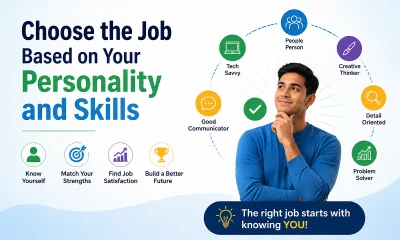

Choose an Entry-Level Jobs Based on Your Personality and Skills
Choosing your first job can be confusing. There are hundreds of entry-level jobs in the UK, but the best option...

How AI Can Help You Write a CV Without Making It Sound Generic
Find out how to use AI to improve your CV, tailor your experience and write clearer applications without adding false...
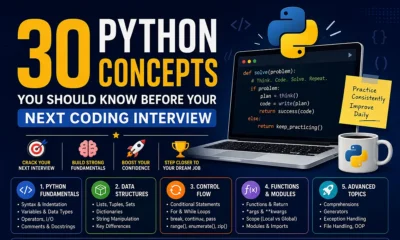

Python Interview Cheat Sheet: 30 Python Concepts You Should Know Before Your Next Coding Interview
Python is one of the most popular programming languages for beginners and professional developers. It is widely used in web...

AI Could Replace Millions of Entry-Level Jobs in the UK by 2035: Which Roles Are Most at Risk?
Artificial intelligence is changing the way people work across the UK. From customer service and administration to data processing and...

How to Get a Job When There Are Fewer Vacancies
Looking for a job can become much more frustrating when there are fewer vacancies available. You may be checking job...


How UK Job Seekers Can Use LinkedIn to Find More Job Opportunities?
LinkedIn is no longer just a website for experienced professionals. It can be a useful job-search tool for students, graduates,...


Why Is It So Hard to Get a Job in the UK in 2026?
If you have been applying for jobs in the UK and getting very few replies, you are not alone. Many...


Entry-Level Jobs in the UK Compared: Pay, Difficulty, Stress and Career Growth
Starting your career can be confusing, especially when there are so many entry-level jobs available in the UK. While some...


Why Are Graduate Jobs Becoming Harder to Find in the UK?
Graduating from university is supposed to feel like the beginning of a new chapter. You finish your degree, prepare your...

Why Good Candidates Fail Job Interviews: 10 Reasons You May Not Get the Job
Find out why qualified candidates sometimes fail job interviews, why another applicant may be chosen and what you can improve...


30 Entry-Level Jobs in the UK for People With Little or No Experience
Finding your first job can feel difficult, especially when many vacancies ask for previous work experience. The good news is...

IBM Internship UK: A Complete Guide to Opportunities, Eligibility and How to Apply
An IBM internship can be an attractive opportunity for students and early-career candidates who want practical experience at a major...

How to Find Green Jobs in the UK: A Practical Guide for Job Seekers
Green jobs are becoming an important part of the UK employment market. As businesses, local authorities and industries focus more...

Top 10 Hosting Providers for Developers
Developers assess hosting differently from most other webmasters. While absolute costs and total disk space matter, the best web hosting...


HR Consultant Job Description: Duties, Skills and Career Guide UK
An HR Consultant advises organisations on people, policies, employee relations and workplace change. See duties, skills, qualifications and career routes...
-
 Career3 years ago
Career Opportunities for Seniors: 7 Jobs that are Perfect for Older Adults
-
 Jobs8 months ago
15 Best Second Jobs to Boost Your Income in the UK for 2026
-

 Career2 years ago
5 Free Job Posting Sites in the UK (For Employers)
-
 How-to7 months ago
How to Make Money with Google Gemini: Practical Methods Anyone Can Start
-
 How-to7 months ago
How to Build Passive Income and Wealth: 26 Lucrative Ideas
-

 AI & Tools7 months ago
10 Insane Ways Google Gemini Will Explode Your Productivity in 2026
-

 Job Description2 years ago
Support Worker Job Description: Duties, Skills, Salary and Career Guide UK
-

 AI & Tools7 months ago
ChatGPT vs Copilot: Which AI Is Best for You in 2026?