
Career
The 15-Minute Habit That’ll Make Your Boss Notice You (While Everyone Else Is Still Waking Up)



Forget about bringing donuts to the office. There’s a simple morning routine that research shows can dramatically boost your workplace value—and it only takes 15 minutes.
The Secret? Strategic Planning (But Not How You Think):
Here’s the thing: 85% of employees report not being engaged at work. That’s your opportunity to stand out. While your colleagues are scrolling through emails in a morning fog, you’ll be executing a proven strategy that top performers use.
The 15-Minute Power Move:
Before diving into your inbox each morning, spend exactly 15 minutes doing something that studies have found consistently impresses managers: strategic preparation.
Here’s your blueprint:
Minutes 1-5: Yesterday’s Wins
- Quick-scan yesterday’s accomplishments
- Identify one key achievement to mention in your next interaction with your boss
- Note any loose ends that need tying up
Minutes 6-10: Today’s Game Plan
- Pick your top three priorities (not twenty)
- Identify potential roadblocks
- Plan when you’ll tackle each task
Minutes 11-15: Value Addition
This is where the magic happens. Ask yourself:
- What’s one thing I can do today that nobody expects?
- Where can I spot a problem before it becomes one?
- How can I make my boss’s job easier?
Why This Works (The Psychology Behind It):
Recent research reveals that managers are most impressed by employees who show initiative and forward thinking. This 15-minute routine hits both marks.
Think about it: Most people react to their day. You’ll be proactively shaping yours.
The Ripple Effect:
This habit creates what I call the “competence compound effect.” Studies show that workers with consistent morning routines are more focused and productive throughout the day.
Your boss will notice:
- You’re always prepared for meetings
- You anticipate problems before they arise
- You consistently deliver without micromanagement
The Best Part? It’s Actually Easy:
Unlike those “wake up early at 4 AM” productivity hacks, this one’s sustainable. Research indicates that the timing matters less than the consistency. Do these 15 minutes whenever you start your workday.
Real Talk: What Your Boss Actually Notices:
According to management studies, bosses value employees who can work independently and show initiative. This routine demonstrates both.
The Career-Changing Impact:
In a world where 64% of employees are getting additional responsibilities, being consistently prepared isn’t just impressive—it’s career-critical.
Start Tomorrow (Literally):
Don’t overthink this. Tomorrow morning, instead of immediately checking emails or social media, try this 15-minute routine. Within a week, you’ll notice the difference. Within a month, your boss will too.
Remember: Success isn’t about working longer hours. It’s about working smarter during the hours you have. This 15-minute investment might be the highest-returning one you’ll make in your career.
Want to level up even more? Research suggests preparing the night before can make this routine even more effective. But that’s a story for another day.
Ready to try it? Set your alarm 15 minutes earlier tomorrow. Your future self (and your boss) will thank you.

Time slips quietly.
Not with loud warnings. Not with alarms. But in small, unnoticed habits you repeat every day.
You tell yourself:
“I’ll start tomorrow.”
“I just need more time.”
“I’m not ready yet.”
But what if the problem isn’t time at all?
What if you are wasting your time without realizing it?
The truth is, most people don’t lose time in big ways. They lose it in small, daily patterns—thoughts, behaviors, and habits that slowly hold them back.
In this guide, you’ll discover 6 powerful ways you might be wasting your time—and more importantly, how to stop.
No complicated advice. No lectures.
Just clear, honest truth.
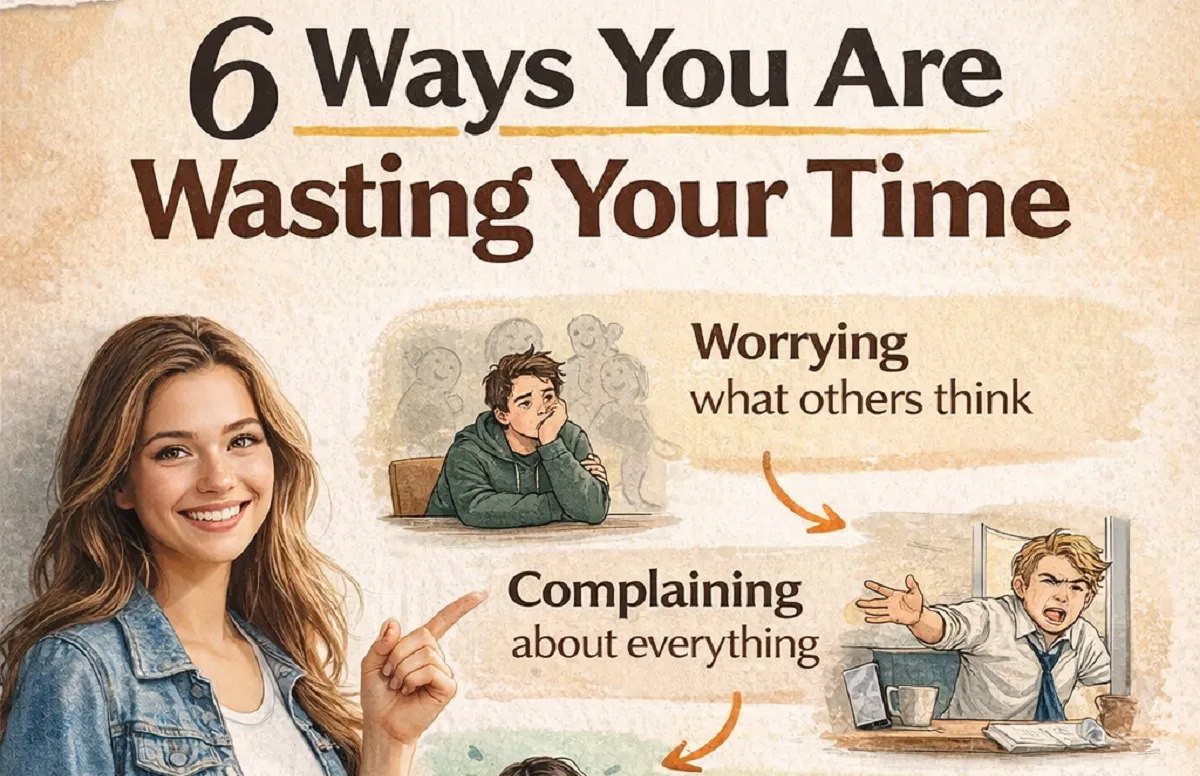
1. Worrying What Others Think:
Why This Is Wasting Your Time?
You hesitate before speaking.
You second-guess your decisions.
You hold back your ideas.
Why?
Because you’re thinking:
“What will they say?”
This habit is one of the biggest ways people waste time.
Instead of moving forward, you stay stuck in your head.
The Reality:
Most people are too busy thinking about themselves to judge you.
And even if they do—so what?
You can’t control opinions. But you can control your actions.
What You Should Do Instead?
- Make decisions based on your values
- Accept that not everyone will agree
- Focus on progress, not approval
The moment you stop seeking approval, you start saving time.
2. Complaining About Everything:
Why This Is Wasting Your Time?
You complain about:
- Your job
- Your situation
- Other people
It feels like release. But it changes nothing.
Complaining is action without results.
The Hidden Cost:
Every minute you spend complaining is a minute not spent improving.
It drains your energy. It keeps you stuck.
What You Should Do Instead?
Ask yourself:
- Can I fix this? → Take action
- Can I not fix this? → Let it go
Simple.
Less complaining. More doing.
3. Trying to Please Everyone:
Why This Is Wasting Your Time?
You say “yes” when you want to say “no.”
You adjust your life to fit others’ expectations.
And slowly, you lose yourself.
Trying to please everyone is impossible—and exhausting.
The Truth:
No matter what you do:
- Someone will disagree
- Someone will judge
- Someone will be unhappy
So why waste your time chasing approval?
What You Should Do Instead?
- Set clear boundaries
- Learn to say “no” without guilt
- Respect your own priorities
When you stop pleasing everyone, you finally start living your own life.
4. Being a Perfectionist:
Why This Is Wasting Your Time?
You wait for the perfect moment.
You delay until everything feels “just right.”
But perfection never comes.
So you keep waiting.
The Trap:
Perfectionism looks productive—but it’s actually procrastination in disguise.
You spend:
- Too much time planning
- Too much time fixing small details
- Too little time taking action
What You Should Do Instead?
- Aim for “good enough”
- Start before you feel ready
- Improve as you go
Progress beats perfection. Every single time.
5. Repeating the Same Mistake:
Why This Is Wasting Your Time?
You make a mistake.
You regret it.
Then… you repeat it.
Different day. Same pattern.
This is one of the most frustrating ways to waste time.
The Real Problem:
The mistake isn’t the issue.
Not learning from it is.
What You Should Do Instead?
After every mistake, ask:
- What went wrong?
- What can I do differently next time?
Write it down if needed.
Awareness turns mistakes into lessons.
Without reflection, mistakes become habits.
6. Fearing Failure:
Why This Is Wasting Your Time?
You want to start something new.
But fear stops you:
- “What if I fail?”
- “What if I look foolish?”
So you don’t try at all.
The Irony:
By avoiding failure… you guarantee no progress.
And that is the biggest failure of all.
What You Should Do Instead?
- Accept that failure is part of growth
- Start small
- Focus on learning, not winning
Every successful person has failed—many times.
Fear wastes time. Action creates results.
Bonus Section: A Simple Reality Check
Ask yourself honestly:
- Are you waiting too much?
- Are you overthinking small decisions?
- Are you holding back because of others?
If yes, you’re not alone.
But now you’re aware.
And awareness is the first step to change.
Why You Must Stop Wasting Your Time Now?
Time doesn’t pause.
It doesn’t wait for you to feel ready.
Every day you delay:
- Opportunities pass
- Confidence decreases
- Regret increases
But here’s the good news:
You don’t need a complete life reset.
You just need small changes.
Conclusion:
Wasting your time doesn’t always look obvious.
It hides in:
- Overthinking
- Fear
- People-pleasing
- Complaining
- Perfectionism
These habits feel normal. Comfortable even.
But they quietly hold you back.
Let’s quickly recap the 6 ways you might be wasting your time:
- Worrying what others think
- Complaining about everything
- Trying to please everyone
- Being a perfectionist
- Repeating the same mistake
- Fearing failure
Now the question is simple:
What will you do next?
You can keep waiting.
Or you can start today.
Take one small step:
- Say no when you mean it
- Start that task you’ve been delaying
- Stop overthinking one decision
That’s all it takes.
Because the truth is—
The biggest way to waste time… is knowing all this and still doing nothing.
In a world where industries are changing faster than ever, one thing remains constant—skills are the real currency of success. Degrees may open doors, but it’s your abilities that keep you relevant and valuable.
In this comprehensive guide, we’ll break down each skill, why it matters, and how you can start mastering it today.
Why These Skills Matter More Than Ever?
Technology is evolving, jobs are being automated, and competition is increasing globally. The people who thrive are those who invest in timeless, high-value skills.
These skills:
- Are transferable across industries
- Increase earning potential
- Help you adapt to change
- Build long-term career security
Let’s explore each one in detail.
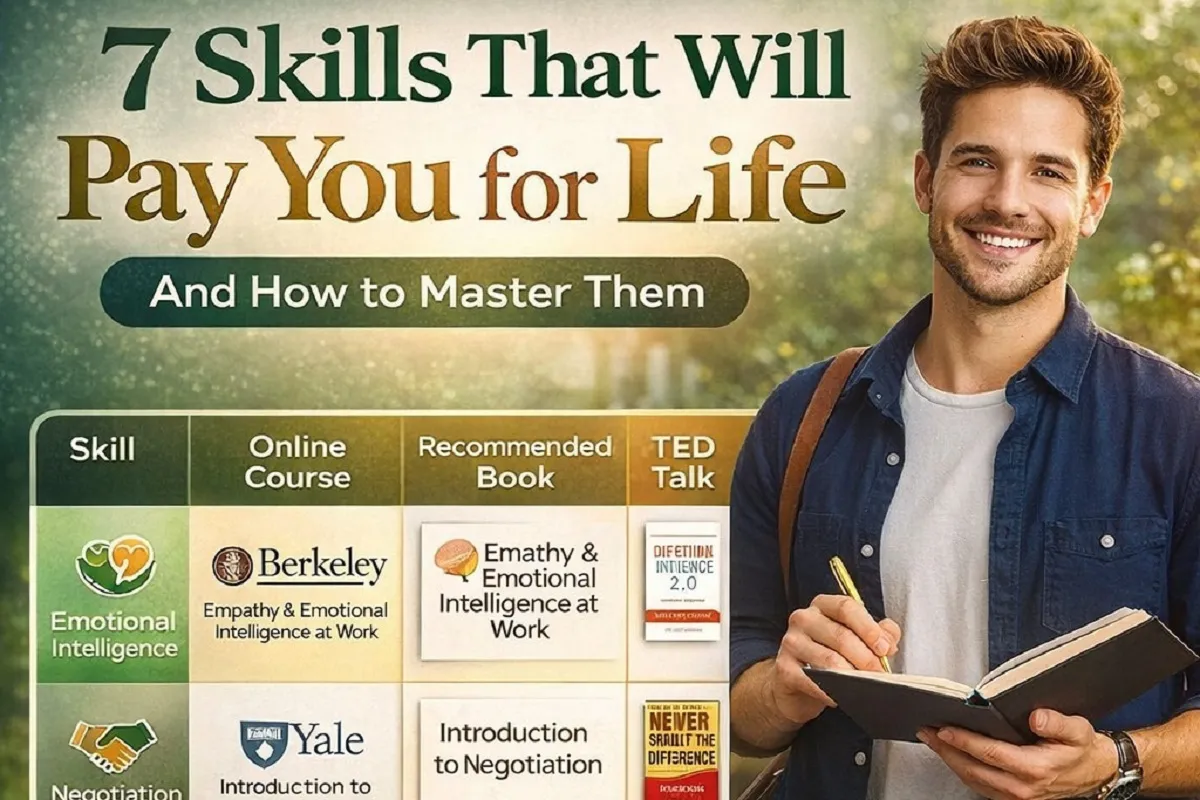
1. Emotional Intelligence (EQ):
What It Is?
Emotional Intelligence is your ability to understand, manage, and influence emotions—both yours and others’.
Why It Matters?
In workplaces today, technical skills alone are not enough. Employers value people who can collaborate, handle stress, and build relationships.
Key Benefits:
- Better communication
- Strong leadership ability
- Improved conflict resolution
- Higher job satisfaction
How to Learn?
- Practice self-awareness
- Observe your emotional reactions
- Improve listening skills
- Read books like Emotional Intelligence by Daniel Goleman
👉 Pro Tip: People with high EQ often earn more because they manage people better.
2. Negotiation:
What It Is?
Negotiation is the skill of reaching agreements that benefit all parties involved.
Why It Matters?
Whether it’s salary, business deals, or daily decisions—negotiation impacts your financial growth directly.
Key Benefits:
- Higher salary and better deals
- Stronger business relationships
- Increased confidence
How to Learn?
- Practice real-life scenarios
- Study techniques like win-win negotiation
- Learn from experts and TED Talks
👉 Pro Tip: If you don’t negotiate, you leave money on the table.
3. Artificial Intelligence (AI):
What It Is?
AI involves creating systems that can learn, analyze, and make decisions like humans.
Why It Matters?
AI is transforming industries—from healthcare to marketing to finance.
Key Benefits:
- High-paying job opportunities
- Future-proof career
- Ability to automate tasks
How to Learn?
- Start with Python programming
- Explore machine learning basics
- Take online courses (Harvard, Coursera, etc.)
👉 Pro Tip: Even basic AI knowledge gives you a competitive edge.
4. Creative Thinking:
What It Is?
Creative thinking is the ability to generate new ideas and innovative solutions.
Why It Matters?
Automation can replace routine tasks—but it cannot replace creativity.
Key Benefits:
- Innovation and problem-solving
- Better decision-making
- Unique career opportunities
How to Learn?
- Brainstorm regularly
- Explore different perspectives
- Engage in creative activities
👉 Pro Tip: Creativity is what sets you apart in a crowded market.
5. Critical Thinking:
What It Is?
Critical thinking is the ability to analyze information logically and make sound decisions.
Why It Matters?
In an age of misinformation, this skill is more valuable than ever.
Key Benefits:
- Better problem-solving
- Smarter decisions
- Strong analytical ability
How to Learn?
- Ask “why” and “how” questions
- Evaluate multiple perspectives
- Read and analyze complex topics
👉 Pro Tip: Critical thinkers are trusted leaders.
6. Prompt Engineering:
What It Is?
Prompt engineering is the ability to communicate effectively with AI tools like ChatGPT.
Why It Matters?
AI tools are becoming part of everyday work. Knowing how to use them efficiently is a game-changer.
Key Benefits:
- Increased productivity
- Better results from AI tools
- High demand in tech and marketing fields
How to Learn?
- Practice writing better prompts
- Experiment with AI tools
- Study real-world use cases
👉 Pro Tip: Those who master AI tools will outperform others.
7. Strategic Leadership:
What It Is?
Strategic leadership is the ability to plan, guide, and execute long-term goals effectively.
Why It Matters?
Organizations need leaders who can think ahead and drive results.
Key Benefits:
- Career advancement
- Team management skills
- Business growth impact
How to Learn?
- Study successful leaders
- Take leadership courses
- Practice decision-making
👉 Pro Tip: Leadership is not a position—it’s a skill you build over time.
How to Start Learning These Skills Today?
You don’t need expensive degrees to master these skills. Here’s a simple roadmap:
Step 1: Choose One Skill
Focus on one skill at a time to avoid overwhelm.
Step 2: Use Free & Paid Resources
- Online courses (Coursera, edX, Udemy)
- Books and podcasts
- YouTube and TED Talks
Step 3: Practice Daily
Skills grow with consistency, not theory.
Step 4: Apply in Real Life
Use what you learn in your job, business, or daily interactions.
The Secret to Long-Term Success:
The real power lies not in learning one skill—but in combining multiple skills.
Example:
- AI + Creative Thinking = Innovation
- Emotional Intelligence + Leadership = Strong Teams
- Negotiation + Critical Thinking = Better Decisions
👉 The more skills you stack, the more valuable you become.
Common Mistakes to Avoid:
- Trying to learn everything at once
- Not practicing what you learn
- Ignoring soft skills
- Giving up too early
Consistency beats intensity every time.
Final Thoughts:
The world doesn’t reward degrees—it rewards value. And value comes from skills that solve problems, improve lives, and drive results.
These 7 skills are not trends—they are timeless assets that will continue to pay you for years to come.
Start today. Learn consistently. Apply wisely.
Because the best investment you can ever make… is in yourself.
FAQs:
1. Which skill should I learn first?
Start with Emotional Intelligence or AI, depending on your career goals.
2. Are these skills useful for students?
Absolutely. The earlier you start, the better your future.
3. Can I learn these skills for free?
Yes, many free resources are available online.
In today’s competitive world, success is no longer determined by just what you know—it’s also about how you apply it and how you interact with others. This is where hard skills and soft skills come into play.
Whether you’re a student, job seeker, entrepreneur, or working professional, understanding the difference between these two skill sets—and how to develop them—can transform your career.
In this detailed guide, we’ll break down everything you need to know about hard skills vs soft skills, their importance, examples, and how to master both for long-term success.
What Are Hard Skills?
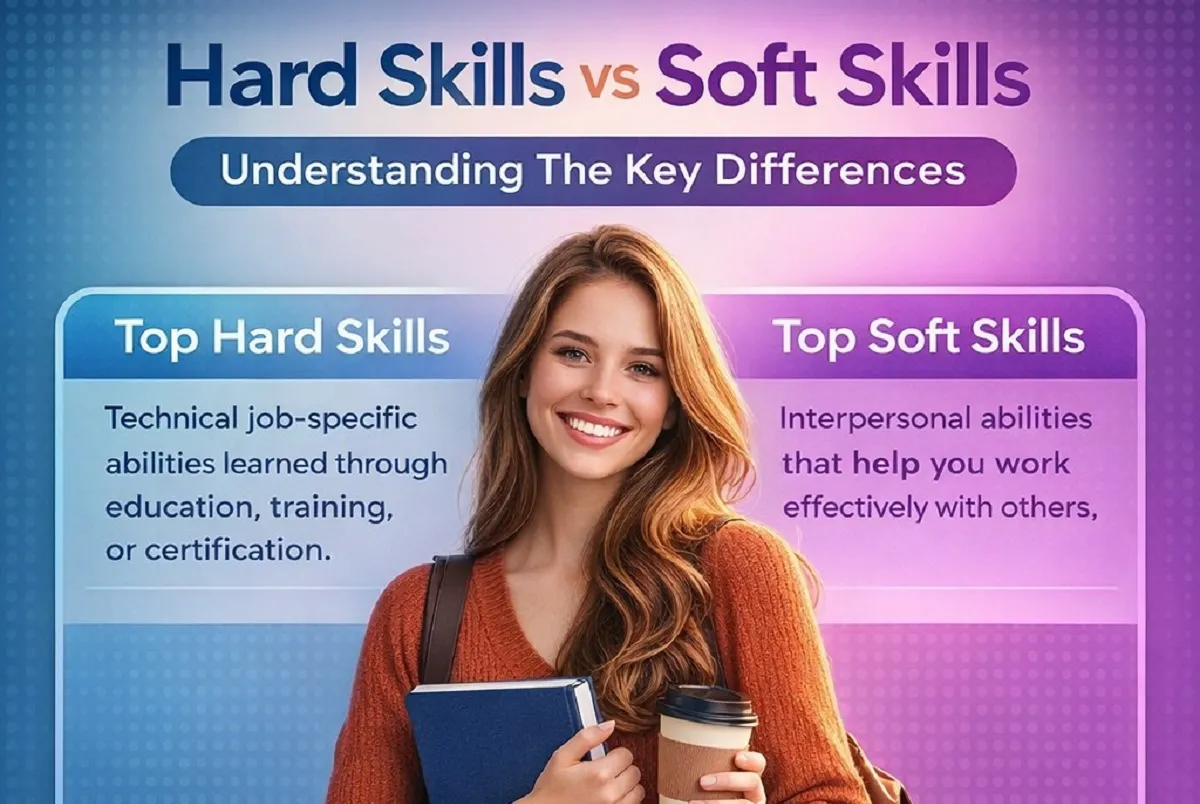
Hard skills are technical abilities or knowledge that you can learn through education, training, or hands-on experience. These are measurable and often specific to a job or industry.
Key Characteristics of Hard Skills:
- Learnable through courses or training
- Measurable and testable
- Often listed on resumes
- Job-specific
Examples of Hard Skills:
- Software Development
- Degrees & Certifications
- Artificial Intelligence
- Networking & Wireless Systems
- SEO / SEM Marketing
- Business Analysis
- Foreign Language Proficiency
- Machine Learning
- Cybersecurity
- Data Analysis
These skills are typically acquired through formal education, certification programs, or on-the-job training.
What Are Soft Skills?
Soft skills are personal attributes and interpersonal abilities that help you work effectively with others and navigate your professional environment.
Unlike hard skills, soft skills are harder to measure but are equally—if not more—important.
Key Characteristics of Soft Skills:
- Personality-driven
- Difficult to quantify
- Transferable across industries
- Essential for teamwork and leadership
Examples of Soft Skills:
- Communication
- Problem Solving
- Time Management
- Decision Making
- Leadership
- Negotiation
- Organization
- Teamwork
- Creativity
- Flexibility
Soft skills reflect your attitude, emotional intelligence, and behavior in real-world situations.
Hard Skills vs Soft Skills: Key Differences
| Feature | Hard Skills | Soft Skills |
|---|---|---|
| Nature | Technical | Behavioral |
| Learnability | Easy to learn | Takes time to develop |
| Measurement | Easily measurable | Hard to measure |
| Purpose | Perform tasks | Work with people |
| Examples | Coding, SEO | Communication, Leadership |
Both skill types complement each other. You can’t rely on just one.
Why Hard Skills Are Important?
Hard skills are your entry ticket into any profession.
1. Job Qualification:
Most employers first look at your technical abilities. Without the required hard skills, you won’t even qualify for many roles.
2. Productivity:
They enable you to perform specific tasks efficiently—whether it’s coding a website or analyzing data.
3. Career Growth:
Advanced technical expertise can lead to promotions, higher salaries, and specialization.
Why Soft Skills Matter Even More Today?
While hard skills may get you hired, soft skills help you grow and succeed.
1. Workplace Collaboration:
Good communication and teamwork are essential in modern workplaces.
2. Leadership Development:
Leadership is built on soft skills like empathy, decision-making, and conflict resolution.
3. Adaptability:
In a rapidly changing world, flexibility and problem-solving are invaluable.
4. Customer Interaction:
Whether you’re in sales, marketing, or service, soft skills directly impact client relationships.
The Perfect Balance: Why You Need Both
Relying only on hard skills can make you technically sound but socially ineffective. On the other hand, relying only on soft skills may leave you lacking expertise.
Example:
- A software developer with excellent coding skills (hard skill) but poor communication (soft skill) may struggle in team projects.
- A manager with great leadership (soft skill) but no industry knowledge (hard skill) may make poor decisions.
👉 Success lies in balancing both.
Top In-Demand Hard Skills in 2026:
With the rise of technology, certain hard skills are becoming increasingly valuable:
1. Artificial Intelligence & Machine Learning:
AI is transforming industries—from healthcare to finance.
2. Data Analysis:
Companies rely on data-driven decisions.
3. Cybersecurity:
With increasing cyber threats, security experts are in high demand.
4. Digital Marketing (SEO/SEM):
Online presence is crucial for businesses.
5. Software Development:
Still one of the most sought-after skills globally.
Top In-Demand Soft Skills:
Employers today prioritize candidates with strong interpersonal abilities.
1. Communication:
Clear and effective communication is non-negotiable.
2. Problem Solving:
Organizations value individuals who can find solutions.
3. Adaptability:
Change is constant—those who adapt succeed.
4. Leadership:
Even non-managers need leadership qualities.
5. Emotional Intelligence:
Understanding people is key to collaboration.
How to Develop Hard Skills?
Building hard skills requires structured learning and practice.
1. Take Online Courses:
Platforms like Coursera, Udemy, and LinkedIn Learning offer specialized training.
2. Get Certified:
Certifications validate your expertise and improve credibility.
3. Practice Consistently:
Apply your knowledge through real-world projects.
4. Stay Updated:
Technology evolves—keep learning new tools and trends.
How to Improve Soft Skills?
Soft skills take time but can be developed with conscious effort.
1. Practice Communication:
Speak clearly, listen actively, and engage in conversations.
2. Seek Feedback:
Constructive criticism helps you grow.
3. Work in Teams:
Collaboration improves interpersonal skills.
4. Read & Observe:
Learn from leaders, mentors, and successful individuals.
5. Step Out of Comfort Zone:
New challenges build confidence and adaptability.
Common Mistakes People Make:
1. Ignoring Soft Skills:
Many focus only on technical knowledge and neglect communication.
2. Overvaluing Degrees:
A degree alone doesn’t guarantee success without practical skills.
3. Not Updating Skills:
Outdated skills can limit career growth.
4. Lack of Self-Awareness:
Understanding your strengths and weaknesses is essential.
How to Showcase Skills on Your Resume?
Hard Skills:
- List under a dedicated “Skills” section
- Mention tools, technologies, and certifications
Soft Skills:
- Demonstrate through achievements
- Example: “Led a team of 5 to complete a project ahead of schedule”
👉 Don’t just list—prove them with results.
Future of Skills: What Lies Ahead?
The future belongs to individuals who combine technical expertise with human intelligence.
Trends to Watch:
- Automation replacing routine tasks
- Growing importance of creativity and innovation
- Increased demand for emotional intelligence
- Hybrid roles requiring both skill sets
Final Thoughts:
In the modern world, success is not about choosing between hard skills and soft skills—it’s about mastering both.
Hard skills will help you get your foot in the door, but soft skills will determine how far you go.
If you want to build a strong, future-proof career:
- Keep learning new technical skills
- Continuously improve your personality and communication
- Stay adaptable and open to change
Because in the end, it’s not just what you know—it’s how you use it and how you connect with others that truly matters.
FAQs:
1. Which is more important: hard skills or soft skills?
Both are equally important. Hard skills get you hired, soft skills help you grow.
2. Can soft skills be learned?
Yes, with practice, feedback, and experience.
3. Are hard skills becoming less important?
No, but they must be complemented with soft skills.

Meta and Microsoft Announce Massive Layoffs
Big tech companies like Meta Platforms and Microsoft are reducing their workforce as they spend more money on artificial intelligence...


GPT-5.5 vs Claude: Nano Banana Killer & Claude’s New Design Tool
Artificial Intelligence is evolving at an incredible pace. Every few months, new models and tools are released that push the...

Moltbook: The First Social Network for AI Agents
Artificial Intelligence is evolving rapidly. We’ve moved from simple tools to powerful AI systems that can write, design, analyze, and...


Volkswagen Uses AI Agents to Transform Its Cars in China
The automotive industry is changing faster than ever before—and at the center of this transformation is Artificial Intelligence (AI). One...

AI Is Growing Faster Than You Think
Artificial Intelligence (AI) is no longer something we only see in movies or imagine about the future. It is already...


Could AI Eliminate Humans in the Next 10 Years?
Artificial Intelligence (AI) is advancing at an incredible speed. Every day, new tools, smarter systems, and powerful technologies are being...


Meet NEO: Your New Home Robot Buddy
Imagine coming home after a long day, and instead of doing chores, managing devices, or worrying about security, everything is...


You’ve Been Using AI the Hard Way: Why Most People Use AI Inefficiently?
Artificial Intelligence is one of the most powerful tools available today. Millions of people are using AI for writing, design,...

Master AI Engineering: 20 Key Concepts Explained Simply
Artificial Intelligence (AI) is no longer a futuristic idea—it is already shaping our daily lives. From voice assistants to recommendation...
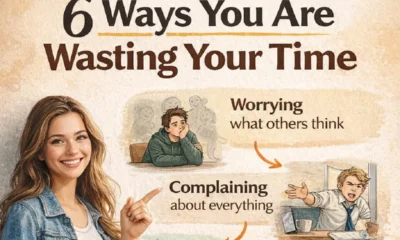

6 Ways You Are Wasting Your Time (And Don’t Even Realize It)
Time slips quietly. Not with loud warnings. Not with alarms. But in small, unnoticed habits you repeat every day. You...


How to Take Nothing Personally: 6 Powerful Ways to Protect Your Peace
Have you ever replayed a single comment in your head for hours… maybe even days? Someone said something small. Maybe...

9 Habits for Clearer Speaking I Wish I Knew Sooner
You start explaining something simple… and somehow it turns complicated. You add more words. More details. More explanation. But instead...

15 Types of Negativity to Stop (Before They Quietly Control Your Life)
Negativity doesn’t arrive loudly. It creeps in—through small doubts, silent worries, and habits you barely notice. One day, you feel...


6 Habits to Articulate Your Thoughts Like the Top 1%
Have you ever listened to someone speak and thought, “Wow… they make everything sound so simple and powerful”? And then...

The 3-2-1 Speaking Trick That Forces You To Stop Rambling
Have you ever started explaining something and then suddenly realized… you’re going in circles? You keep talking. Adding more words....


7 Skills That Will Pay You Forever – Future-Proof Your Career
In a world where industries are changing faster than ever, one thing remains constant—skills are the real currency of success....
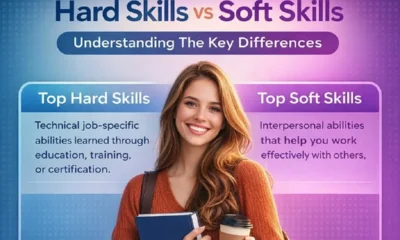

Hard Skills vs Soft Skills: Why You Need Both to Succeed
In today’s competitive world, success is no longer determined by just what you know—it’s also about how you apply it...
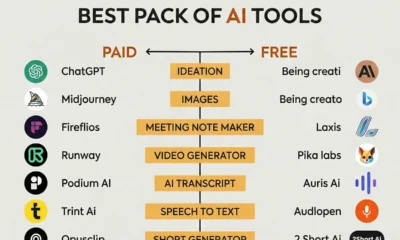

Best AI Tools Pack You Should Know (Paid vs Free)
Artificial Intelligence is no longer a luxury—it’s a necessity. Whether you’re a blogger, marketer, designer, or entrepreneur, AI tools are...
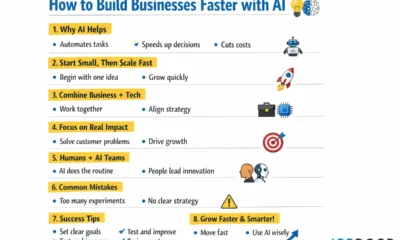

How to Build Businesses Faster with AI?
1. What is the main idea? The article explains that AI (Artificial Intelligence) can help companies build new businesses much...
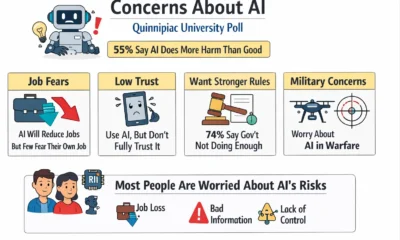

Majority of Americans Believe AI Will Cause More Harm Than Good
A recent survey by Quinnipiac University shows that many people in the United States are worried about artificial intelligence (AI)....
-
 Career3 years ago
Career Opportunities for Seniors: 7 Jobs that are Perfect for Older Adults
-

 Career2 years ago
5 Free Job Posting Sites in the UK (For Employers)
-
 Jobs6 months ago
15 Best Second Jobs to Boost Your Income in the UK for 2026
-
 Money6 months ago
20 Ways to Make Money with Google Gemini: Practical Methods Anyone Can Start
-
 Money6 months ago
26 Lucrative Passive Income Ideas to Build Wealth in 2026
-

 AI & Tools6 months ago
10 Insane Ways Google Gemini Will Explode Your Productivity in 2026
-

 AI & Tools6 months ago
ChatGPT vs Copilot: Which AI Is Best for You in 2026?
-
 Career3 years ago
13 Best Jobs That AI Can’t Replace: A Guide to Future-proof Careers